Scraping LinkedIn without getting banned is not a question of smarter bots, slower request rates, or better proxies. Any method that runs through your account, your browser session, or your cookies ties data collection to that account, which is exactly what enforcement acts on.
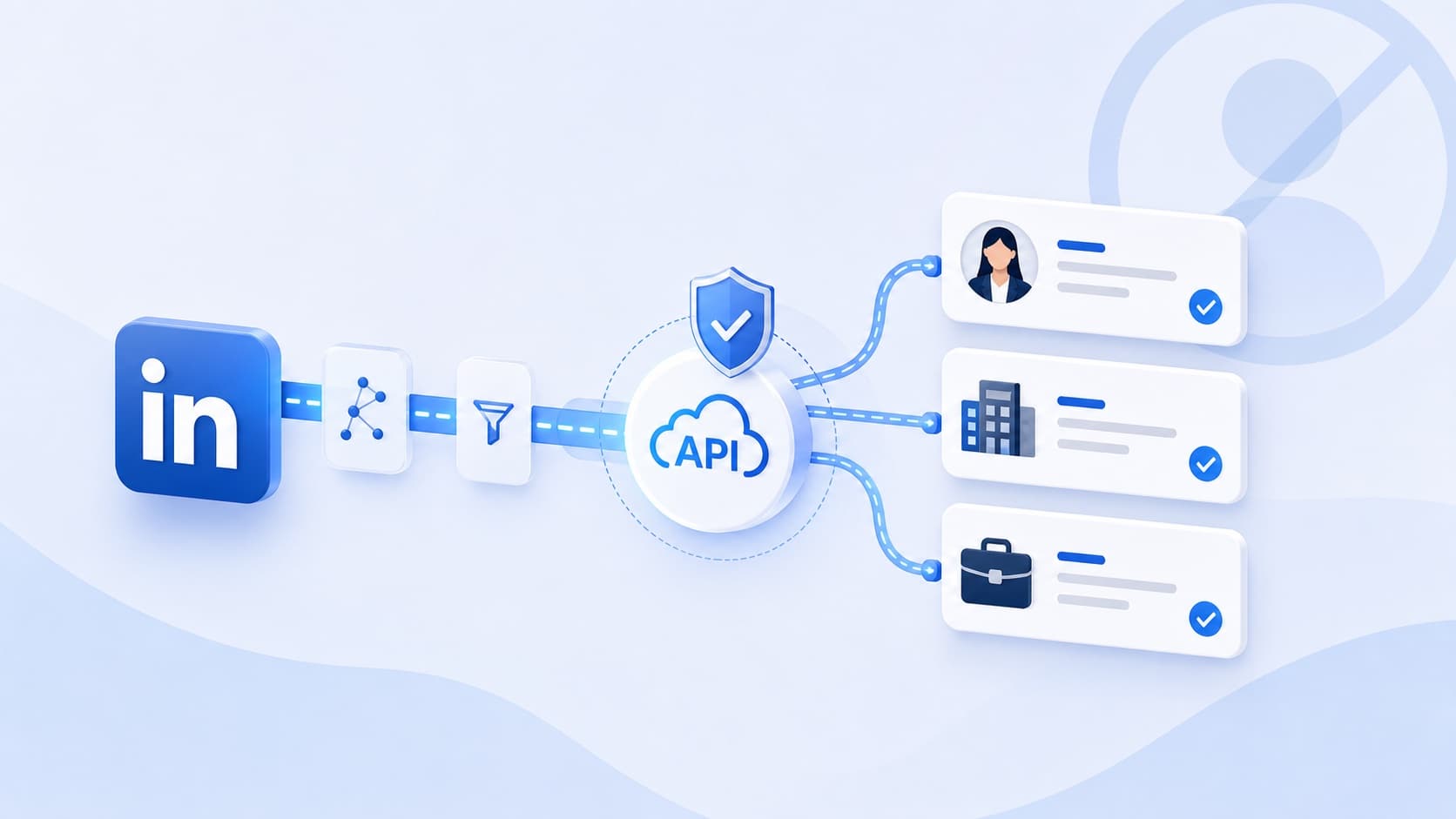
The lowest-exposure approach is not to hide the activity better. It is to take the account out of the retrieval path entirely: call a public professional data API that returns structured profile, company, and job records without a login, a cookie, or a browser to keep alive.
What LinkedIn can actually do to an account
LinkedIn can restrict an account when it identifies scraping, unauthorized automation, fake accounts, or inauthentic automated activity under its User Agreement. Its account-restriction guidance and prohibited-software policy both state that automated activity can lead to temporary or permanent restriction.
"Ban" is an umbrella term for a ladder of outcomes, and most teams meet the lower rungs first:
- An automated-activity warning.
- A cap on profile views or search results.
- A temporary feature restriction on messaging or connection requests.
- An identity verification request.
- Temporary suspension.
- Permanent loss of the account.
The operational risk is account dependency. Once collection depends on a personal account, that account is infrastructure — and a password change, a logout, a verification prompt, or a restriction stops the pipeline. Most teams discover this when the person whose account it was leaves the company.
What the terms actually say
The User Agreement
Section 8.2 prohibits developing, supporting, or using scripts, robots, crawlers, browser plug-ins, or other processes to scrape or copy LinkedIn services, profiles, and other data, and separately prohibits bypassing access controls or usage limits on search results, profiles, and pages. That covers more than a conventional scraper:
- Browser extensions that extract profile fields.
- Profile scraper tools and bots that open search results automatically.
- Software that downloads connections or automates connection requests.
- Scripts that copy data from company pages or collect postings at scale.
LinkedIn also states that it does not permit fake accounts or services generating fake engagement, so a dedicated secondary account does not resolve the policy question — it just moves which account absorbs the enforcement.
Extensions are not a loophole
An extension feels different because it runs inside the normal interface. Technically it is the strongest form of account coupling: it reads pages, extracts fields, and sometimes sends requests from inside an authenticated session, which is the position LinkedIn's prohibited-software policy names directly. The same applies whether the pages are search results, Sales Navigator, Recruiter, profiles, company pages, event attendee lists, or job pages. Paying for Sales Navigator or Recruiter buys access to those interfaces; it does not authorize bulk extraction from them.
Crawling, permission, and four different access models
LinkedIn publishes separate crawling terms for approved automated crawling. They require approved crawlers to use their true IP address and user-agent identity and prohibit masking or manipulating either. That is worth sitting with, because it inverts the standard advice: rotating proxies and spoofed user agents are not a route to permission, they are the opposite of the conditions under which permission is granted.
- Manual use of the interface as a member.
- Approved crawling with express permission, under the crawling terms.
- The official API, authorized per member through OAuth, with most products behind partner approval.
- Unofficial public data APIs, which are third-party services and not LinkedIn integrations.
The fourth is where EnvoAPI sits, and the distinction matters enough that we wrote it up separately in official versus unofficial LinkedIn APIs. An unofficial public data API must never be presented as official or authorized access.
Which methods put the account at risk
Exposure tracks one variable: whether retrieval needs an account, a session, or a cookie belonging to a real member.
| Method | Needs an account | Needs a session | Automated activity | Exposure |
|---|---|---|---|---|
| Manual research | Yes | Yes | No | Lower |
| Browser extension | Usually | Yes | Often | High |
| Cookie-based scraper | Yes | Indirectly | Yes | High |
| Automated browser bot | Usually | Yes | Yes | High |
| Self-hosted scraper | Sometimes | Sometimes | Yes | Medium to high |
| Public data API | No | No | None on your side | Lower |
Manual research
Reviewing profiles and recording fields by hand is the least automated option and does not scale: collection is slow, formatting is inconsistent, and verification is manual. It is a reasonable answer for a small research task, and it does not exempt anyone from platform terms or privacy obligations.
Browser extensions
An extension operating in an active session depends on an authenticated account, runs its activity through the interface, stops the moment a restriction lands, and can see whatever the session can see. That last property is also a security question: an extension with access to your session has access to more than the fields you wanted.
Cookie-based scrapers
Handing a session cookie to a scraper makes credentials part of the pipeline. The failure modes are credential exposure, third-party access to the session, expiry, verification prompts, password changes, and downtime whenever any of those fire. A session cookie is not an API key and should not be handled like one.
Prospecting automation
Tools that combine extraction with connection requests, messages, or profile visits generate far more platform interaction than collection alone, and the User Agreement addresses automated contact and messaging separately. Evaluate the two as different activities: whatever your data source, it is not permission to automate outreach.
Why sessions, cookies, and proxies add risk
Attribution
Activity inside a logged-in session is attributable to that member. The account stops being an identity and becomes collection infrastructure — with none of the properties you want from infrastructure.
A single point of failure
Logout, password change, verification prompt, platform limit, temporary restriction, permanent suspension: any one of them stops the pipeline, and none of them are under your control or on your schedule.
Credential and data exposure
Sharing cookies or credentials with a vendor is an access-control decision, not a convenience. What comes back is personal data about identifiable people, which brings its own requirements for storage, processing, sharing, and deletion.
False confidence from evasion
Rotating proxies, changing user agents, randomising intervals, simulating scrolling, capping views per hour — none of these establish a recognised safe threshold. There is no published allowance of 100 profiles an hour or 200 a day for unauthorized collection, and the crawling terms explicitly forbid the masking these techniques depend on. A number that has worked so far is not a limit; it is an observation.
Collecting public data responsibly
Public visibility is one input to a decision, not the whole of it. A profile can carry job title, employer, location, education, experience, and skills; a company page carries industry, size, headquarters, and description; a job page carries title, location, employment type, and description. None of that makes the data unrestricted.
Write the purpose down first
- Which fields you collect, and why each one is needed.
- The business purpose and the jurisdictions involved.
- The retention period, and what triggers deletion.
- Who and what receives the data downstream.
- How correction, opt-out, and deletion requests are handled.
CRM enrichment, lead qualification, company research, recruiting research, job-market analysis, and sales intelligence are all workable purposes. "We might need it later" is not.
Take fewer fields
Minimisation is the cheapest compliance control available, and it usually improves the data too — fewer fields means fewer things to keep accurate.
| Workflow | Fields that typically carry it |
|---|---|
| Sales and prospecting | Profile URL, name, job title, company, location |
| Account enrichment | Company name, domain, industry, employee range, headquarters, description |
| Job-market analysis | Job title, company, location, employment type, posting date, status |
Contact data is a separate decision with its own source, accuracy, and outreach obligations. Its presence in a dataset does not discharge consent, transparency, or marketing-law duties.
The KASPR case is the one to read
In December 2024 France's data protection authority fined KASPR €240,000. The product was a paid browser extension that collected professional contact details from LinkedIn into a database of roughly 160 million contacts. The regulator found it had collected details from members who had restricted visibility to their first- and second-degree connections, retained data for up to five years after each update, and — until 2022 — had not informed people at all, then did so only in English.
Three things make it worth reading in full. It turns on a browser extension, which is the architecture most "safe scraping" guides recommend. It draws the line at visibility settings rather than at the login wall: reachable through an account is not the same as public. And two of the three findings — retention and transparency — had nothing to do with collection at all.
What hiQ did and did not settle
The 2022 Ninth Circuit decision in hiQ Labs v. LinkedIn concerned public profile data and whether the Computer Fraud and Abuse Act applied, at the preliminary-injunction stage. The court found hiQ had raised serious questions about whether accessing public profiles is unauthorized access under the CFAA. It did not establish that public-data scraping is lawful in general, and it did not resolve contract, privacy, copyright, state-law, or data-protection claims — which is where most of the actual exposure lives.
Reducing risk in the workflow
The lever is architecture and governance, not detection avoidance.
Take personal accounts out of the pipeline
- No dependency on an employee's account.
- No customer session cookies, and no stored passwords.
- No secondary or fake accounts.
- No automation inside a logged-in browser.
- No collection bundled with automated outreach.
Separate retrieval from member activity
| Verdict | Shape |
|---|---|
| Prefer | Application → API request → structured response → internal workflow |
| Avoid | Personal account → login → browser automation → scraped markup → custom parser |
The first has one failure mode you can handle in code. The second has as many as the platform has controls, and each one arrives as a parsing bug rather than an error you can catch.
A ten-point governance checklist
- No personal account in the pipeline.
- No shared session cookies.
- No fake or secondary accounts.
- No automated connection requests or messages.
- Public professional data only.
- A documented business purpose.
- The minimum fields that purpose needs.
- A defined retention period.
- A working opt-out and deletion path.
- Scheduled accuracy and access reviews.
Account-based scraping versus API access
| Factor | Account-based scraper | API access |
|---|---|---|
| Your LinkedIn login | Often required | Not required |
| Browser session | Usually required | Not required |
| Session cookies | May be required | Not required |
| Automation on the site | Common | None on your side |
| Typical output | Markup, CSV, or parsed fields | Structured JSON |
| Account dependency | High | Low |
| Maintenance | Browser and selector changes | Endpoint integration |
| Best fit | Small or one-off extraction | Recurring workflows |
| Responsibility for use | Yours | Still yours |
That last row is deliberate. An API changes the retrieval architecture; it does not move responsibility for what you do with the result.
What an API changes
- Credentials leave the pipeline — no login, no cookie, no session to keep alive.
- No browser automation on your side, and nothing to repair when markup changes.
- Consistent structured responses, so failures surface as errors your code can handle.
- Rate limits you can plan against instead of thresholds you discover by tripping them.
What an API does not change
- It does not make the data unrestricted, or guarantee compliance in your jurisdiction.
- It is not permission to automate outreach.
- It does not reach private messages, login-gated pages, or sensitive personal data.
- It does not move downstream responsibility off your team.
A provider that requires no account, cookie, or session genuinely reduces account-level exposure. Any provider claiming it eliminates legal, privacy, or data-quality risk is overselling, and that claim is itself a signal about the provider.
When a data API is the right answer
Reach for one when the requirement is repeatable structured data rather than a one-off extraction — profile lookups from public URLs, CRM enrichment, domain-to-company resolution, firmographics, structured postings, and job-market analysis, all with predictable responses and one place to handle errors.
| Data type | Workflows it carries |
|---|---|
| Profile data | Profile enrichment, candidate research, identity resolution, job-title normalisation |
| Company data | Account enrichment, company research, segmentation, firmographic analysis |
| Job data | Job monitoring, recruiting intelligence, hiring-trend analysis, job-board enrichment |
The tools people compare, and the question to ask
Names that come up in this search — Skrapp, Evaboot, PhantomBuster, Linked Helper, Dux-Soup, Datablist — span extensions, automation platforms, and data providers, and they are not interchangeable. Rather than rank them, ask each one the same question: does it need my LinkedIn login, my session, or my cookies to work?
If the answer is yes, your account is in the retrieval path and everything in this article applies. If the answer is no, that particular exposure is gone and the remaining questions are the ordinary ones about coverage, freshness, and terms.
The shape that holds up
LinkedIn restricts unauthorized scraping, extensions, bots, and automated activity. Workflows built on personal accounts, session cookies, and browser automation inherit that exposure by design, and no amount of proxy rotation or randomised timing changes what the architecture is.
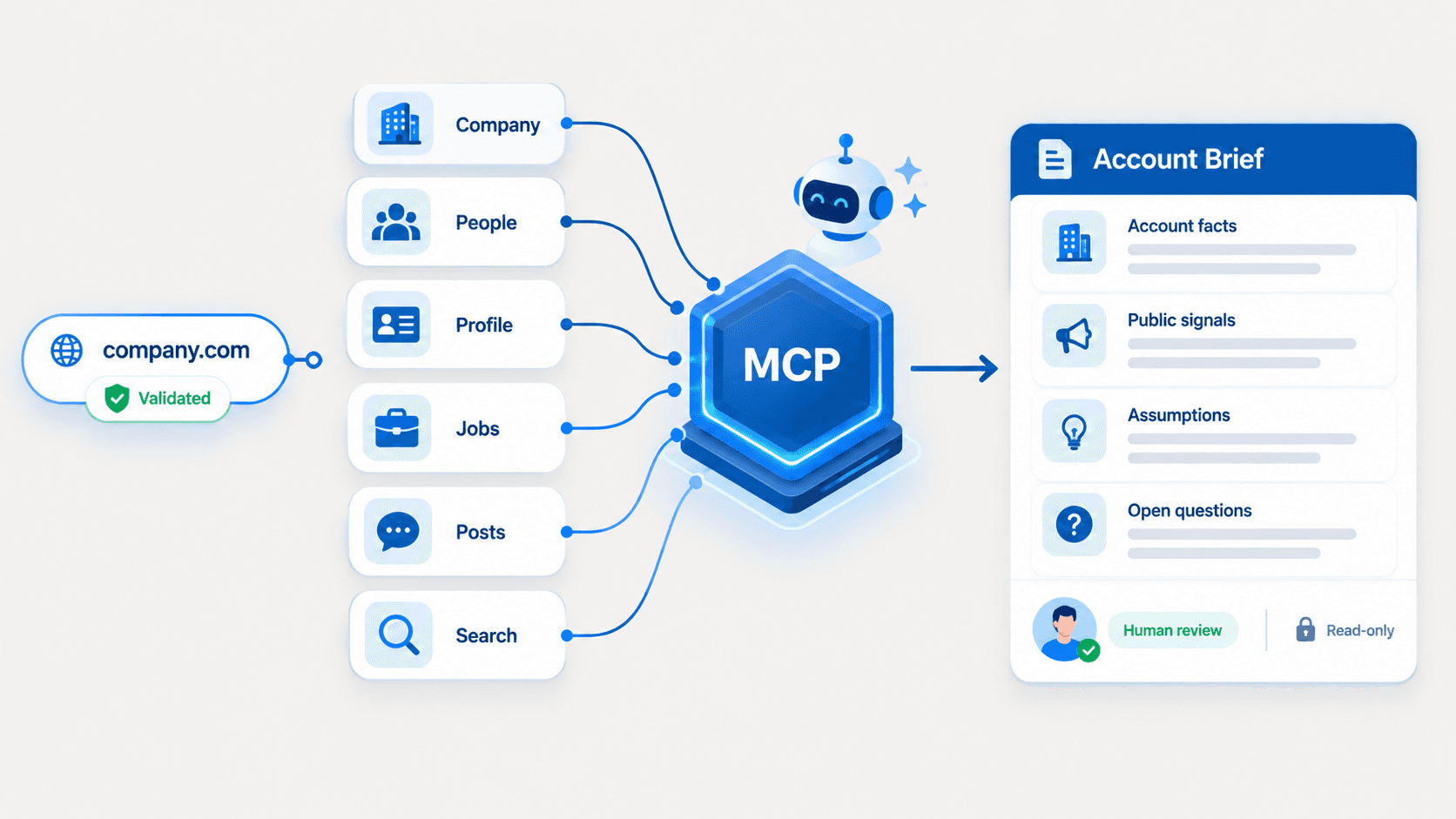
EnvoAPI is an unofficial public professional data API: documented operations across profiles, companies, search, jobs, and posts, called with one key in one header — no login, no cookies, no browser. The API documentation covers authentication, rate limits, errors, and pagination, and the free plan includes 100 credits, which is enough to run a real sample through it before changing anything.
What it does not do is decide your permitted fields, your business purpose, your retention period, your access controls, or your deletion process. Those stay yours whichever route you take — and they are what a regulator asks about.
FAQs about LinkedIn scraping and account risk
Is scraping LinkedIn against its terms of service?
LinkedIn's User Agreement, crawling terms, and help-centre policies restrict unauthorized scraping, automated crawling, and third-party tools that automate activity on its services. Section 8.2 of the User Agreement addresses scraping and copying directly, and separately prohibits bypassing access controls or usage limits.
Can LinkedIn permanently restrict an account for scraping?
Yes. LinkedIn states that automated inauthentic activity can result in temporary or permanent restriction. In practice the ladder usually starts lower — warnings, view caps, feature restrictions, or a verification request — before an account is lost entirely.
Is there a safe daily scraping limit?
No. LinkedIn publishes no universal allowance that protects an account, and figures like 100 profiles an hour or 200 a day circulate as folklore rather than as documented thresholds. A rate that has not triggered anything yet is an observation about the past, not a limit.
Should I use a secondary account for scraping?
No. A secondary account does not make prohibited automation permitted, and LinkedIn states it does not allow fake accounts or fake engagement. It only changes which account absorbs the enforcement, while adding a second policy problem.
Do proxies and rotating user agents make scraping safe?
No. They create no authorization and no guarantee. LinkedIn's crawling terms require approved crawlers to use their true IP address and user-agent identity and prohibit masking them, so these techniques run against the conditions under which crawling is actually permitted.
Is LinkedIn's official API the same as a public data API?
No. The official API authorizes access per member through OAuth, with most products behind partner approval. An unofficial public data API is a separate third-party service and should never imply official authorization or affiliation.
What profile data can an API return?
Depending on source coverage, typically name, headline, current role, company, location, experience, education, and similar public professional fields. It should not promise private messages, login-gated pages, restricted contact data, or sensitive personal information — and a provider that does promise those is describing a different activity.
Is EnvoAPI an official LinkedIn API?
No. EnvoAPI is an unofficial API for structured public professional profile, company, and job data. It is not a LinkedIn partner, it is not endorsed by LinkedIn, and it does not provide official LinkedIn API access.