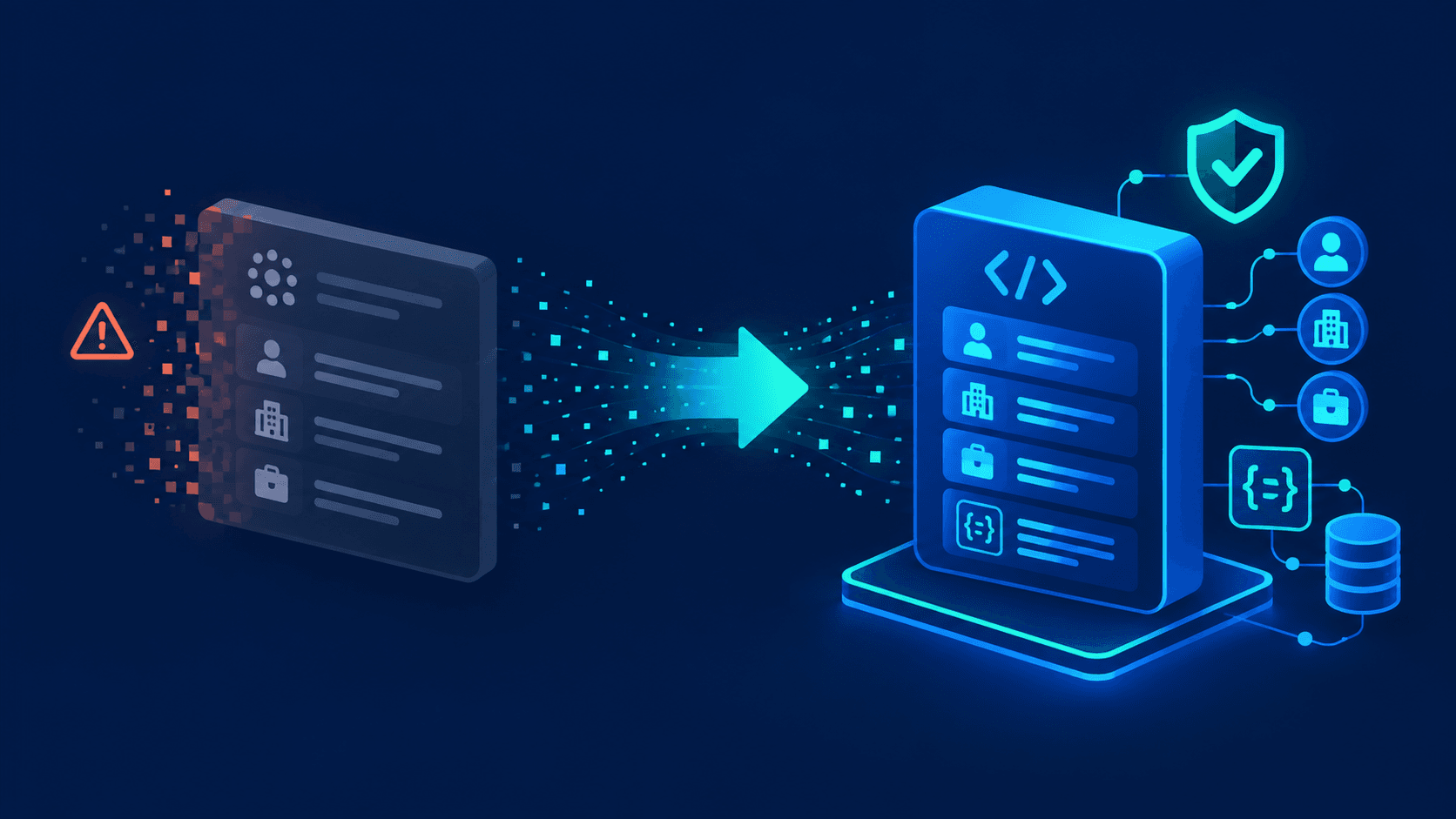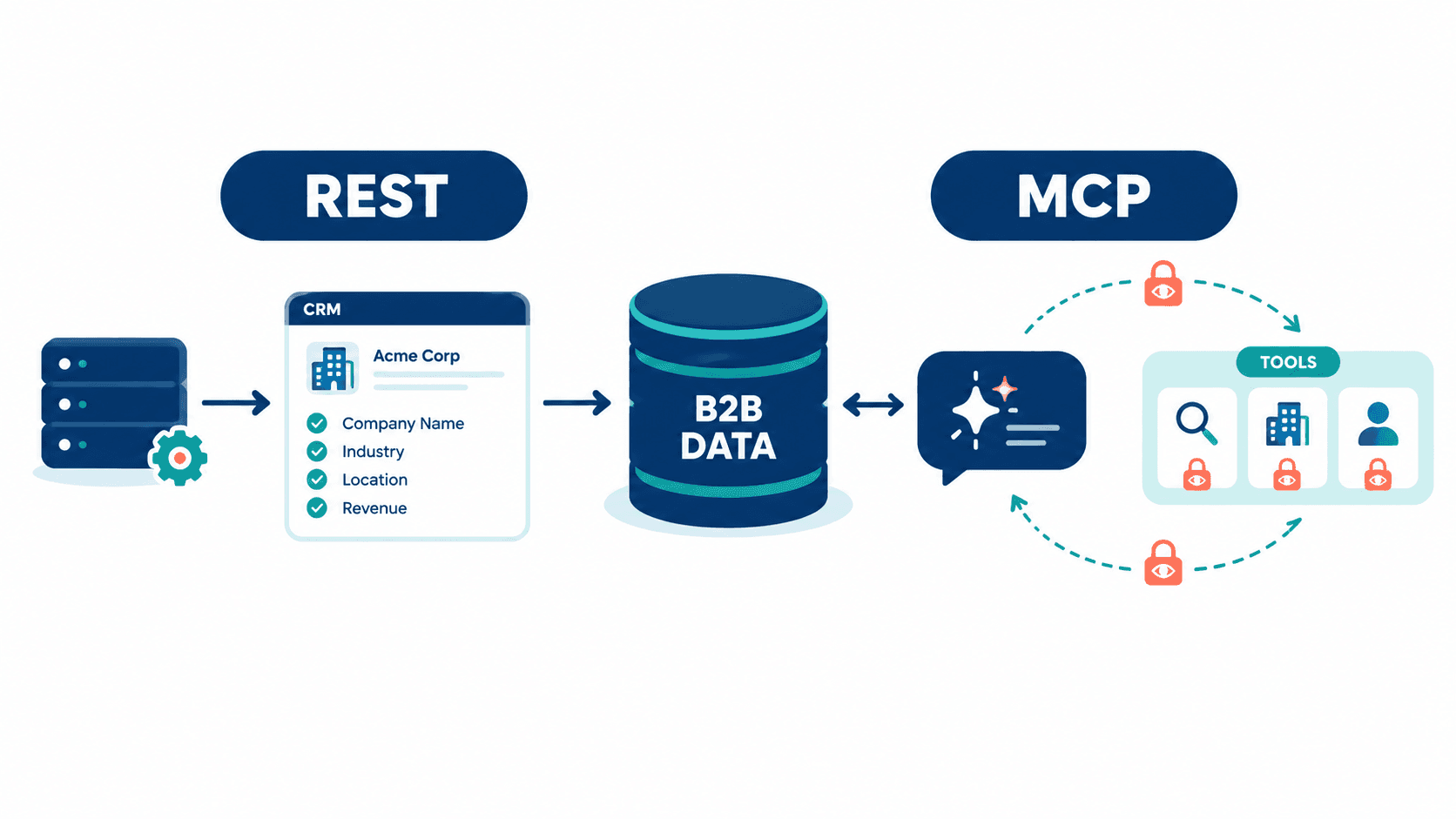
REST and MCP are not competing replacements for B2B data enrichment. Use REST when your application already knows the next operation to run, such as enriching a CRM account from a company domain, public profile URL, email, or supported identifier. Use MCP when an AI agent must select the next data tool based on a natural-language request, account context, or an earlier lookup result.
REST gives backend systems deterministic control over requests, validation, field mapping, retries, pagination, and record updates. MCP gives AI clients a governed set of discoverable tools for agent-led research, such as finding relevant people at an account and checking hiring context. Use REST + MCP when the same B2B data layer supports both backend automation and agent-led research.
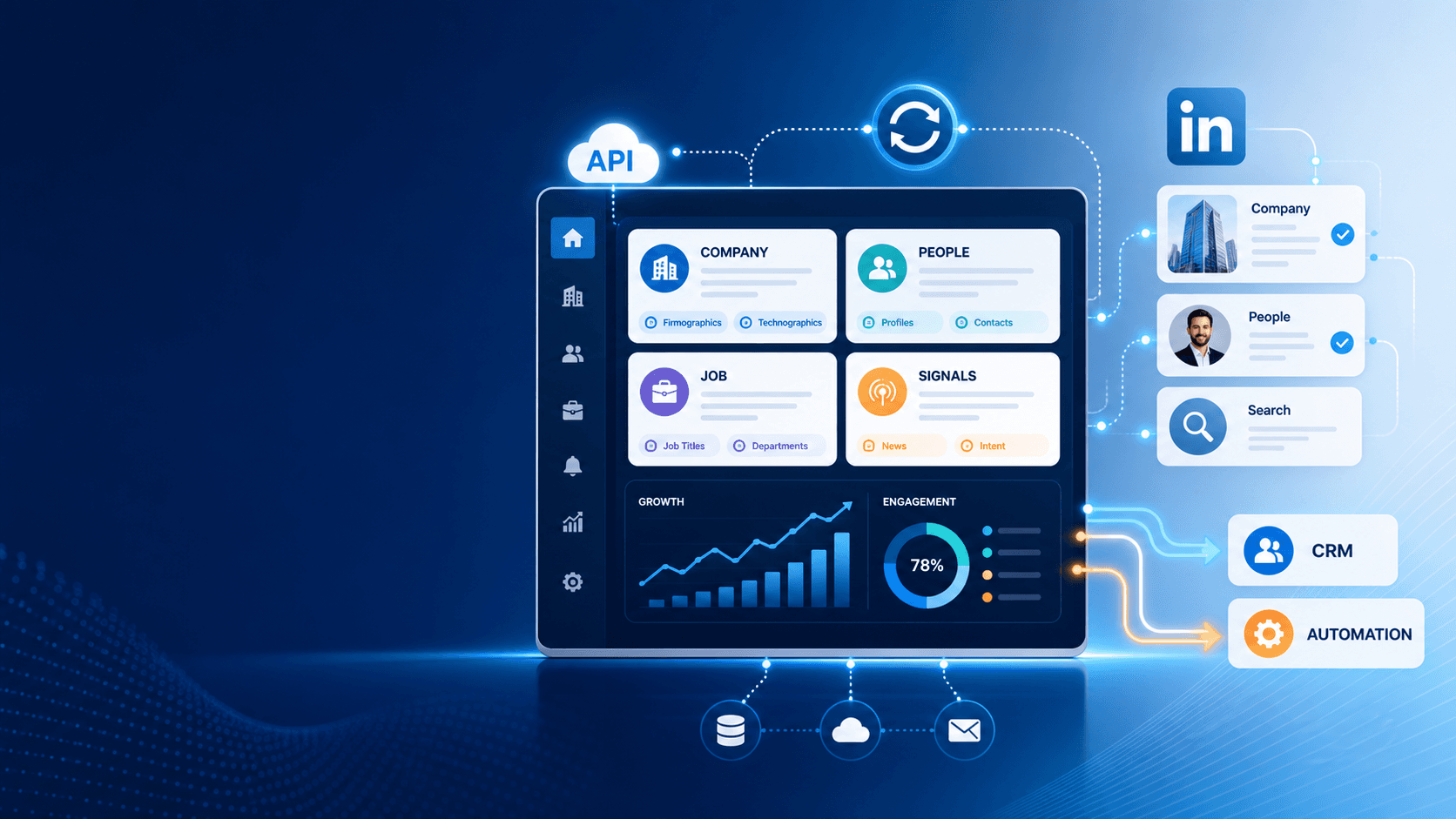
EnvoAPI supports both access patterns. Its REST API provides 47 endpoints across profile, company, search, job, and post data, while its hosted MCP server exposes 15 read-only tools for compatible AI clients.
MCP vs REST API: The Core Difference
The key difference is not the data itself—it is who decides which operation happens next.
REST is an interface for application-to-application integration. Before sending a request, the developer or backend application defines the endpoint, identifier, parameters, retry policy, validation rules, field mapping, and record-update behavior. The system follows a fixed sequence that application code controls.
MCP is a protocol through which AI applications discover and invoke server capabilities exposed as tools. Each MCP tool includes a name, a description, and a structured input schema. The AI host uses those definitions to select an appropriate operation while completing a user task.
An MCP tool can call a REST endpoint, internal service, database, or another structured data layer behind the MCP server. Therefore, MCP vs REST API is primarily a comparison of access patterns and runtime control models, not two separate data sources.
REST decides the next operation in application logic. MCP lets an AI client select the next read-only data tool within the capabilities exposed by the MCP server.
MCP tools are published by the server with a name, description, and input schema so AI clients can discover and invoke them. Streamable HTTP is a standard transport for remote MCP servers.
| Dimension | REST API | MCP |
|---|---|---|
| Primary consumer | Backend application, integration service, CRM workflow, ETL pipeline | AI assistant, AI agent, AI-enabled product |
| Operation selection | Developer or application logic selects the endpoint | AI client or agent selects an available tool at runtime |
| Interface | HTTP endpoint, method, query parameters, request body | Named tool, description, and structured input schema |
| Workflow model | Predetermined and code-defined | Context-aware and multi-step |
| Strongest use case | CRM enrichment, scheduled refreshes, batch jobs, webhooks | Account research, meeting preparation, recruiting copilots, conversational search |
| Control level | High and deterministic | Governed by tool scope, policies, and agent behavior |
| EnvoAPI example | Resolve a company domain, validate fields, and update a CRM record | Search for an engineering leader, enrich a profile, and summarize hiring context |
For example, a CRM workflow receives northwindfoods.com. The backend calls a company enrichment endpoint, validates the returned company record, maps approved fields into the CRM schema, and records the update. The sequence remains fixed from start to finish.
An account-research assistant receives this request: “Find the engineering leader at this company and summarize the hiring context.” The agent first retrieves company context, then searches people, then retrieves a selected public profile or job data only when an intermediate result requires it.
How REST and MCP Work for B2B Data Enrichment
REST enrichment workflow
Company domain ↓REST company enrichment endpoint ↓Structured company JSON ↓Field validation and CRM field mapping ↓CRM record updateIn a REST workflow, the application owns the sequence. A CRM record contains a company domain. The integration calls a known company enrichment endpoint, receives structured JSON, validates required fields, maps values into CRM properties, and applies predefined update rules.
The application also owns retries, pagination, concurrency, caching, idempotency, and error handling. This model fits workflows where the identifier, requested data, and next operation are known before the request starts.
For example, a B2B SaaS product can enrich 10,000 new company records overnight. A queue worker processes records at the plan’s approved rate limit, logs failed records, retries transient errors, and writes only validated firmographic fields to the CRM or warehouse.
Implementation note: Review the EnvoAPI API response contract before building reusable parsers. Every endpoint returns success, data, pagination, and meta, which supports a shared validation layer across the REST API surface.
MCP enrichment workflow
User goal:"Find the engineering leader at this companyand summarize the hiring context." ↓AI agent ↓Company lookup tool ↓People search tool ↓Profile or job-data tool when needed ↓Agent-generated account briefIn an MCP workflow, the user gives the AI agent an objective instead of an endpoint name and request parameters. The agent inspects available tools, selects the next operation, supplies structured inputs, and uses the result to choose the next tool.
For account research, an agent can retrieve company context, search people by title and company, enrich a selected profile, then retrieve current job data to summarize hiring activity. The agent decides the lookup sequence, but the MCP server limits the available operations.
Takeaway: REST encodes the workflow in application logic. MCP exposes selected enrichment operations as tools that an AI agent can select in a controlled runtime.
When to Use REST for B2B Data Enrichment
Use REST when your application already knows the next enrichment operation before it sends a request.
Use REST for these situations:
- Enrich a CRM lead from a known public profile URL, public identifier, email, or company domain supported by the API.
- Resolve a company from a domain and map firmographic fields into an account record.
- Refresh selected company or profile records on a fixed schedule.
- Process repeatable enrichment jobs in a queue worker, webhook handler, serverless function, or ETL pipeline.
- Run high-volume data operations with explicit pagination, caching, retry, concurrency, and idempotency controls.
- Maintain an auditable field mapping between structured API responses and CRM, ATS, warehouse, or product-database fields.
- Call REST endpoints that the MCP server does not currently expose as tools.
- Trigger data enrichment after a known product event, such as form submission, account creation, or lead assignment.
Use a field-level update policy. Define which fields the application can overwrite, which fields require a freshness check, and which fields must preserve user-entered values. For example, update company size, industry, and website only when the returned record passes validation and the source record meets your freshness policy.
Reference: Use the Developer documentation to confirm endpoint parameters, response fields, pagination rules, and error handling before defining production mappings.
Example endpoint: A domain-based company lookup starts with the company enrichment API, which accepts company identifiers such as a domain, slug, URL, or company ID depending on the endpoint.
| Decision rule | Choice |
|---|---|
| The workflow uses one known endpoint | REST |
| The workflow runs on a schedule | REST |
| The workflow writes to a CRM or warehouse | REST |
| The backend owns retries and idempotency | REST |
| The workflow processes 100+ records in one run | REST |
| The request sequence is fixed before execution | REST |
If the application knows the next operation, REST is the direct and controllable choice.
When to Use MCP for B2B Data Enrichment
Use MCP when selecting and combining enrichment operations is part of the AI agent’s job.
Use MCP for these situations:
- A sales-research assistant receives: “Who are the likely engineering decision-makers at this account?”
- A meeting-prep assistant receives: “Summarize this company, relevant people, and current hiring context.”
- A recruiting assistant receives a natural-language candidate-research request and selects people-search, profile, and job tools.
- A product copilot answers questions using structured public professional, company, job, search, or post data.
- A research agent changes its next lookup based on results from an earlier company, people, profile, or job query.
For example, a user asks: “Find a VP of Engineering at Acme Corp and summarize their background.” An MCP client can call search_people with company and title criteria, then call get_profile for a selected public identifier. The assistant can use structured fields such as current position, previous roles, location, and experience before generating the summary.
EnvoAPI’s hosted MCP server currently exposes 15 read-only tools across profile, company, search, job, and post workflows. The search_people tool searches by keyword, title, company, location, and supported filters. The get_profile tool retrieves a profile by public identifier.
Guardrail: Expose only the tools required for the user task. Keep enrichment tools read-only. Route CRM updates, data exports, outreach, and every other write action through explicit application logic with approval controls.
EnvoAPI’s MCP server follows this pattern: its 15 tools are read-only and retrieve data only. The server does not expose create, update, or delete operations.
MCP adds value only when the AI agent must select the next data operation. Do not use MCP to replace a single known REST call.
Setup note: See the EnvoAPI MCP server setup guide for the hosted server URL, Streamable HTTP transport, API-key authentication, and supported client configuration.
When to Use REST and MCP Together
REST and MCP work together when the same B2B data layer serves both operational workflows and agent-led research.
B2B data layer │ ┌──────────┴──────────┐ │ │ REST API MCP server │ │ CRM, ETL, backend services AI assistants and agents │ │ Validation, retries, writes Tool discovery, read-only researchREST handles durable backend workflows. It supports deterministic request sequencing, reliable field mapping, operational logging, controlled retries, and controlled writes to CRMs, ATS platforms, data warehouses, and internal product databases.
MCP handles agent-led discovery and research. It gives compatible AI clients a limited set of named tools so the agent can retrieve context from structured public professional, company, job, search, and post data without hard-coding every individual REST request into the user interface.
Both interfaces can use the same underlying data capabilities. This architecture separates responsibilities instead of duplicating data systems: REST owns repeatable operational processing, while MCP supports controlled tool selection during AI-assisted research.
| Workflow | Interface | Reason |
|---|---|---|
| Nightly enrichment of 10,000 CRM accounts | REST | Request sequence, validation, and update policy are fixed |
| Real-time enrichment after a form submission | REST | Backend controls trigger, identifier, and CRM mapping |
| Interactive account research | MCP | Agent chooses company, people, profile, or job tools from the request |
| In-app sales copilot | MCP + REST | MCP handles research; REST powers caching, app services, and durable processing |
| Data warehouse synchronization | REST | High-volume jobs need explicit paging, retries, and observability |
| Internal recruiting assistant | MCP + REST | MCP handles natural-language research; REST stores approved data in downstream systems |
Start with REST when building a new production enrichment workflow. Define identifiers, response validation, field mapping, retry policy, idempotency behavior, and write rules first. Add MCP after the REST workflow is stable and the product requires natural-language research or dynamic tool selection.
Follow this three-step sequence:
- Implement the REST workflow and log request outcomes.
- Identify the three to five read-only operations that an AI assistant actually needs.
- Expose only those operations through MCP and retain all write actions in the backend.
Coverage note: EnvoAPI documents 47 REST endpoints, while its hosted MCP server currently exposes 15 read-only tools. Use the REST API reference when the workflow needs a capability that MCP does not expose.
MCP vs REST with EnvoAPI
EnvoAPI provides REST and MCP access patterns for the same structured public professional and company data workflows.
REST access pattern
EnvoAPI REST supports direct server-side requests for public profile, company, search, job, and post data. The API includes 47 endpoints across five data families and uses a consistent response envelope: success, data, pagination, and meta.
REST is the right implementation path for server-side enrichment, CRM synchronization, warehouse updates, scheduled refreshes, webhook-based workflows, and high-volume processing. Your backend selects the endpoint, validates the response, applies business rules, and controls downstream writes.
MCP access pattern
EnvoAPI’s hosted MCP server exposes 15 read-only tools over Streamable HTTP. Compatible clients retrieve tool definitions, provide structured inputs, and call selected tools during a conversation or agent workflow.
This design supports AI-enabled account research, recruiting workflows, meeting preparation, and contextual product copilots. The AI client selects from available MCP endpoints, while the server limits what data operations the client can invoke.
Shared control model
REST and MCP use the same EnvoAPI API key, credit balance, and rate limits. MCP calls do not create a separate metering layer because each tool proxies an underlying REST capability.
MCP does not expose all 47 REST endpoints. Use REST when the required API capability is outside the current 15-tool MCP coverage.
Authentication note: REST requests use the X-API-Key header from server-side code. MCP clients connect to the hosted endpoint with API-key authentication through the Authorization header. Review the MCP connection documentation before configuring a client or storing keys in a secret-management workflow.
Follow these security rules:
- Do not expose API keys in client-side code.
- Do not paste API keys into prompts.
- Do not commit API keys into source control.
- Store credentials in environment variables or a suitable secret-management system.
- Review tool permissions and read-only scope before enabling an MCP client for production users.
Build the workflow that matches your control model. Get API Key to test REST endpoints for repeatable enrichment and connect the hosted MCP server for read-only AI research workflows.
MCP or REST? Quick Decision Table
| Requirement | Choose |
|---|---|
| One known profile or company enrichment request | REST |
| CRM, webhook, or backend integration | REST |
| Scheduled refresh, queue worker, or ETL pipeline | REST |
| Explicit retries, pagination, and field mapping | REST |
| An agent selects the next tool from a user goal | MCP |
| A natural-language account-research task | MCP |
| Dynamic people, company, job, and profile research | MCP |
| Backend automation plus AI research experience | REST + MCP |
| A required capability is not among current MCP tools | REST |
| A workflow writes records to a CRM, ATS, or warehouse | REST |
Choose the interface based on who controls the workflow: your application, your AI agent, or both.
Frequently Asked Questions
Does MCP replace REST APIs?
No. REST and MCP serve different integration models. REST supports explicit application-controlled workflows. MCP helps compatible AI clients discover and invoke selected tools during agent workflows. A production system can use both interfaces against the same data layer.
Is MCP better than REST for AI agents?
MCP is the direct choice when an AI agent must select tools at runtime from a natural-language task. REST remains the right choice when the application defines the exact endpoint, parameters, validation rules, and sequence before execution.
Is REST better for batch enrichment?
Yes. Batch enrichment uses deterministic request sequencing, explicit concurrency, retries, pagination, caching, validation, idempotency, and cost controls. REST gives the application direct control over those operations.
Can MCP and REST access the same B2B data?
Yes. A provider can expose REST endpoints for backend workflows and MCP tools for AI-agent workflows over the same underlying public professional, company, job, search, and post data capabilities. EnvoAPI uses this model: its MCP tools proxy REST capabilities while sharing the same API key, credits, and rate limits.
Is MCP over HTTP?
MCP supports HTTP-based remote transport through Streamable HTTP. HTTP carries messages between the MCP client and server, while MCP defines the protocol semantics that let the client discover and invoke tools. EnvoAPI hosts its MCP server at https://api.envoapi.com/mcp using Streamable HTTP.
Conclusion
For MCP vs REST API for B2B data enrichment, choose REST when your backend already knows what data operation to run, how to validate the response, and where to write the result. Choose MCP when an AI agent must select the next read-only enrichment tool from the user’s goal, account context, or intermediate findings.
Use both access patterns when your product needs dependable enrichment automation and flexible AI-led research on the same structured public professional and company data layer. Keep operational writes in backend workflows, expose only the MCP tools an agent needs, and review tool coverage before deploying an AI-assisted workflow.