Unofficial LinkedIn API: Types, Access and Use Cases
Updated October 15, 20269 min read EnvoAPI team

An unofficial LinkedIn API is a third-party interface for LinkedIn-related data or account actions, separate from LinkedIn's own developer products. The term covers managed data services, software libraries that use account sessions, and tools that act through an account. Each has its own access model and tasks to maintain.
For developers comparing LinkedIn unofficial API options, the choice starts with the data, actions and access your app needs. This guide maps those needs to API types and shows an EnvoAPI request based on its docs.
Key takeaway: Choose an API by its access rules, accepted inputs, returned fields and account needs. Official APIs support reads and actions; check what each third-party product supports.
Unofficial LinkedIn API access models
Unofficial APIs differ in what you connect and who keeps the connection running. The models below describe those differences; a service can combine them.
Managed public-data services
A managed public-data service is an API that takes lookup requests and returns structured records for data enrichment. Your app maps those fields into existing records and handles errors; the vendor runs the service that fetches data.
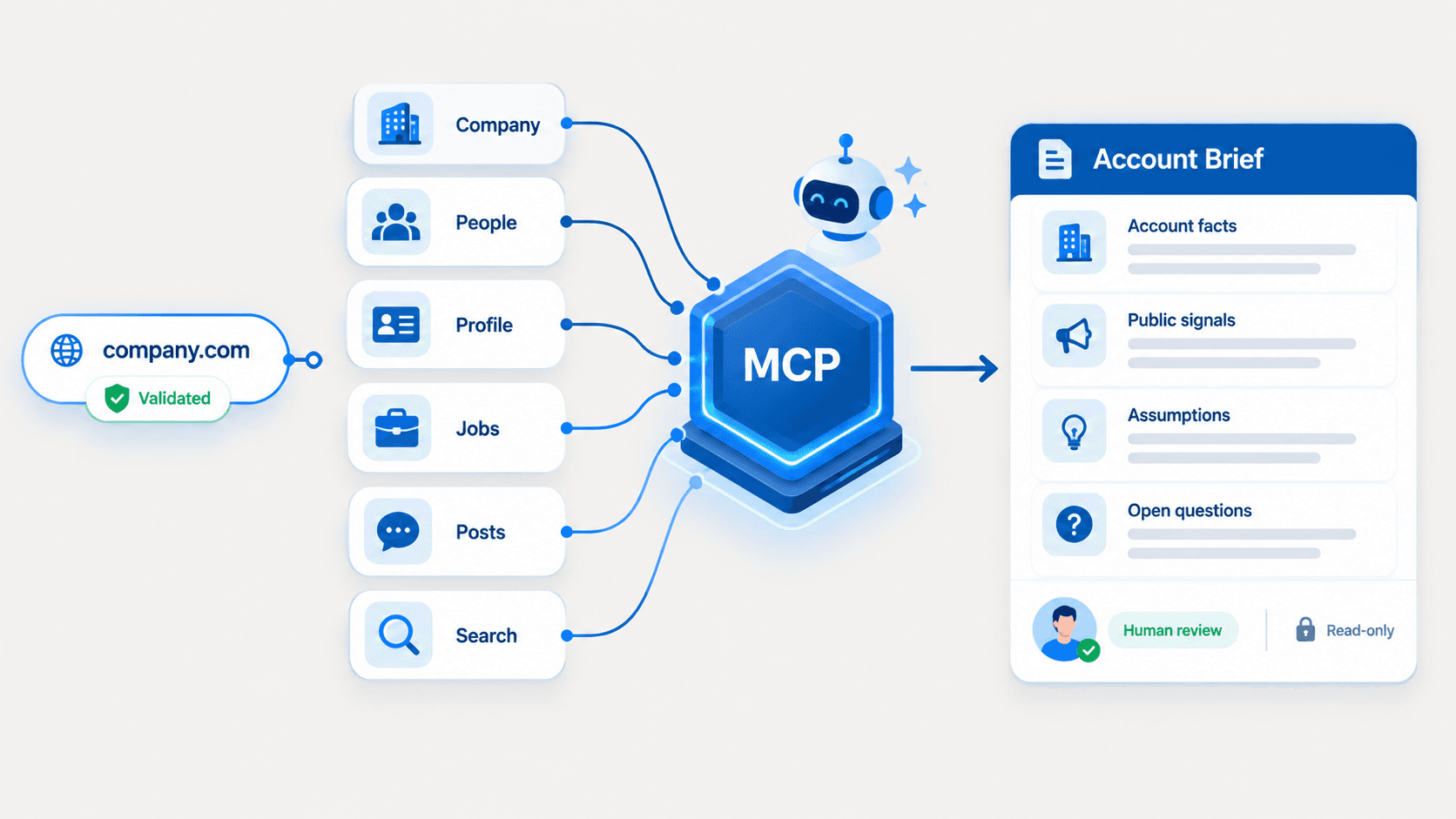
EnvoAPI uses this model. To authenticate, your application sends a server-side API key as described in the authentication guide. You do not supply a LinkedIn account or session cookie. This describes how you connect to EnvoAPI, not how every vendor gathers data.
See how a LinkedIn API without login uses an API key in place of a member sign-in for the caller.
Account-based SDKs and session clients
An account-based client is a tool that calls endpoints through a LinkedIn account session. An SDK is a software library. The fact that a tool ships as an SDK does not prove official access or support for a given task.
As of October 2026, the nsandman/linkedin-api README describes account login and cookie-based access to LinkedIn's internal Voyager service. It also warns about account checks and bans. The README states these needs; it does not prove that the code samples work today.
Before you choose a session client, decide who handles login, expired sessions and code changes when the source service changes. Installing a package does not settle those tasks.
Account-action integrations
An account-action integration is a service that acts through a connected member account. Check its data reads and account actions as separate features. Sending a message or an invitation needs its own access checks.
As of October 2026, BeReach's unofficial LinkedIn API page describes public-data research and sending through a connected account. Its page names invitations, messages and inbox access. That mix shows why “unofficial” does not mean “read-only.”
A vendor API key does not tell you whether the service also needs a connected LinkedIn account. Check what each call requires.
Match LinkedIn API access to your workflow
Choose an API that supports your task, then check its access rules before you build. Your product can use official sign-in alongside a separate data service. Each service's terms still apply.
We compared access models, including EnvoAPI, our own API, using LinkedIn and provider documentation read on October 14, 2026. The table shows which route to check and what access it needs.
| Your task | API or service to check | What to check |
|---|---|---|
| Sign members into your app | Official Sign In with LinkedIn using OpenID Connect | Scopes and missing identity fields |
| Publish for a member | Official Share on LinkedIn | Member consent and w_member_social access |
| Manage campaigns or read advertising reports | Official Marketing APIs | Product and account access |
| Publish organization posts or read page analytics | Official Community Management | Access tier, scopes and page role |
| Connect an applicant tracking system to LinkedIn | Official Talent integrations | Job posting, applicant records or candidate sync |
| Enrich CRM contacts with public profile fields | A managed data service such as EnvoAPI | Profile input, returned fields and gaps |
| Read company records or public job listings | Official lookup or a managed data API | Fields and search or lookup support |
| Operate through a member account | An account-based client or action integration | Account access, actions and platform rules |
For the managed data route, the LinkedIn Data API page describes EnvoAPI's product scope. The official access conditions are detailed below.
What official access covers and where to check its limits
LinkedIn has official APIs for sign-in, ads, page management and hiring tools. Each product has its own access rules. Claims such as “all partner-only” or “only the signed-in member” do not describe the whole platform.
Self-service access, publishing and reporting
LinkedIn's Getting Access guide lists w_member_social among its self-service permissions. You can seek official access beyond sign-in through this route. Other products have their own review process.
Sign In with LinkedIn using OpenID Connect returns identity fields based on the scopes you request. Its email fields are optional, so your app must handle a response without them.
The Marketing API documentation covers campaigns, reports, lead sync and conversions. Community Management covers posts, comments, reactions and analytics under its access rules.
Profile and company lookups
Official profile and company APIs have set access rules and field limits. Check the input ID and permitted use before choosing an endpoint to fill gaps in CRM records.
The restricted Profile API describes how to fetch another member's data with a Person ID from limited-access APIs. That route differs from a self-service lookup of any public profile URL. The guide also forbids storing profile data returned for anyone except the signed-in member.
Organization Lookup supports company IDs and vanity names. Its docs list fields for non-admin access, including name and website. Product access rules still apply; do not assume either complete company data or no company data.
For EnvoAPI's company fields and CRM mapping, see the LinkedIn Company API.
Job publishing, applications and public job research
Official Talent products serve separate hiring tasks. Apply Connect supports job posting, receipt of job applications and status updates. Recruiter System Connect syncs candidate data with an applicant tracking system.
As of October 2026, the Job Posting documentation says new partnerships are closed and directs applicants to Apply Connect. That job posting workflow does not provide a general search of public job listings.
For hiring research, check the search filters, job fields and status values in the chosen API's docs. EnvoAPI's LinkedIn Jobs API describes its public job search and lookup.
LinkedIn profile lookup through EnvoAPI's REST API
EnvoAPI accepts a public profile URL through GET /v1/profiles/details/by-url. The Profile Details by URL reference defines the query field and response shape.
As of October 2026, EnvoAPI's live credit-cost endpoint lists the base profile lookup at 1 credit. That price covers the base lookup, not every endpoint or add-on.
Set ENVO_API_KEY to your server-side key and PROFILE_URL to the public profile URL you intend to process. Keep the key out of browser code and logs. This sample follows the docs; we have not called the API with a key for this article.
curl --get "https://api.envoapi.com/v1/profiles/details/by-url" \ --data-urlencode "url=${PROFILE_URL}" \ --header "Authorization: Bearer ${ENVO_API_KEY}" \ --header "Accept: application/json"{ "data": { "username": "avery-chen-synthetic", "linkedinUrl": "https://www.linkedin.com/in/avery-chen-synthetic/", "fullName": "Avery Chen", "headline": "Staff Data Engineer", "location": { "displayName": "San Francisco Bay Area", "locality": null, "country": null, "countryCode": null }, "counts": { "followerCount": 2840, "connectionCount": null }, "skills": null }, "meta": { "creditCost": 1, "skills": { "hasMore": null }, "sections": { "counts": "complete", "experience": "unavailable", "education": "unavailable", "skills": "unavailable", "certifications": "unavailable", "organizations": "unavailable", "languages": "unavailable", "courses": "unavailable", "volunteerExperience": "unavailable", "honors": "unavailable" } }}The name and field values above are invented sample data, not an observed API result. The excerpt omits fields from the full schema. Profile fields support null values. Section states show whether data is complete, empty, incomplete or unavailable.
Handle missing fields and API errors before updating records
Read location text from data.location.displayName and followers from data.counts.followerCount, checking each parent object for null first. The sample's unavailable skills section provides no skills data. It does not establish that the person has no skills.
Use meta.sections to decide whether to accept, defer or inspect the returned fields. Preserve a verified CRM value when the new result lacks that field. Confirm identity before updating an existing contact.
According to the error guide, failures use a top-level error object containing code and message. Error metadata includes requestId; successful requests expose their identifier through the X-Request-Id response header.
The rate-limit guide documents HTTP 429 with rate_limit_exceeded. Wait for Retry-After before retrying, and set a retry limit. For list endpoints, follow their pagination contract and meta.paging; this profile lookup is not a paginated list.
For the broader profile workflow, see the LinkedIn Profile API.
What to verify before choosing a provider
Check the exact call your app needs against the docs and records you can verify. A product label does not prove field coverage, fresh data or permitted use.
- Access: check whether each call needs a vendor key, LinkedIn consent, a connected account or a session you maintain.
- Scope: check input IDs, returned fields, search filters, allowed actions and pagination. A profile lookup does not prove support for search or messages.
- Data quality: compare returned values with known records. Count missing fields and wrong-person matches separately. Ask for evidence of how fresh the data is.
- Errors and billing: check how the API marks missing data and failed calls. Read retry rules and charges for failed calls or add-ons.
- Upkeep: name who owns keys, handles source changes, checks failures and seeks support. Assign data-use duties too.
To work out cost, divide the total charge by the records your app accepts. Count all calls and add-ons. A record that fails your identity or field checks does not count as usable.
Use our guide to LinkedIn API costs to distinguish account-based fees from request and credit charges before choosing a provider.
Compare the work of running a client and buying a service in scraping LinkedIn data versus using an API.
Platform terms and responsible data use
Public data and API access do not grant permission for every use. LinkedIn's User Agreement restricts scraping, copying and automated activity without permission. Check platform terms as well as the vendor's contract.
If the GDPR applies, choose a legal basis for processing and follow its rules for using personal data. Check whether the CCPA covers your business and data, using the California Department of Justice guidance.
The European Commission's GDPR principles require you to limit what you collect, keep data accurate, set storage limits and protect it. Plan how to handle access, correction and deletion rights that apply before you store personal data.
Review EnvoAPI trust and data practices alongside the rules that apply to your use. A vendor's practices do not decide whether your own use meets those rules.
Where EnvoAPI fits for data enrichment
EnvoAPI serves apps that enrich records with public professional and company data. Its API reference covers profiles, companies, search, jobs and posts. It does not send messages, publish posts or submit connection requests.
For CRM and internal data workflows, the data enrichment API page explains the broader product. EnvoAPI is an independent, unofficial third-party API. It is not affiliated with or endorsed by LinkedIn.
As of October 2026, current EnvoAPI pricing includes 100 one-time free credits with no card required. Use the trial to check fields, data gaps and credit use against the needs of your app.
Questions about access and integration
Can I use the official LinkedIn API for profile data?
Yes, within the chosen product's access rules. The Profile API covers the signed-in member and restricted access to other members through Person IDs. Check which fields you can read and store before using it.
Is EnvoAPI an official LinkedIn API?
No. EnvoAPI is an independent, unofficial third-party API. It is not affiliated with or endorsed by LinkedIn.
Is browser automation the same as a public-data API?
No. Browser automation controls a browser session; a public-data API defines the request and response your application uses. An HTTP interface alone does not reveal how the vendor gathers data. Check whether you must keep a session active and what the vendor says about access.