Professional Data API Pricing: What You'll Actually Pay in 2026
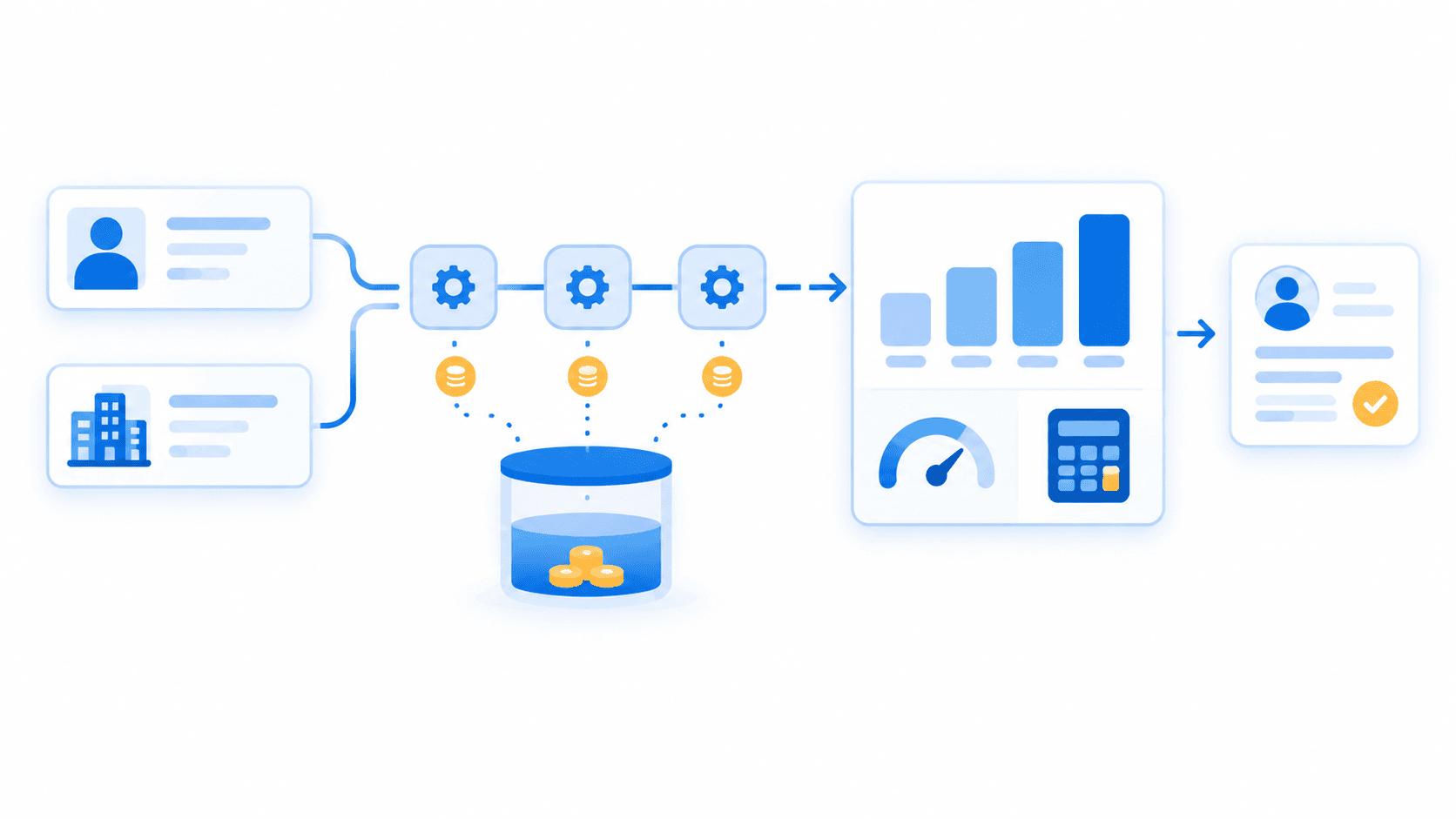
A professional data API may start at $49 per month, but that price alone does not define your budget. Your actual cost depends on the provider's billing unit, the number of requests or credits each workflow consumes, refresh frequency, and whether the plan can process your workload within the required time window.
For example, enriching one CRM contact can require a profile lookup, contact-data retrieval, company resolution, employee search, or paginated results. The relevant question is not "What does the plan cost?" It is: What will it cost to produce one usable enriched record at our monthly volume?
See EnvoAPI's current plans, included credits, and rate limits.
Key takeaway: The real cost of a professional data API depends on billable operations, workflow consumption, and pricing rules—not the advertised monthly price alone.
Why the Monthly Price Is Not Your Actual API Cost
A monthly subscription price is a starting point. It does not show how much work your team can complete or what each completed workflow costs.
One Business Outcome Can Require Multiple API Calls
One business outcome rarely equals one API request.
A CRM enrichment workflow can include:
- Resolve a public profile URL or identifier.
- Retrieve structured profile data.
- Retrieve available public contact information.
- Resolve a company from a website domain.
- Retrieve company firmographic data.
- Refresh a record after 30, 60, or 90 days.
That means "cost per API call" does not automatically equal "cost per enriched contact."
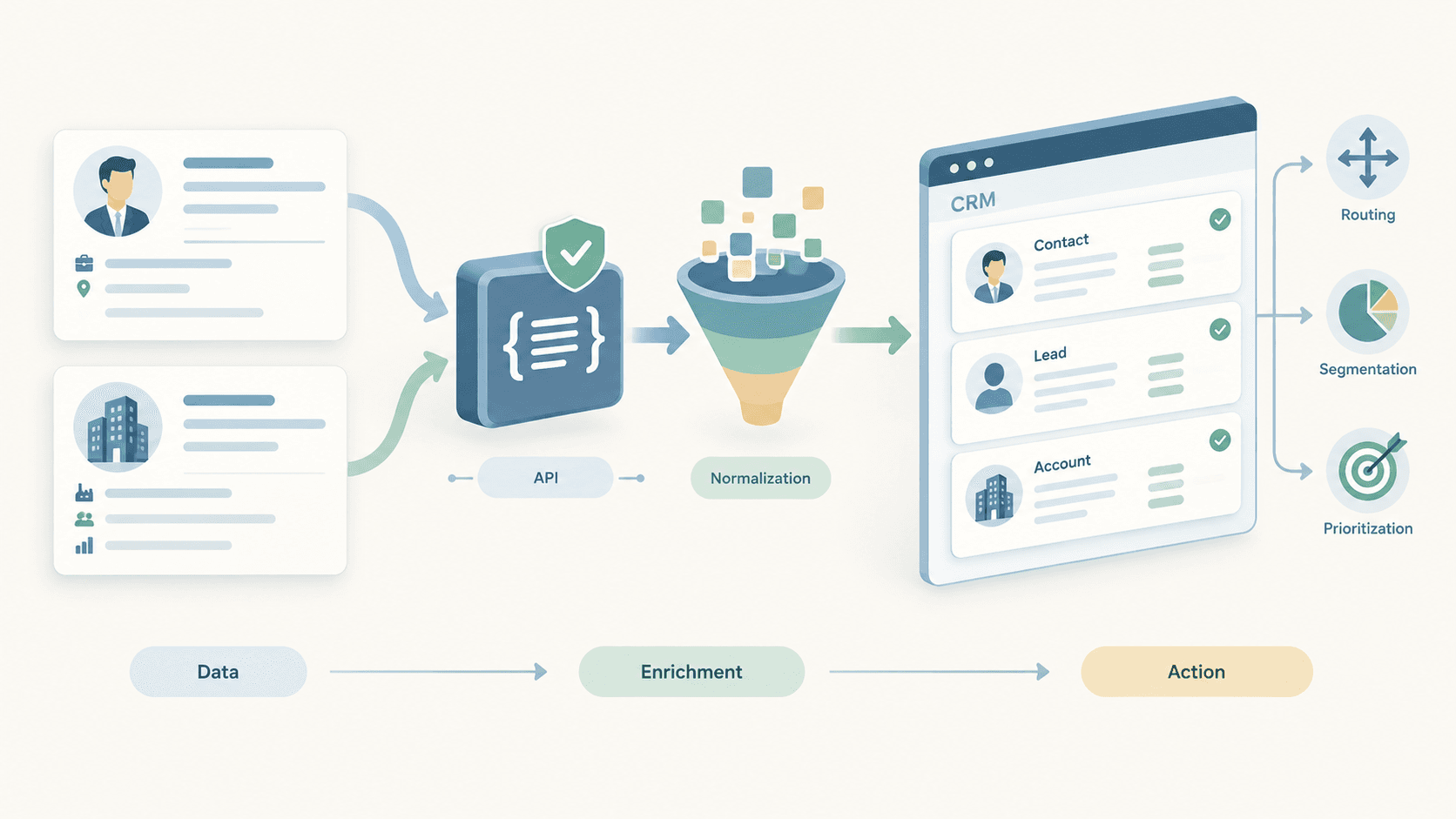
For example, an EnvoAPI CRM workflow can begin with a profile URL, resolve a normalized profile, retrieve visible contact information, and attach a company match from a domain. Available fields depend on the selected endpoint and public-data availability. EnvoAPI supports profile, company, people-search, job, and post data through a consistent developer API.
Review the EnvoAPI API documentation to understand endpoint families, request formats, pagination behavior, and response structures.
Cost Depends on the Billing Unit
Before comparing providers, identify the billing unit. Common units include:
- API request or call
- Returned record
- Successfully enriched record
- API credit
- Search page
- Paginated result set
- Endpoint-specific operation
- Monthly capacity plus top-ups
A provider charging per request can appear inexpensive until a single workflow requires four requests. A per-record plan can appear predictable until search pages, partial records, refreshes, or unsuccessful lookups enter the calculation.
Before comparing prices, translate every provider's model into one shared metric: the cost to complete your recurring workflow.
Cost Also Depends on Usage Rules
Pricing rules change actual spend even when two plans have the same advertised credit quantity. Check:
- Whether included credits reset each month
- Whether free credits are one-time or recurring
- Whether purchased top-up credits carry forward
- Whether overages trigger automatic billing, blocked requests, or manual top-ups
- Whether rate limits apply per account, API key, or endpoint
- Whether annual billing reduces the effective monthly cost
EnvoAPI's free tier includes 100 one-time starter credits rather than a recurring monthly refill. Paid plans include monthly credit grants, while purchased top-up credits carry forward during an active subscription.
The Four Pricing Models You Will See
Most professional data APIs use one of four pricing structures, sometimes in combination. No model is automatically cheaper. The useful comparison is how each model prices your expected workflow.
| Pricing model | What is billed | Best for | What to verify |
|---|---|---|---|
| Per-request pricing | Each API call | Simple lookup workflows | Whether one result requires multiple calls |
| Per-record pricing | Returned, exported, or enriched record | Clearly defined record workflows | What counts as a billable record |
| Credit-based pricing | Credits consumed by operations | Mixed enrichment and search workflows | Credit usage by endpoint |
| Subscription plus usage | Monthly allowance plus top-ups or overages | Recurring workloads with peaks | Reset, rollover, top-up cost, and RPM |
Per-Request API Pricing
Per-request pricing is easy to understand when one request consistently returns one usable record. It becomes less predictable when the workflow includes search, record retrieval, company resolution, pagination, retries, and recurring refreshes.
Verify how the provider counts:
- Retries after failed requests
- Pagination requests
- Batch operations
- Empty or unsuccessful responses
- Search-result pages
- Cache hits and cached responses
Per-Record API Pricing
Per-record pricing gives finance and operations teams a simple budget model. However, the definition of a "record" must be explicit.
Ask these questions before committing:
- Does an unsuccessful lookup count as a billable record?
- Does a partial record count as a full record?
- Does a paginated search charge for every result returned?
- Does the provider bill separately for contact data, company data, or refreshes?
- Is a profile with missing required fields still considered enriched?
A returned record is not automatically a usable record. A CRM workflow that requires current company, job title, location, and company domain should measure success against those field requirements.
Credit-Based API Pricing
Credit-based pricing gives an account a shared usage balance across endpoint types. This structure works well when workflows combine profile, company, search, job, and post operations.
Convert credits into an internal business unit:
- Credits per enriched CRM lead
- Credits per target account
- Credits per candidate shortlist
- Credits per company research record
- Credits per monitored job-market record
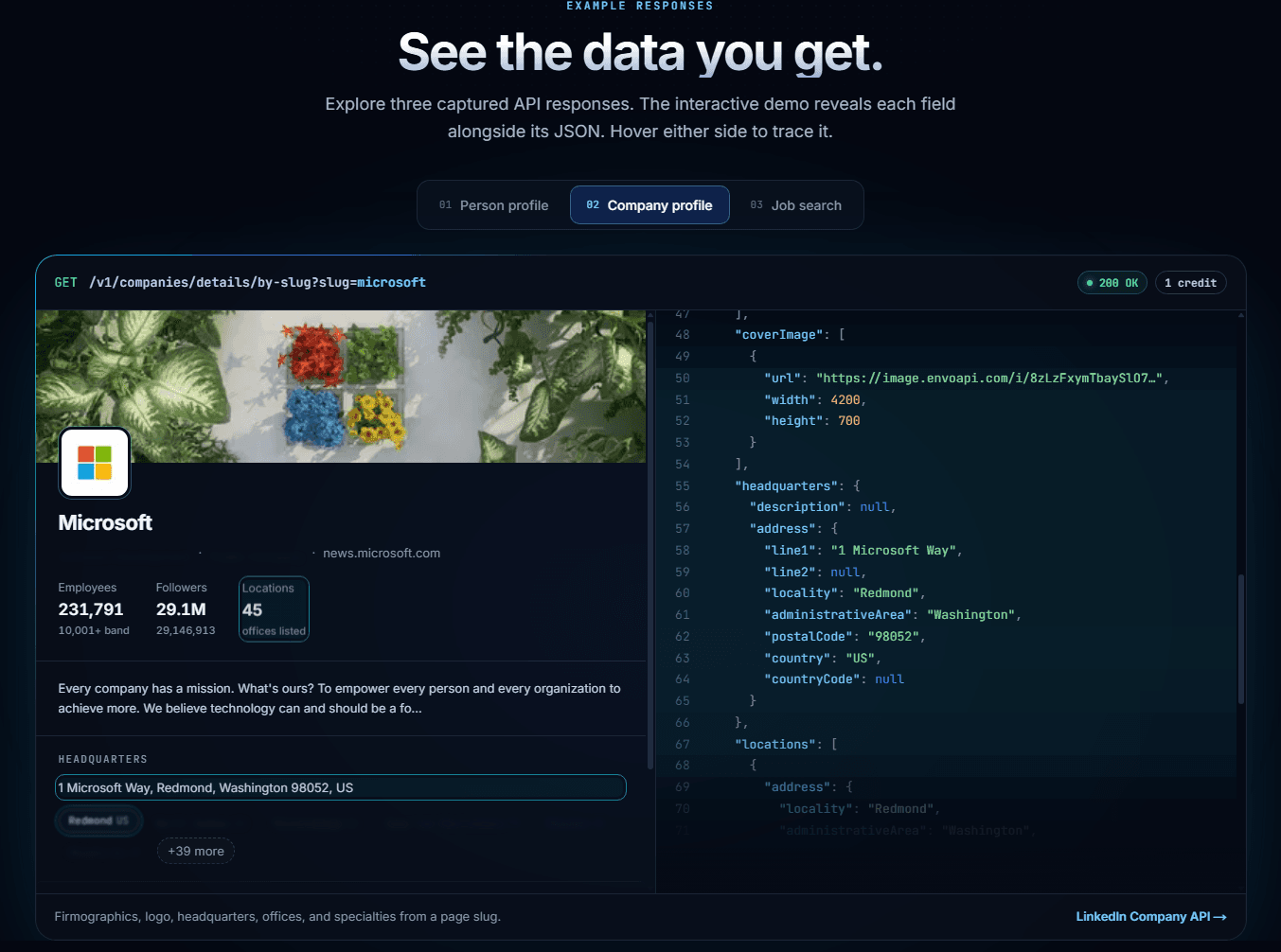
Do not assume that one request equals one credit unless the provider documents that rule. EnvoAPI returns x-credits-used and x-credits-remaining on API calls, so teams can measure workflow consumption during evaluation instead of forecasting from assumptions.
Subscription Plus Top-Up Pricing
A recurring subscription plus top-ups suits teams with a stable baseline and occasional spikes. For example, a team may need extra capacity for a one-time CRM migration, a seasonal recruiting campaign, or a temporary outbound push.
Use EnvoAPI's pricing page to compare monthly included credits, top-up packages, and rate limits in one place.
Top-ups are not automatically worse than upgrades. The correct choice depends on four factors:
- Whether the higher usage repeats every month
- Whether the current RPM limit supports the workload
- The unit cost of additional credits
- The risk of paying for unused recurring capacity
How to Calculate Professional Data API Cost
Calculate professional data API cost from completed business outcomes, not generic API calls.
Step 1: Define One Completed Workflow
Define one usable result before estimating credits or spend.
| Workload | Define one completed outcome as |
|---|---|
| CRM enrichment | One contact enriched with fields needed for routing or segmentation |
| Account research | One company record enriched to a defined firmographic threshold |
| Recruiting | One candidate profile reviewed with required role-history context |
| Sales intelligence | One selected contact linked to a target account |
| Market research | One company or job-market record added to a tracked dataset |
For example, a sales team may define a usable contact as a profile containing a current role, company, location, and valid company match. A partial profile missing the current employer should not count as a completed enrichment.
Step 2: Count Workflow Steps
Use this formula:
Monthly API operations = Monthly workflow volume × Average operations per workflowFor example:
15,000 new contacts × 3 API operations per contact = 45,000 operationsThis is an operation count, not a credit estimate. Different endpoint operations can consume different credit amounts depending on the endpoint, response type, and provider rules.
Step 3: Convert Operations Into Credits
Use observed endpoint usage:
Estimated monthly credits = Σ (Operations by endpoint × Observed credits per endpoint)For example:
Profile operations × observed profile credits+ Company operations × observed company credits= Estimated monthly creditsMeasure actual consumption with representative test data. Include:
- Complete records with valid identifiers
- Incomplete records
- Invalid or duplicate records
- Multi-page search results
- Company domains with no match
- Scheduled refresh workflows
Tip: EnvoAPI provides 100 free starter credits without a credit card, allowing teams to test real requests and inspect credit usage before choosing a paid plan.
Step 4: Add an Operational Buffer
Use a planning buffer after measuring baseline consumption:
Planning credits = Estimated workflow credits × (1 + Buffer)For example:
36,000 credits × (1 + 15%) = 41,400 planning credits per monthA 10% to 20% buffer is a practical starting point. It covers:
- Retry and backoff handling
- Pagination
- Duplicate or invalid records
- Quality assurance
- Integration testing
- Scheduled refreshes
- Reprocessing after pipeline failures
Step 5: Calculate Cost Per Usable Record
This is the most important metric:
Cost per usable record = Monthly API spend ÷ Usable records producedFor example:
$149 ÷ 18,000 usable records = $0.0083 per usable recordThat figure is more useful than a monthly plan price because it connects spend to a measurable business output.
Teams can validate workflow inputs and response fields in the EnvoAPI documentation before finalizing a production estimate.
Worked Example: Estimating CRM Enrichment Cost
Consider a B2B SaaS team with the following monthly workload:
- 15,000 new contacts enriched each month
- 3,000 existing contacts refreshed each month
- 18,000 total workflow events
- An observed average of 2 credits per completed workflow
- A 15% operational buffer
Note: The 2-credit figure is an illustrative measurement only. It is not a universal EnvoAPI rate. Every team should replace it with credit usage measured from its own endpoint mix and input quality.
Credit Requirement Calculation
First, calculate baseline monthly credit demand:
18,000 workflow events × 2 credits per workflow = 36,000 creditsThen add a 15% buffer:
36,000 credits × (1 + 15%) = 41,400 planning credits per monthThe team should plan for approximately 41,400 credits per month.
Match Capacity to a Plan
| EnvoAPI plan | Monthly price | Included credits | Rate limit | Effective price per 1,000 credits | Scenario fit |
|---|---|---|---|---|---|
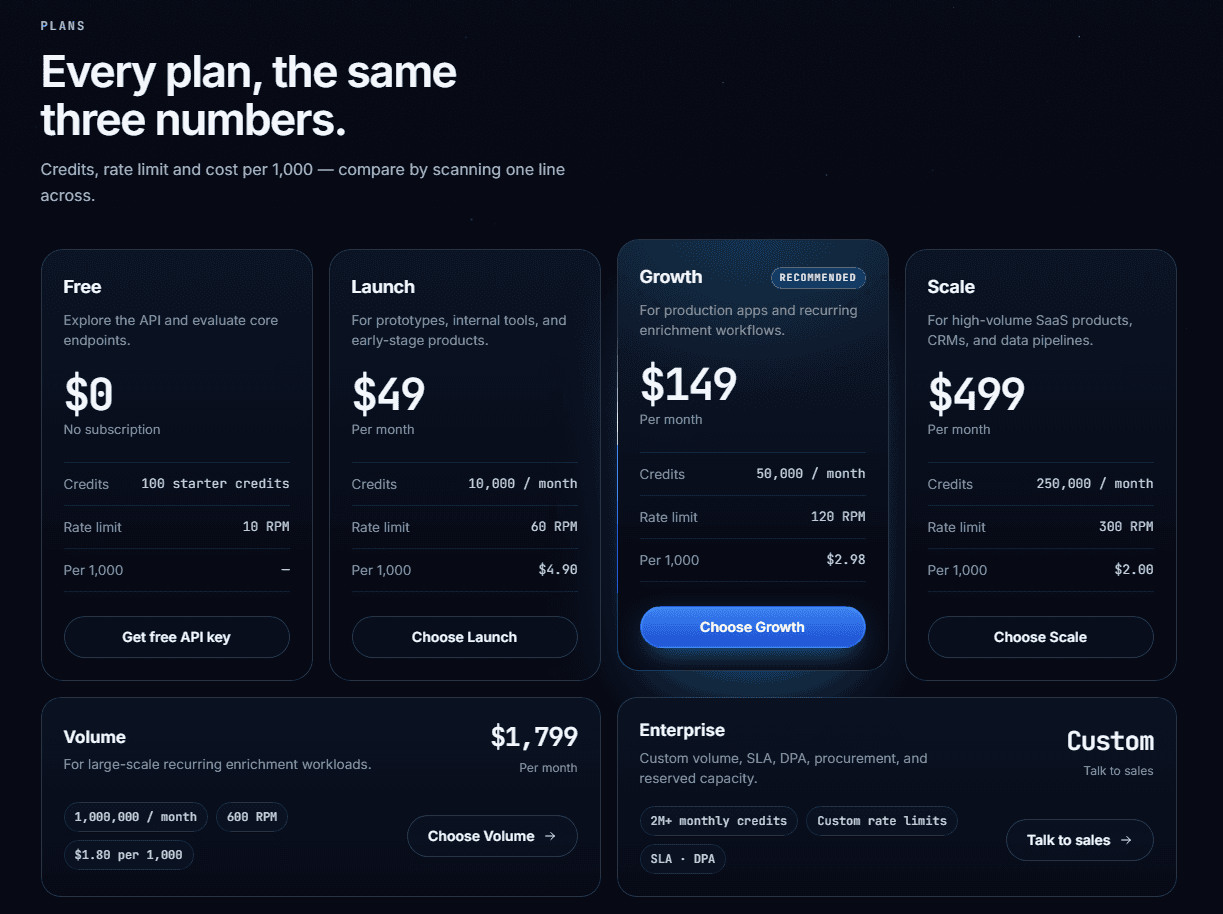
| Launch | $49 | 10,000 | 60 RPM | $4.90 | Insufficient for 41,400 credits |
| Growth | $149 | 50,000 | 120 RPM | $2.98 | Covers the estimated workload |
| Scale | $499 | 250,000 | 300 RPM | $2.00 | Suits larger recurring volumes |
| Volume | $1,799 | 1,000,000 | 600 RPM | $1.80 | Fits substantially larger workloads |
Interpret the Result
For this illustrative workload, Growth is the most straightforward baseline because 50,000 included monthly credits cover the estimated 41,400-credit requirement.
That does not make Growth the correct plan for every team:
- A short, one-time migration may fit Launch plus a top-up
- A rapidly expanding data pipeline may need more recurring credit headroom
- A real-time enrichment system may require a higher RPM limit
- A smaller team may prefer lower commitment despite a higher per-credit cost
Note: Check live EnvoAPI pricing and top-up options before committing, since plan details and package prices can change.
Credits Are Only Half the Decision: Check Rate Limits Too
Credits answer one question: "How much usage can we afford?"
Rate limits answer a different question: "Can we complete the workload inside our operating window?"
A team can have enough credits for 100,000 enrichment operations but still fail to complete an overnight job if its requests-per-minute limit is too low.
Simple Throughput Formula
Use this formula:
Minimum processing time (minutes) = Total requests ÷ Allowed requests per minuteFor example:
18,000 requests ÷ 120 RPM = 150 minutesAt 120 RPM, 18,000 requests have a theoretical minimum processing time of 150 minutes.
Actual runtime will be longer when workflows contain sequential calls, retries, queues, network latency, and pagination. Do not assume that 18,000 completed workflows equal 18,000 requests.
Important: EnvoAPI's paid plans range from 60 RPM on Launch to 600 RPM on Volume. Rate limits apply per API key, and requests above the applicable ceiling return HTTP 429 instead of being queued. Production integrations should implement retry and backoff handling.
Read the EnvoAPI docs for pagination behavior, request conventions, and integration details that affect total call volume.
Top-Ups vs. Upgrading Your Plan
Use top-ups for temporary demand. Upgrade when higher demand becomes the recurring baseline.
When a Top-Up Makes Sense
A top-up fits workloads such as:
- One-time CRM migration
- Seasonal recruiting campaign
- Historical data backfill
- Short-lived outbound campaign
- Temporary product launch demand
- Unexpected monthly usage spike
The current plan's RPM limit must still support the required processing window.
EnvoAPI lists top-up packages from $29 for 5,000 credits to $1,499 for 750,000 credits. Purchased credits carry forward while the subscription remains active.
When a Plan Upgrade Fits Better
An upgrade becomes more appropriate when:
- Monthly usage exceeds included capacity for 2 or more consecutive months
- Higher RPM is needed for recurring batch or real-time workloads
- The recurring plan improves unit economics at the expected volume
- The team needs a more predictable monthly budget
- Pipeline growth makes regular top-ups operationally inefficient
| Decision factor | Top-up | Upgrade |
|---|---|---|
| Usage pattern | Temporary or irregular spike | Recurring higher baseline |
| Monthly commitment | Lower | Higher |
| Rate-limit change | Usually unchanged | Typically increases with plan |
| Credit carry-forward | Check current provider rules | Included monthly credits may reset |
| Unit economics | Often higher at small volumes | Often improves at higher volume |
Evaluate the decision using measured demand and required throughput—not a blanket rule.
A Professional Data API Pricing Checklist
Before selecting a professional data API plan, answer these 10 questions:
- What is the billable unit: request, record, credit, page, or completed outcome?
- How many endpoint calls create one usable business result?
- How many credits does each workflow step consume in real tests?
- Does the estimate include search, pagination, retries, and refreshes?
- Do unused credits reset or carry forward?
- What happens when usage exceeds the included monthly allowance?
- Does the rate limit support the required processing window?
- What is the total API cost per usable enriched record?
- Is the workload steady, seasonal, or growing quickly?
- Can the team test representative workflows before choosing a plan?
If you cannot answer these questions from a pricing page and a short test, you do not yet have enough information to compare API costs confidently.
How EnvoAPI Pricing Works
EnvoAPI uses credit-based monthly plans plus per-key rate limits. Paid plans change two variables: included monthly credits and requests-per-minute capacity.
Changing plans does not change endpoint access, API key authentication, or the API response contract. The same API, endpoints, and response structure remain available across plans.
Key pricing details include:
- Free tier: 100 starter credits with no credit card required
- Launch: 10,000 monthly credits and 60 RPM for $49 per month
- Growth: 50,000 monthly credits and 120 RPM for $149 per month
- Scale: 250,000 monthly credits and 300 RPM for $499 per month
- Volume: 1,000,000 monthly credits and 600 RPM for $1,799 per month
- Top-ups: Available to active subscriptions; unused purchased credits carry forward
- Annual billing: Costs 10 months instead of 12 on plans that publish annual pricing
- Enterprise: Available for 2 million or more monthly credits, custom rate limits, SLAs, capacity options, procurement support, and DPAs
Disclosure: EnvoAPI is an independent third-party B2B data enrichment API for structured public professional and company data. It is not affiliated with or endorsed by LinkedIn. Available fields and records vary by endpoint and public-data availability.
Start With Measured Usage, Not a Guess
The monthly price on a professional data API pricing page is a starting point, not a complete budget. Define a usable workflow outcome, measure the calls and credits it consumes, include refresh and retry overhead, verify rate-limit capacity, and compare the final cost per usable record.
Start with representative data instead of a large commitment. Test profile, company, search, job, or post workflows that match your production use case. Measure actual consumption, then select a plan with enough recurring capacity and operational headroom.