In this article
B2B sales teams use LinkedIn data enrichment APIs to turn company domains, public profile URLs, company names, and job URLs into structured context for CRM enrichment, account research, and lead prioritization.
The best API depends on your input identifier and required output. This guide compares options for public professional-profile, company, and job-posting data workflows—without claiming private data, verified contact details, or complete record coverage.
Disclosure: EnvoAPI publishes this comparison and is one of the providers covered. EnvoAPI is an independent third-party API for structured public professional data. It is not an official LinkedIn API, is not affiliated with or endorsed by LinkedIn, and does not replace LinkedIn’s official APIs.
Get API key · Explore the docs 100 free credits · No credit card required.
TL;DR
There is no single LinkedIn data enrichment API that fits every sales workflow.
- Choose EnvoAPI when you need structured public professional-profile data, company data, people or company search, and public job-posting context in JSON.
- Choose People Data Labs when person and company matching, entity resolution, or warehouse-oriented data pipelines are the core requirement.
- Choose Coresignal when workforce intelligence, employee analysis, or job-market research is the primary use case.
- Choose Apollo when verified contacts, contactability, sales engagement, and contact-centric GTM workflows matter more than profile or hiring context.
- Choose Bright Data or Apify when your engineering team needs configurable collection infrastructure, custom targets, and a normalization workflow.
- Choose a dedicated contact-data provider when verified business email, direct dial, mobile number, or phone data is a mandatory requirement.
Test providers against 100 to 200 representative ICP records before production rollout. Measure entity match quality, field coverage, freshness, API errors, rate-limit behavior, workflow fit, and cost per usable result.
What Is LinkedIn Data Enrichment?
LinkedIn data enrichment adds structured public professional-profile, company, or public job-posting context to an existing business record through a third-party API.
A typical workflow looks like this:
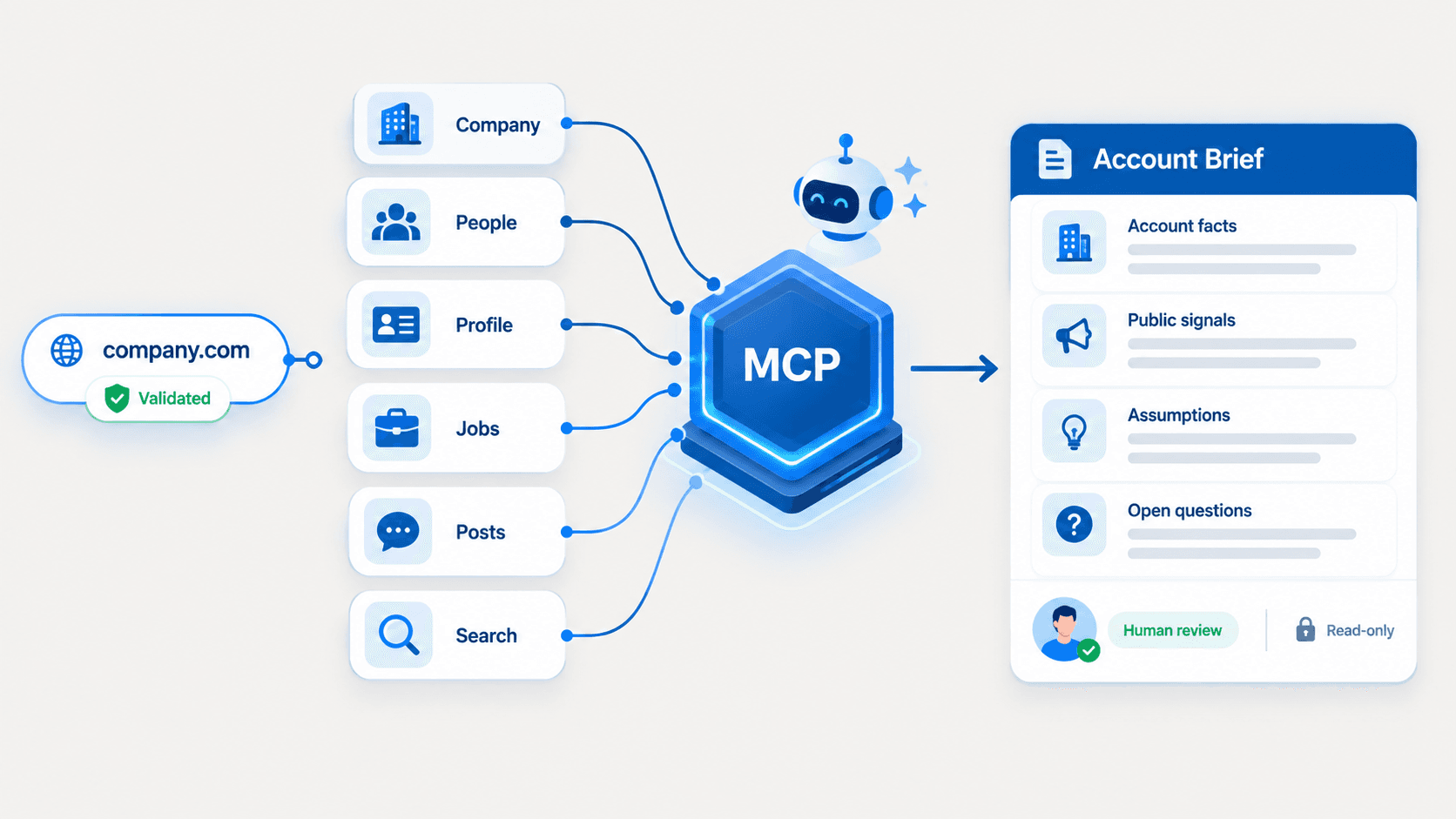
Public profile URL / company domain / company name / job URL→ entity resolution→ structured public profile, company, or job context→ CRM, sales workspace, warehouse, or internal toolA LinkedIn data enrichment API queries supported professional datasets with identifiers such as a LinkedIn profile URL, username, company domain, company name, company URL, company slug, company ID, or public job URL. The API then returns structured JSON that a team can map into CRM records, account-research tools, lead-routing systems, or internal B2B products.
For B2B sales teams, enriched data supports five practical workflows:
- Lead research before a sales representative reviews an account.
- CRM enrichment for incomplete company and person-level records.
- Account-based marketing research for target accounts.
- Segmentation using firmographic data, company details, job function, location, or available seniority signals.
- Human-reviewed account prioritization using company intelligence and public hiring context.
Account-based marketing teams can begin with company domains, lead forms, or CRM account lists, then add firmographic data and company context before account research begins. This creates more complete account profiles without treating an enriched record as verified contact data.
Data quality matters because poor data creates duplicate records, weak routing decisions, outdated account context, and unnecessary manual research. Industry research frequently cites a $12.9 million annual cost of poor data quality per organization, but that figure is a broad benchmark rather than an expected outcome for any individual enrichment project.
A data enrichment API for public professional and company data helps developers enrich people, company, and CRM records with structured public professional data in JSON responses.
Profile, Account, and Contact Enrichment
Profile enrichment, company enrichment, and contact enrichment solve different problems. Treating them as interchangeable creates weak data models, unrealistic vendor expectations, and unreliable CRM automation.
| Workflow | Common input | Suitable output | Business use |
|---|---|---|---|
| Profile enrichment | Public LinkedIn profile URL, username, public identifier | Role, current company, experience, location, skills when available | Lead research, routing, segmentation |
| Account enrichment | Company domain, company URL, slug, company name | Industry, website, employee range, location, company details | Account scoring, territory planning, ABM research |
| Contact enrichment | Email, name plus company, contact identifier | Verified business email, phone, direct dial when a provider supports it | Contactability and outbound sales |
| Job and hiring enrichment | Public job URL, company identifier, keyword plus location | Job title, company, location, workplace type, posting context | Hiring-context research and account prioritization |
Profile Enrichment
Profile enrichment resolves a supported public professional identifier into structured person-level context. It supports lead research, CRM deduplication, routing, persona segmentation, and human-reviewed sales briefs.
A profile response can include a full name, headline, current positions, work history, education, skills, location, and public profile identifiers when available. It should not be treated as a source of guaranteed personal emails, mobile numbers, phone numbers, or verified contact details.
Account Enrichment
Account enrichment resolves a company identifier and appends company data to CRM account records. It typically adds firmographic data such as company name, company website, industry, employee range, headquarters location, public description, specialties, and available public hiring context.
This workflow helps sales teams identify accounts that fit an ideal customer profile. It also helps marketing teams segment accounts by industry, geography, company size, and company intelligence before running account-based marketing programs.
Contact Enrichment
Contact enrichment starts from an email address, name plus company, or contact identifier. Its primary output is contactability data, such as a business email, verified contact details, direct dial, or mobile number when a provider explicitly supports those fields.
Contact enrichment differs from professional-profile enrichment. A vendor can be strong at verified contacts without providing rich company details, public job context, or structured profile history. Teams should define whether their primary goal is contactability, account research, CRM hygiene, or sales intelligence before selecting an enrichment platform.
Job and Hiring Enrichment
Job and hiring enrichment resolves public job-posting identifiers or company-level job queries. It can add open-job count, job title, company, location, employment type, workplace type, posting date, and posting context when available.
Hiring activity provides research context. It does not prove budget, active purchase intent, a confirmed buying project, or a decision-maker’s interest in a product.
Choose an API by Identifier
The most reliable enrichment workflow begins with the identifier already present in your CRM, product, inbound form, or target-account list.
| Input | Entity to resolve | Suitable workflow | EnvoAPI fit |
|---|---|---|---|
| Public LinkedIn profile URL | Professional profile | Lead research and profile enrichment | Strong |
| Username or public identifier | Professional profile | CRM profile context and refresh workflow | Strong |
| Company domain | Company or account | Account enrichment and account scoring | Strong |
| Company URL, slug, or ID | Company or account | Company detail and account research | Strong |
| Company name | Company candidate | Search, validate, then company detail | Strong |
| Job URL or job query | Public job posting | Hiring-context enrichment | Strong |
| Email address | Contact or profile identity | Contact enrichment or identity resolution | Not a primary fit |
Use a LinkedIn profile URL or public identifier for person enrichment. Use a company domain for domain search and company discovery. Use a company name to find candidate records, but validate the returned entity before mapping it into CRM records.
A company name alone is often ambiguous. Before your workflow writes enriched data into a CRM, verify at least one stable identifier:
- Company domain.
- Company website.
- Public company URL.
- Company slug or universal name.
- Company ID.
- Existing internal CRM account ID.
An email address is not automatically a reliable LinkedIn profile identifier. If email-to-profile matching, verified emails, or phone data are required, evaluate a contact-data provider that explicitly supports that workflow.
Top APIs for B2B Sales Enrichment
The best provider depends on the data entity, accepted identifier, required fields, production architecture, compliance requirements, and downstream workflow. Validate coverage, pricing model, API access, rate limits, and data quality directly with each provider before rollout.
EnvoAPI: Best for Professional Profile, Company, and Hiring-Context Workflows
EnvoAPI is an independent third-party API for structured public professional data. It fits teams that need profile enrichment, company enrichment, people and company search, and public job-posting context in one developer workflow.
Its use cases include:
- CRM enrichment for incomplete people and company records.
- Account research and account prioritization.
- Account-based marketing research.
- Territory planning.
- Sales intelligence products.
- Internal B2B operations tools.
- Company intelligence workflows.
- Recruiting-adjacent research workflows.
- Controlled automated workflows that enrich supported identifiers through server-side API calls.
EnvoAPI is a strong fit when your workflow starts from a public LinkedIn profile URL, username, company domain, company name, public company URL, company slug, company ID, public job URL, or job query.
Review the LinkedIn Profile API, LinkedIn Company Data API, and LinkedIn Jobs API when your workflow begins with a supported public identifier.
Do not describe EnvoAPI as:
- An official LinkedIn API.
- A LinkedIn partner.
- A verified email provider.
- A verified-phone or mobile-number provider.
- A direct-dial provider.
- A browser automation platform.
- Custom scraping infrastructure.
- A source of unlimited access.
- A source of guaranteed real-time, complete, or always-accurate data.
Field availability depends on the endpoint, identifier quality, public record availability, provider coverage, source behavior, and applicable rate limits.
People Data Labs: Best for Person and Company Matching
People Data Labs fits buyers focused on person enrichment, company enrichment, entity matching, data pipelines, CDP workflows, warehouse workflows, and large-scale record resolution.
Evaluate People Data Labs when your architecture prioritizes person and company matching across multiple business systems. It can fit teams that need enriched lead data, firmographic fields, and entity resolution at scale.
Do not assume coverage, data accuracy, freshness, or match rates are better than another provider without benchmarking identical input records. Match quality can vary by geography, industry, company size, job function, and identifier type.
Coresignal: Best for Workforce and Job-Market Intelligence
Coresignal fits workforce intelligence, employee analysis, recruiting analytics, company research, labor-market analysis, and job-market intelligence.
Evaluate it when your primary objective is market trends, workforce research, employee or company analysis, and broad data analysis rather than a single-record lookup workflow for outbound sales teams.
A workforce intelligence provider can support sales strategy, but it serves a different purpose from an API designed for CRM enrichment or real-time company lookup.
Apollo: Best for Contact-Centric GTM Workflows
Apollo fits teams where verified contacts, contactability, outreach execution, sales engagement, and GTM operations are higher priorities than professional-profile context or public hiring activity.
Contact enrichment is different from company enrichment. If the core requirement is work email, phone number, direct dial, mobile number, or contact verification, evaluate a provider that explicitly defines its verification process, pricing model, refresh policy, and contact-data coverage.
Apollo is not automatically the best choice for every LinkedIn data API workflow. A contact-centric platform and a structured public professional-data API solve different enrichment requests.
Bright Data or Apify: Best for Configurable Collection Workflows
Bright Data and Apify fit teams that need configurable collection infrastructure, custom targets, collection logic, data-entry pipelines, and normalization workflows.
This category differs from a structured enrichment API. Collection infrastructure gives engineering teams more control over data acquisition and transformation. A normalized enrichment platform reduces implementation work by providing supported identifiers, consistent fields, structured JSON, and documented API behavior.
Engineering teams should assess operational complexity, schema ownership, data validation, storage requirements, monitoring, retry logic, and governance before building a custom collection workflow.
Account Enrichment From a Company Domain
Account enrichment starts with a controlled workflow:
Company domain→ company candidate results→ entity validation→ structured company context→ CRM account record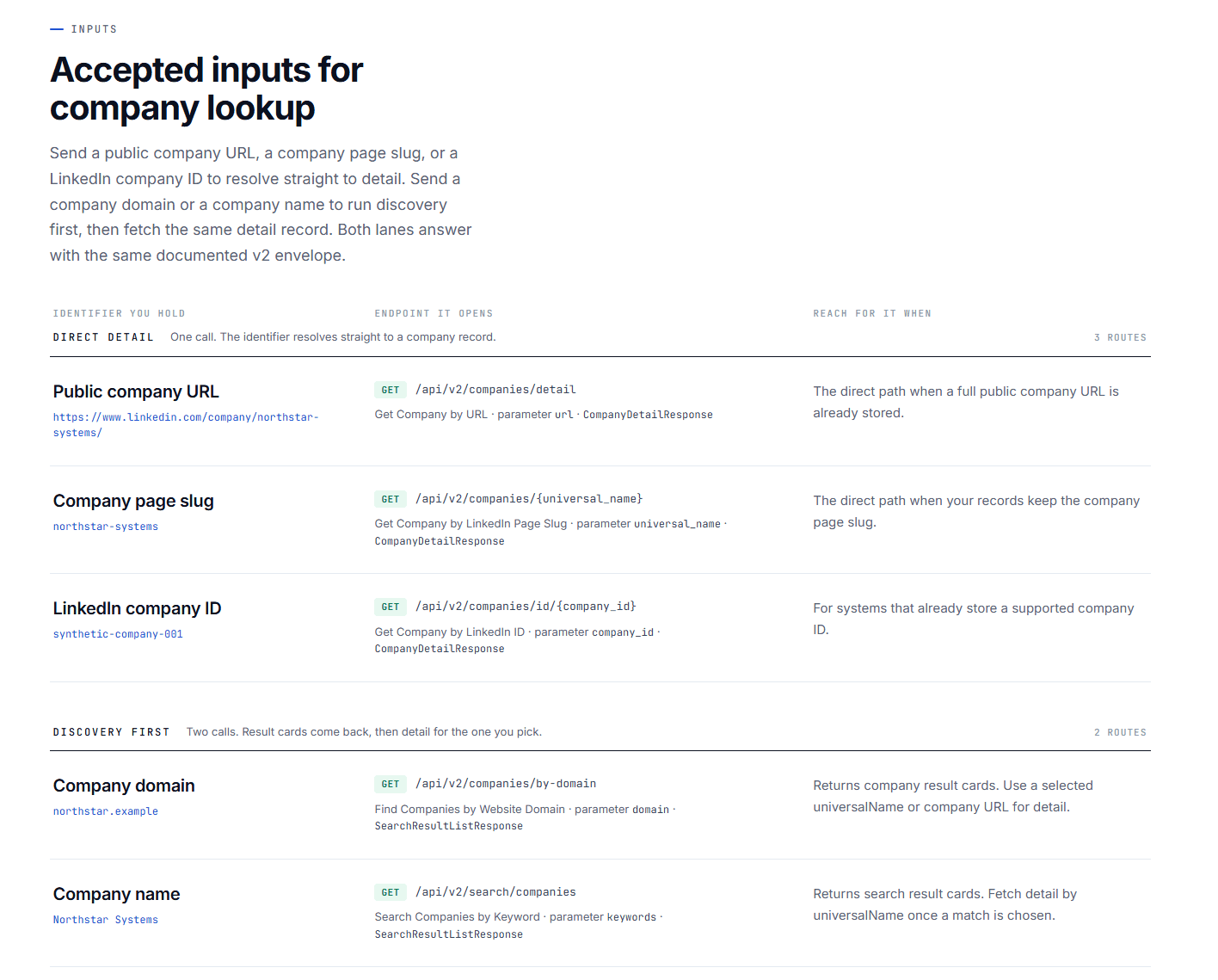
A company domain is often the strongest starting point for account enrichment because it gives the workflow a stable business identifier. The system can use domain search to locate candidate company records, then validate the company website, public company URL, slug, or company ID before writing data back to CRM records.
Company enrichment can add these fields when available:
- Company name.
- Company website and domain.
- Industry.
- Employee range.
- Company location.
- Company description.
- Company specialties.
- Public company identifiers.
- Public job and hiring context.
Account enrichment supports account-based marketing by turning a static account list into a more useful research dataset. For example, a B2B SaaS company can identify target accounts that match an ICP based on industry, employee range, geography, and company context. A sales representative can then review the account before assigning priority.
Do not automatically write results into a production CRM based only on a similar company name. A company name search can return several plausible candidates. Validate the company domain, company website, public company URL, universal name, or company ID first.
For example, a B2B SaaS team can prioritize a company when its industry and employee range match the ICP, then ask a sales rep to review company details and available public hiring activity. Hiring context is useful research input, but it is not evidence of budget or purchase intent.
EnvoAPI’s company enrichment API supports company discovery by domain or name and detail lookup by company URL, universal name, or company ID.
Get API key · Explore the docs 100 free credits · No credit card required.
Profile Enrichment for Lead Research
Profile enrichment follows this workflow:
Public profile URL or username→ structured profile response→ lead research, routing, or CRM context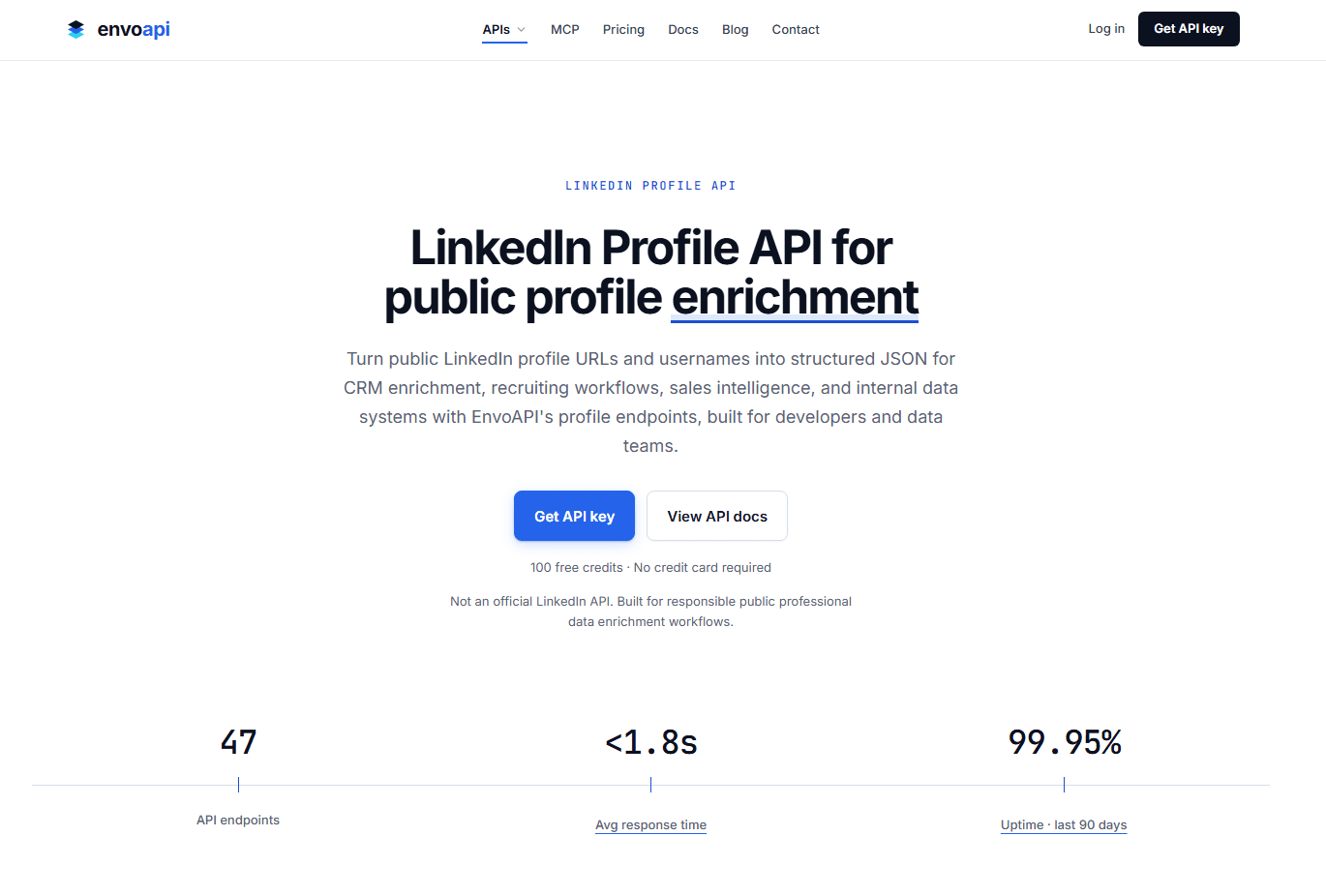
Profile enrichment helps sales teams convert a LinkedIn profile URL or public identifier into usable professional context. It supports lead research, persona segmentation, account research, routing, and controlled CRM enrichment.
Relevant fields include the following when available:
- Full name.
- Headline.
- Location.
- Current positions.
- Work history.
- Education.
- Skills.
- Public profile identifier.
- Current company context.
- Historical company context.
Profile enrichment helps outbound sales teams prepare relevant outreach by giving a human reviewer better context about role, company, and professional background. It should not automatically trigger personalized outreach without internal policy controls, approval rules, and human review.
Use returned profile data to support:
- Role and company validation before lead routing.
- Persona segmentation by function or seniority.
- Account research briefs.
- CRM record deduplication.
- Refresh workflows for supported public identifiers.
- Human-reviewed lead prioritization.
A structured profile response is useful when it supports a specific business decision. For example, a sales operations team can route a record to the enterprise team when the public professional context shows an eligible function at a company that matches a defined account segment.
The profile enrichment API supports public profile URLs, usernames or public identifiers, and profile IDs from previous responses.
Hiring Context for Account Prioritization
Hiring context follows this workflow:
Company identifier→ public job search or detail lookup→ hiring context→ human-reviewed account prioritization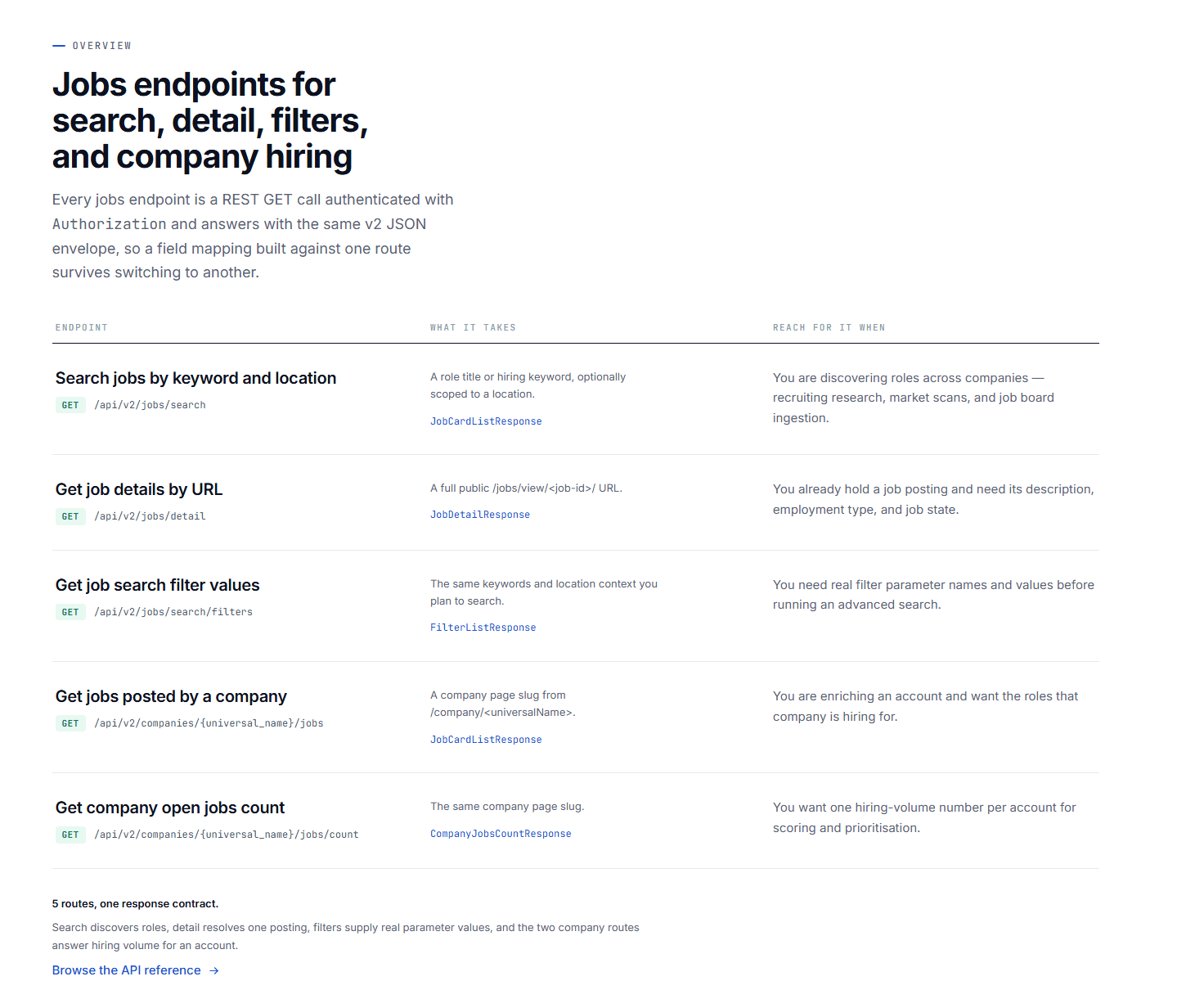
Public job-posting context can add useful company intelligence for account research and territory analysis.
Relevant fields and signals include:
- Open-job count.
- Job title.
- Company name.
- Job location.
- Workplace type.
- Employment type.
- Public job-posting date.
- Public job status when available.
- Public job URL or identifier.
Sales teams can use this context for account research, market mapping, territory planning, sales-intelligence dashboards, and recruiting-adjacent workflows.
For example, a cybersecurity SaaS company can flag accounts with newly published security engineering roles for research. A rep can then review the company’s product, industry, employee range, existing CRM activity, and available first-party signals before assigning account priority.
Important: Public job-posting activity can add account context, but it does not prove budget, active purchasing intent, or a confirmed buying project. Teams should validate the signal alongside their own CRM, product, account-research, and first-party business data.
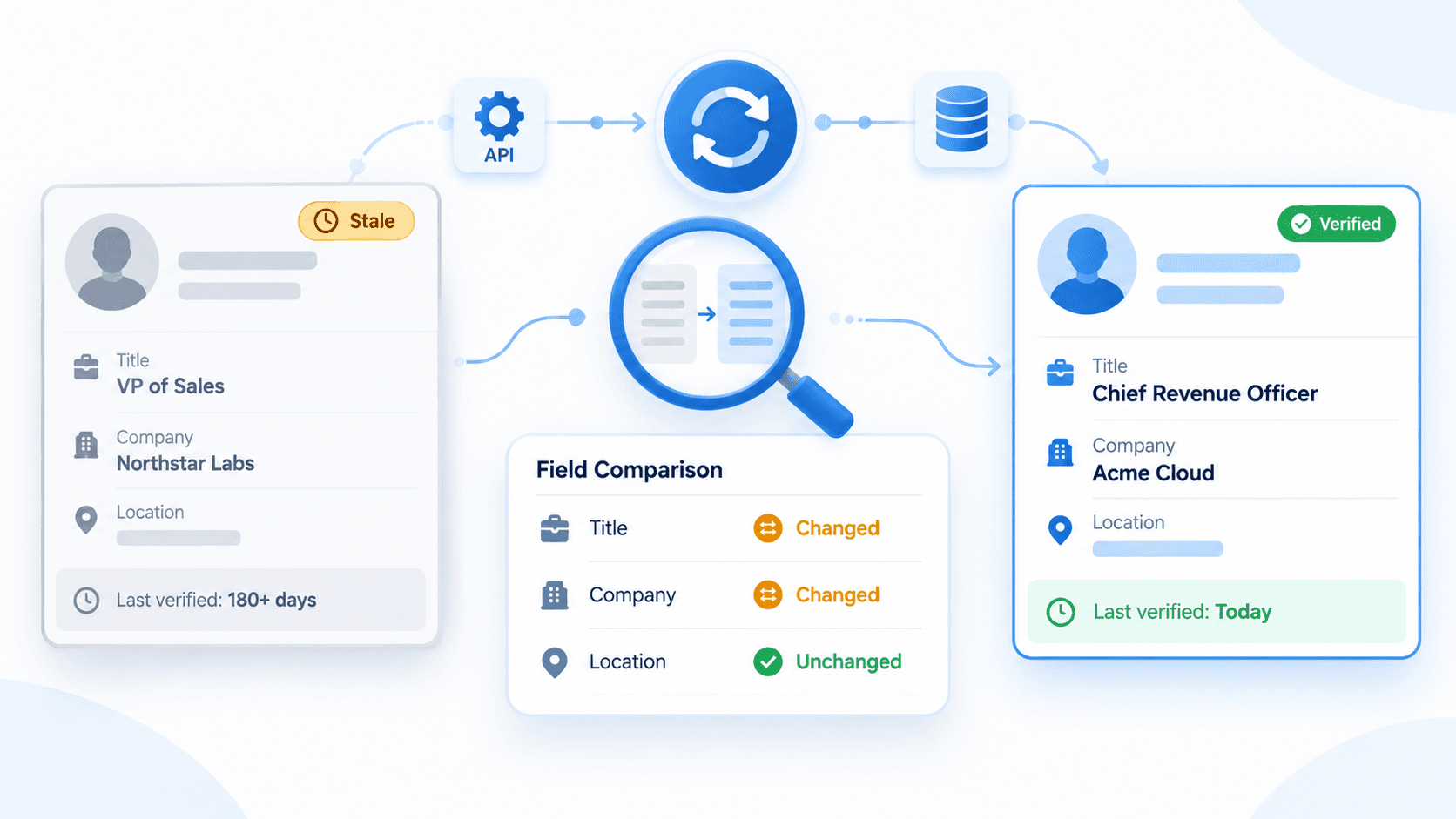
Job listings can close, expire, repost, or appear as duplicates. Store the job URL or identifier, source timestamp, posting date, and refresh policy. Do not treat a static job record as permanently up to date.
EnvoAPI documents job search, job detail, company-jobs, and open-job-count workflows through its public job-posting data API.
Email-to-LinkedIn Enrichment: When It Is Not the Right Requirement
Email-to-LinkedIn enrichment begins with an email address and attempts to resolve that contact to a professional profile. Buyers often evaluate this workflow alongside email verification, contact enrichment, phone lookup, direct-dial lookup, identity resolution, and waterfall enrichment.
These are different workflows with different output requirements.
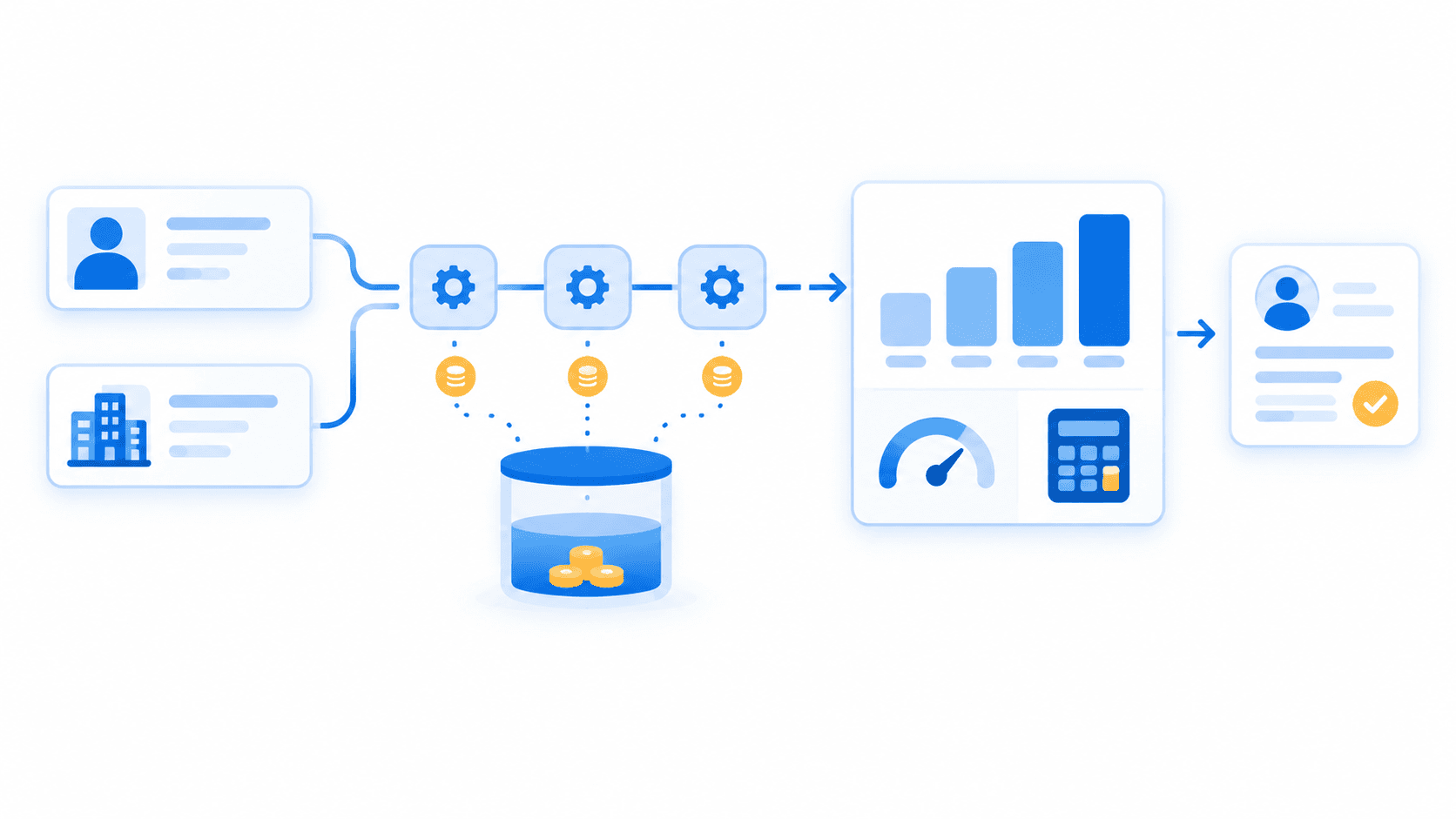
Waterfall enrichment queries multiple data providers in sequence. The workflow sends an enrichment request to Provider A, then moves to Provider B or another premium provider only if the previous provider does not return a usable result. This approach can improve coverage for contact-data workflows, but it adds operational complexity, pricing variation, duplicate handling, and governance requirements.
A waterfall workflow is most relevant when verified contact data is the requirement. It is not automatically the right architecture for profile enrichment, company enrichment, or public job-posting data.
EnvoAPI is not positioned as a verified email or phone-data provider. If verified contactability is the primary requirement, evaluate a contact-enrichment provider that explicitly supports the required email, phone, direct dial, mobile-number, or verification workflow.
If your workflow begins with a public profile URL, username, company domain, company URL, or supported company identifier, evaluate EnvoAPI for structured public professional, company, and public job-posting context.
Validate Enrichment Data Before CRM Rollout
Vendor comparison pages, database-size claims, and free-plan credits do not replace production validation. Build a benchmark using real ICP records and measure outcomes at the field level.
Build a Representative Benchmark
Use 100 to 200 records from your actual ICP. Stratify the sample across:
- Geography.
- Company size.
- Industry.
- Job function.
- Input type.
- Existing CRM completeness.
- Target-account tier.
- Company domain availability.
- Public LinkedIn URL availability.
Separate profile, company, and job records. Do not combine all outcomes into one “data accuracy” score because each workflow resolves a different entity and returns different fields.
For example, a domain search should be evaluated on correct company resolution and firmographic coverage. A profile lookup should be evaluated on correct person resolution, current role context, current company context, and location when available.
Measure Fields Separately
| Evaluation group | Question to test |
|---|---|
| Entity match | Did the API return the correct profile, company, or job record for the submitted identifier? |
| Profile fields | Are current role, current company, location, and position history reasonable? |
| Company fields | Are domain, company name, industry, employee range, and location correct? |
| Job fields | Are company relationship, job title, location, and job state or date reasonable? |
| Freshness | Do important fields support the refresh cadence required by the workflow? |
| Operations | Are API errors, rate limits, retry behavior, webhooks, and cost per usable result acceptable? |
| Governance | Does the workflow meet internal policies for retention, access, and data minimization? |
Track three separate metrics:
- Match rate: The percentage of inputs that resolve to the correct entity.
- Field coverage rate: The percentage of correctly matched records containing each required field.
- Usable-result rate: The percentage of records that meet your defined routing, segmentation, or research threshold.
A provider can return a strong entity match but sparse fields. Another can return broad data but weak company-name matches. Your decision should reflect field-level validation, not a generic accuracy claim.
Apply Production Safeguards
- Store the input identifier, resolved identifier, response timestamp, and provider source.
- Store raw JSON only when it aligns with internal data policy.
- Define a missing-field policy. A null field is not automatically a failed request.
- Do not write low-confidence matches directly into CRM production.
- Use bounded retry and backoff for transient API errors and rate-limit responses.
- Retry webhook calls only with idempotency controls and clear error logging.
- Keep every API key in a server-side environment variable or secret manager.
- Do not expose API access or secrets in browser code.
- Define a refresh policy for static enrichment and time-sensitive fields.
- Review lawful basis, retention, opt-out handling, access control, data minimization, and applicable platform terms before rollout.
Automated enrichment can improve CRM hygiene when it refreshes selected records under controlled rules. It should not blindly overwrite manually verified CRM records, first-party account data, or carefully maintained account ownership fields.
Implementation Example: Enrich a Company Record
This simplified example shows a controlled company-enrichment workflow:
curl -G "https://api.envoapi.com/v1/companies/by-domain" \ -H "Authorization: Bearer $ENVOAPI_KEY" \ -H "Accept: application/json" \ --data-urlencode "domain=example.com"# After selecting and validating a returned slug:curl -G "https://api.envoapi.com/v1/companies/details/by-slug" \ -H "Authorization: Bearer $ENVOAPI_KEY" \ -H "Accept: application/json" \ --data-urlencode "slug=example-company-slug"Map only selected fields into the CRM, such as company name, company website, industry, employee range, location, public company URL, and universal name.
Production notes:
- Check the HTTP status; on success read data, and on failure read the top-level error object.
- Handle missing or partial fields as normal data-availability states.
- Store timestamps and selected company identifiers for refresh, audit, and deduplication workflows.
- Do not log API keys, authorization headers, personal data, or sensitive secrets.
Review the Developer docs for current endpoint parameters, authentication, pagination, response schemas, rate-limit handling, and error behavior.
Get API key · Explore the docs 100 free credits · No credit card required.
Final Verdict
Choose EnvoAPI when your workflow needs structured public professional-profile data, company data, people or company search, and public job-posting context for B2B sales research, account enrichment, account prioritization, CRM enrichment, or internal tools.
Choose a contact-data provider when verified business email, phone number, direct dial, mobile number, or verified contact details are the deciding requirement. Choose a dataset provider or collection platform when the goal is bulk historical analysis, workforce intelligence, market trends, or custom collection architecture.
Choose providers using representative benchmark records, field-level validation, operational tests, pricing analysis, governance review, and real workflow fit. Do not choose based only on a database-size claim, a free plan, credit volume, or a vendor’s headline match-rate figure.
EnvoAPI is an independent third-party API for structured public professional data. It is not an official LinkedIn API, is not affiliated with or endorsed by LinkedIn, and does not replace LinkedIn developer products for approved OAuth, authenticated integrations, or official platform features.
FAQ
What is LinkedIn data enrichment?
LinkedIn data enrichment adds structured public professional-profile, company, or public job-posting context to an existing business record. Data availability depends on the input, endpoint, record availability, provider coverage, and identifier quality.
What is an account enrichment API?
An account enrichment API uses a company domain, company name, URL, slug, or identifier to resolve a company record and add company data such as website, industry, employee range, location, company details, and available hiring context.
Can EnvoAPI enrich a public professional profile?
Yes. EnvoAPI supports public profile URLs, usernames or public identifiers, and profile IDs from earlier responses for structured profile data when available. See the LinkedIn Profile API.
Can EnvoAPI enrich a company from its domain?
Yes. Its company workflow supports domain discovery, company-name search, and detail lookup using a company URL, universal name, or company ID. See the LinkedIn Company Data API.
Can I use public job data for account research?
Yes. Public job-posting context can support account research, market mapping, and human-reviewed prioritization. It should not be interpreted as confirmed buying intent. See the LinkedIn Jobs API.
Does LinkedIn enrichment guarantee a verified email or phone number?
No. Professional-profile and company enrichment are different from verified contact enrichment. EnvoAPI is not positioned as a verified email or phone-data provider.
What is waterfall enrichment?
Waterfall enrichment queries multiple providers in sequence. The workflow typically stops when it receives a result that meets the team’s validation requirements. It is most common in contact-data workflows, where teams seek broader coverage for email or phone fields.
Is EnvoAPI an official LinkedIn API?
No. EnvoAPI is an independent third-party API for structured public professional data. It is not affiliated with, endorsed by, or an official product of LinkedIn. Teams that need approved OAuth, authenticated integrations, or official LinkedIn platform features should evaluate LinkedIn developer products separately.