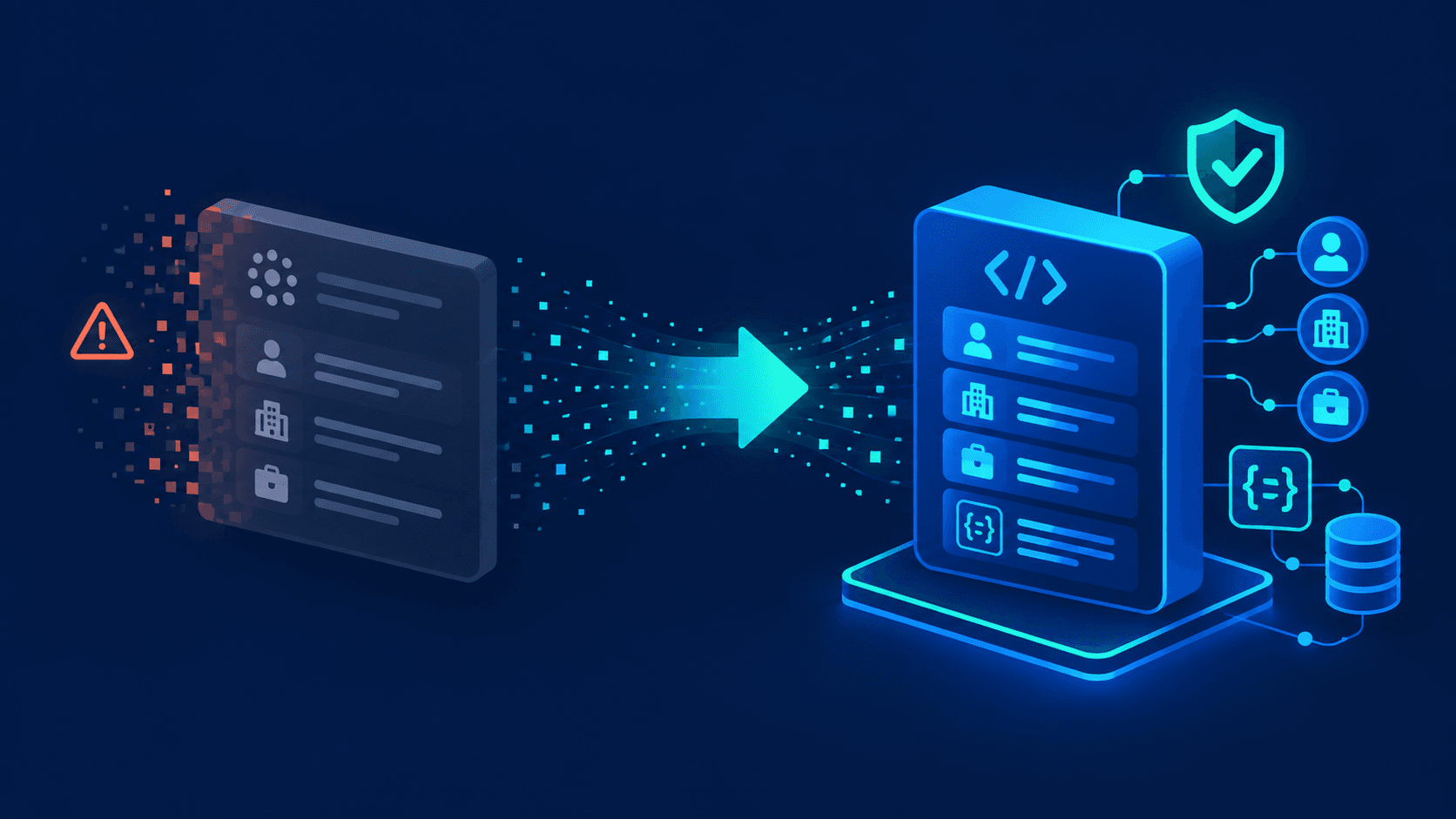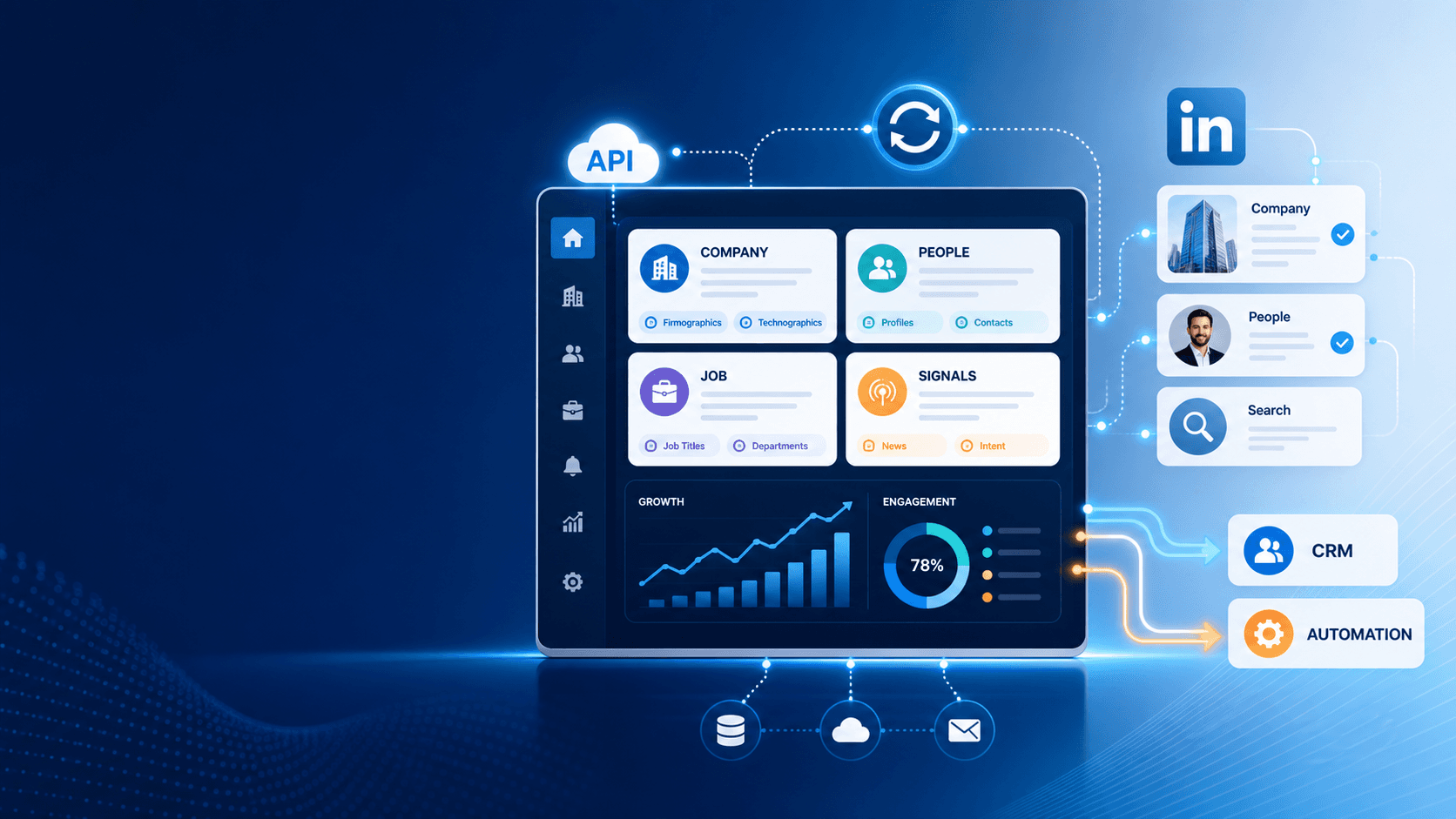
Professional data APIs have become essential for B2B teams that need accurate company, people, and job data in real time. Sales, marketing, CRM, and product workflows all depend on structured data to enrich records, improve targeting, and keep systems synchronized.
The problem is simple: internal data is often incomplete, stale, or inconsistent across systems. That is why company data APIs, business data APIs, and LinkedIn-style professional data APIs are now used to power data enrichment, account intelligence, and automation at scale.
What these APIs are
A business data API is an interface that lets applications request structured business records from an external source. A company data API, company information API, company details API, companies API, or company lookup API all refer to the same core idea: fetch standardized company data through an endpoint instead of manually searching or scraping. The output usually includes company name, company domain, address, industry, size, revenue, location, and other data points.
A B2B data API is broader. It can include company data, people data, job data, and signals, all delivered in a machine-readable data format for software workflows. The key advantage is speed: your application can enrich existing records, score a lead, or trigger an alert in seconds.
A data platform is different. It usually combines API access with a user interface, search tools, dashboards, workflows, and team collaboration features. If your team needs direct access for automation, the API matters most. If your team needs manual research and reporting, the platform layer matters more. Many buyers use both.
The main entities in this space are company, people, job, and signals. Company data powers account enrichment. People data supports contact data enrichment and prospecting. Job data reveals hiring momentum and team structure. Signals capture change events such as growth, expansion, or new open roles.
You will also see terms like data api service, business data API, company database API, and buy data API. In most cases, these phrases describe a paid dataset or subscription delivered through API access. The commercial model is usually credits, per-record pricing, per-request pricing, or monthly volume tiers.
Market taxonomy
The market splits into 4 major API categories.
Company-centric APIs
Company-centric APIs focus on firmographic and identity data. Common labels include company data API, company information API, company details API, companies API, and company database API. These APIs usually return the company name, legal name, website domain, headquarters, industry, employee range, revenue range, location, and IDs.
These APIs solve one of the most common B2B problems: account cleanup. A CRM often stores multiple names for the same company, outdated addresses, or missing size fields. With a company search API or company lookup API, you can standardize records and reduce manual research. That creates better routing, cleaner segmentation, and stronger reporting.
B2B data APIs and platforms
A B2B data API is designed for automation first. A B2B data platform is designed for teams that need more UI, review, and workflow control. The difference is simple: API equals system access, platform equals operational workspace.
Choose an API when your product, CRM, or data pipeline must call endpoints directly. Choose a platform when analysts, SDRs, or operations teams need to search, review, and enrich records manually. In most modern SaaS stacks, the best setup is an API for production workflows and a platform for exception handling.
Professional and LinkedIn-style APIs
Professional data APIs often mirror the structure of LinkedIn-style data. These include LinkedIn data API, LinkedIn profile data API, LinkedIn company intelligence API, and LinkedIn company search API. The goal is not social networking. The goal is structured professional context: profile data, company data, job data, and signal data.
This category is especially useful for data enrichment and qualification. A company profile API can return current company information for account scoring. A profile data API can help map a person to a role, title, or seniority band. A company intelligence API can feed market research, ideal customer profile modeling, and outbound prioritization.
Buy data and data service models
The phrase buy data API usually means you are buying access to a dataset through API credits or usage tiers. This is common in enrichment, where pricing follows request volume, output records, or credits per match. A data API service often adds support, monitoring, and service-level commitments on top of raw access.
This model works well when you need predictable scale. A startup may begin with a small monthly tier with free credits. An enterprise may need higher limits, usage controls, and compliance review. The buying decision is rarely about raw data alone. It is about coverage, freshness, latency, and integration speed.
LinkedIn and company data
LinkedIn is one of the most important reference points in professional data. Official LinkedIn APIs exist, but they are constrained by scopes, permissions, and approved use cases. That means not every enrichment or extraction workflow fits the official model. Cost is often tied to access level, partner status, or specific product requirements rather than a simple public price sheet.
That gap is why unofficial and public professional data APIs are widely used in SaaS workflows. These APIs focus on LinkedIn-style profile, company, and job data for enrichment and automation. They are built for company intelligence, profile lookup, account research, and change detection rather than social publishing.
Common endpoints in this cluster include company profile API, company info API, company search API, and company name API. These endpoints support firmographic enrichment, ICP modeling, contact routing, and data normalization. When a CRM record only has a company name, a lookup endpoint can resolve the domain, size band, and region in one call.
Real-time employee data providers add another layer. They expose current employee signals, headcount changes, new hires, and role shifts. That matters for account planning and outbound timing because a growing team often signals budget, urgency, or a new initiative.
Pricing in this space usually follows one of 4 patterns: free tier, paid tier, usage credits, or per-record pricing. Official APIs may advertise a free tier, but limits are tight and feature coverage is narrow. Unofficial or enrichment-focused APIs usually charge by request, record, or monthly credit block. When you evaluate options, compare cost against match rate, freshness, and endpoint depth, not price alone.
The real trade-off is simple. Official APIs maximize policy alignment. Unofficial and public professional data APIs maximize workflow flexibility. The best choice depends on your coverage needs, compliance requirements, and data freshness targets.
How to choose a provider
The best company data API is not the one with the longest feature list. It is the one that matches your data model, latency needs, and integration stack. Use this checklist to compare providers.
| Criterion | What to check | Why it matters |
|---|---|---|
| Coverage | Company, people, job, and signals coverage; firmographics, technographics, employee counts, IDs | Determines whether the API fits enrichment, routing, or research workflows |
| Freshness | Update frequency, live lookups, cache policy, real-time employee data provider access | Impacts match quality and signal accuracy |
| Integration | SDKs, webhooks, batch import, ETL support, CRM connectors | Reduces implementation time and maintenance |
| Pricing | Per-record, per-request, monthly credits, seat-based plans | Affects unit economics and scale |
| Licensing | Data usage terms, storage rights, redistribution limits | Prevents downstream compliance issues |
| Reliability | SLA, uptime, retry behavior, rate limits, logs | Matters for production pipelines |
| Support | Documentation, sandbox, technical support, onboarding | Cuts deployment risk |
Coverage comes first. A company data API that returns only names and domains is not enough for account scoring. A strong provider should add firmographics, employee counts, industry, location, company details, and identifiers. If you also need people or job intelligence, make sure those entities are available in the same schema.
Freshness comes next. A cached record is fine for static attributes. It is not fine for hiring signals, leadership changes, or fast-moving company updates. For those cases, you need real-time lookups or very short refresh windows.
Integration is equally important. The best web data integration for business includes REST endpoints, SDKs, webhooks, retry handling, and batch jobs. If your stack includes Salesforce, HubSpot, Snowflake, or a warehouse-native workflow, test the API against your actual production path.
Pricing needs a unit-economics view. Per-record pricing is simple. Monthly credits are flexible. Seat-based pricing is useful for teams that mix API access with manual review. A bulk dataset purchase can work for static enrichment, but live workflows usually need ongoing API access.
Compliance matters, especially for LinkedIn-style data. Decide whether your workflow needs public professional data, approved platform access, or a platform-plus-API model. If legal review is part of your process, document data origin, storage rules, and retention policies before rollout.
B2B workflow use cases
Company and professional data APIs power 4 core workflows.
CRM and CDP enrichment
This is the most common use case. A company data API or company profile API can enrich account and contact records with standardized firmographics, industry, size, location, company domain, and contact details. The result is cleaner routing, stronger segmentation, and better reporting across sales and marketing.
A practical workflow looks like this: a new account enters the CRM, the system calls a company information API, the record is matched, and the CRM updates fields such as industry, employee count, and headquarters. If the match fails, the record is sent to a review queue. That keeps the system fast and controlled.
GTM and sales intelligence
Sales teams use B2B data APIs to prioritize accounts, verify fit, and time outreach. A company search API can identify target companies in a region or industry. A company details API can support territory planning and account scoring. A real-time employee data provider can signal headcount growth or leadership changes.
This works especially well for account-based sales. If an account adds 40 employees in 90 days, that becomes a trigger for outreach. If a target company opens 12 open roles in one function, that can signal an active project or new budget. The API turns static lists into live intelligence.
Marketing and segmentation
Marketing teams use company APIs to build sharper segments. You can group companies by industry, size, location, revenue, or growth stage. You can also create audience filters for campaigns, retargeting, and lifecycle messaging. This is where company database API access becomes a growth lever rather than a back-office tool.
A simple example is a SaaS company targeting 200 to 1,000 employee firms in Southeast Asia. The enrichment API fills the missing data, and the segmentation engine creates a clean audience. That produces better lead quality and less wasted spend.
Product and analytics
Product and analytics teams use company data for watch lists, market maps, and usage segmentation. If your product serves B2B customers, a company lookup API can enrich usage events with industry and company size. That makes cohort analysis more precise and helps teams understand which accounts expand fastest.
This is also useful for competitive intelligence. A company intelligence API can maintain a current list of target accounts and similar companies. That gives product, strategy, and revenue teams one shared view of the market.
Job and employee data
Job and employee data add timing and intent to company workflows. The most useful data points include headcount, organizational structure, open roles, job titles, skills, department growth, and posting volume. These signals are strong indicators of expansion, restructuring, or new initiatives.
Real-time employee data providers are especially valuable for recruitment, outbound sales, and market monitoring. If a company suddenly increases hiring in operations, engineering, or customer success, that can trigger a workflow across sales, recruiting, or customer marketing. These signals work because they reflect current activity, not last quarter’s snapshot.
A practical pipeline is simple. Start with a company page or company ID. Call a job data API. Update the CRM or alert system when new roles appear, disappear, or cluster around one function. That gives teams a live signal instead of a static profile.
EnvoAPI in the landscape
EnvoAPI fits into the professional data API landscape as an unofficial LinkedIn and public professional data API for people, company, and job workflows. Its core value is straightforward: it helps teams access structured professional data for data enrichment, intelligence, and automation without stitching together separate sources.
In the company layer, EnvoAPI maps to common needs such as company data API, company profile API, company info API, company lookup API, and company search API. In practice, that means you can enrich account records, resolve company names, standardize profiles, and power lookup-driven workflows. If your stack needs LinkedIn-style company intelligence, the same pattern applies.
The commercial advantage is breadth plus speed. Teams usually want 3 things at once: fresh data, simple integration, and pricing that scales with usage. If EnvoAPI fits those needs, it can replace fragmented manual research with a single API workflow. That is useful for CRM enrichment, GTM data pipelines, recruitment tooling, and AI agents that need structured professional context.
A good implementation example is this: a sales ops team receives a CSV of 5,000 companies, runs them through a company lookup endpoint, enriches them with company details, company domain, size, and industry, then pushes the cleaned output into the CRM. A recruiting team can use the same pattern with job signals. A growth team can use it to trigger alerts when target accounts add employees or post new roles.
Implementation checklist
Use this 5-step plan to move from idea to production.
- Define the use case and entity. Decide whether you need company, people, or job data.
- Map the schema. Match API fields such as company name, domain, size, and industry to CRM or warehouse fields.
- Select the provider. Compare coverage, freshness, pricing, and licensing before you commit.
- Build the pipeline. Choose real-time calls for live workflows and batch jobs for large backfills.
- Add governance. Log requests, enforce permissions, and review compliance rules before launch.
For CRM enrichment, start small. Enrich 1 entity type first, validate match rate, and measure field completeness. Then expand to people and job workflows. A phased rollout reduces risk and gives your team clear performance benchmarks.
Monitoring should be part of day one. Track latency, match rate, error rate, and freshness. If match rate drops below your threshold, adjust the lookup logic or provider settings before the problem spreads to downstream systems.
FAQ
What is a company data API vs a business data API?
A company data API focuses on firmographic company records. A business data API is broader and can include company, people, job, and signal data.
B2B data API vs platform: when should I use each?
Use an API when you need automated system-to-system workflows. Use a platform when your team needs a UI for search, review, and manual enrichment.
Is there a free LinkedIn data API tier?
Official LinkedIn API access can include limited free-tier-style usage in some contexts, but scopes and use cases are restricted, and coverage is narrow.
How do I integrate company data into CRM using API?
Map CRM fields first, call the enrichment endpoint on create or update, and write the returned data into standardized account fields with logging and retry rules.
What are typical use cases for company profile APIs and company lookup APIs?
The main uses are CRM enrichment, account scoring, market segmentation, and data normalization.
How do real-time employee data providers work and what are the limitations?
They detect current employee and job signals through structured updates, but freshness, coverage, and licensing still vary by provider.
Closing perspective
Professional data APIs are now a core part of B2B infrastructure because they turn scattered company, people, and job data into usable workflows. The strongest providers combine coverage, freshness, integration support, and a pricing model that fits production use. For SaaS teams building CRM enrichment, GTM intelligence, or job-signal automation, that is the standard to use.