Company Search API for B2B Prospecting
Updated September 23, 20268 min read EnvoAPI team
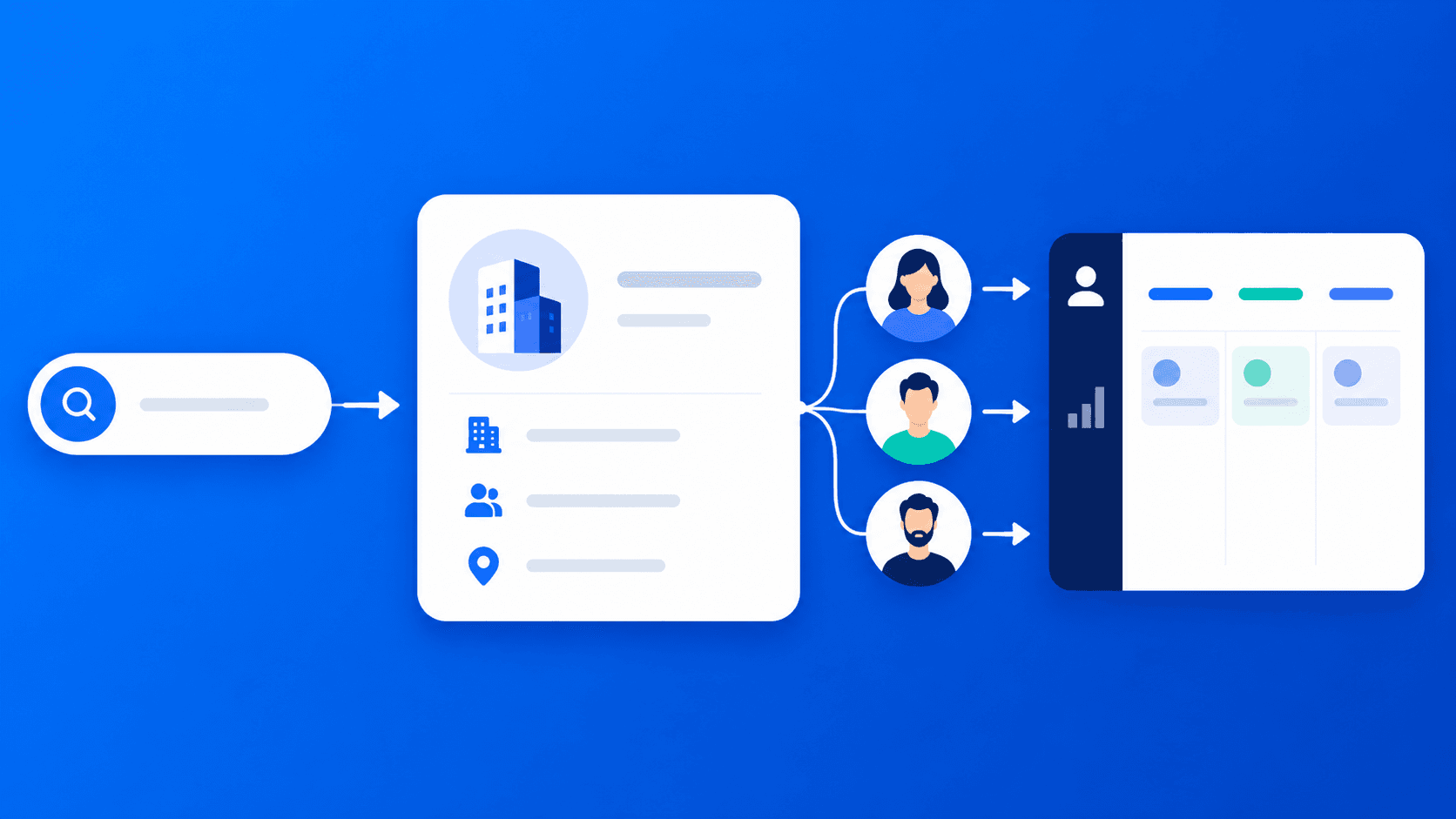
A company search API helps B2B teams find target accounts, confirm the correct company, enrich account data, identify relevant employees, and send qualified records into a CRM or sales workflow.
Search is the first step—not the final prospecting outcome. A reliable workflow moves from company discovery to entity resolution, company enrichment, employee and job research, account qualification, and routing. EnvoAPI supports these workflows with structured public professional and company data in JSON format.
What Is a Company Search API?
A company search API lets an application find company records from a keyword, company name, domain, URL, slug, or another documented identifier. It returns structured results that support account research, list building, CRM enrichment, and B2B prospecting.
A search result does not confirm that a company matches your ideal customer profile. It creates a candidate list that requires entity resolution and account qualification.
**Company Search vs. Lookup vs. Enrichment**
Key takeaway: Search finds possible accounts. Lookup confirms identity. Enrichment makes the account useful in a sales workflow.
Why Search Is Only Step 1
A company name alone is not a dependable account record. Two companies can share a name, operate in different regions, use separate legal entities, or maintain incomplete public profiles.
Before sales outreach, a prospecting workflow needs to answer 5 questions:
- Is this the correct organization?
- Does it match the ideal customer profile?
- Which departments, roles, or employees matter?
- Are job listings or public activity worth reviewing?
- Who owns the account after qualification?
For example, a search for “Atlas” can return multiple companies. A domain, company URL, universal name, or internal company ID provides a stronger identifier than a name match alone.
Company Search API Workflow
Discover Candidate Companies
Start with a documented company-search input, such as a keyword. Use search to build a candidate account list rather than a final outreach list.
A SaaS team targeting revenue operations platforms, for example, can search for relevant company categories and store each candidate with its company name, returned URL, and discovery timestamp.
EnvoAPI documents a company keyword search route at /v1/companies/search?keywords=..., which teams can use before selecting an appropriate enrichment or lookup route. See the EnvoAPI API reference for the current documented routes, request parameters, response schemas, pagination behavior, and error states.
Resolve the Correct Company
Resolve each candidate using the most stable identifier available:
- Company domain
- Full company URL
- Universal name or slug
- Company ID returned by a prior response
This step prevents duplicate CRM records and reduces the risk of enriching the wrong company. When 2 or more candidates share a similar name, do not select a record based on the name alone; validate a domain or company URL first.
EnvoAPI documents company lookup paths for domains, full company URLs, universal names, and supported company IDs. Its domain lookup endpoint is a discovery helper: it returns company search cards rather than the full company-detail response.
Enrich the Company Record
After resolving identity, retrieve the documented company data needed for segmentation and account research.
Useful company-level context includes:
- Company name, description, and website
- Industry and location context
- Employee count or employee-range data when available
- Company profile information
- Jobs, posts, products, and insights where documented
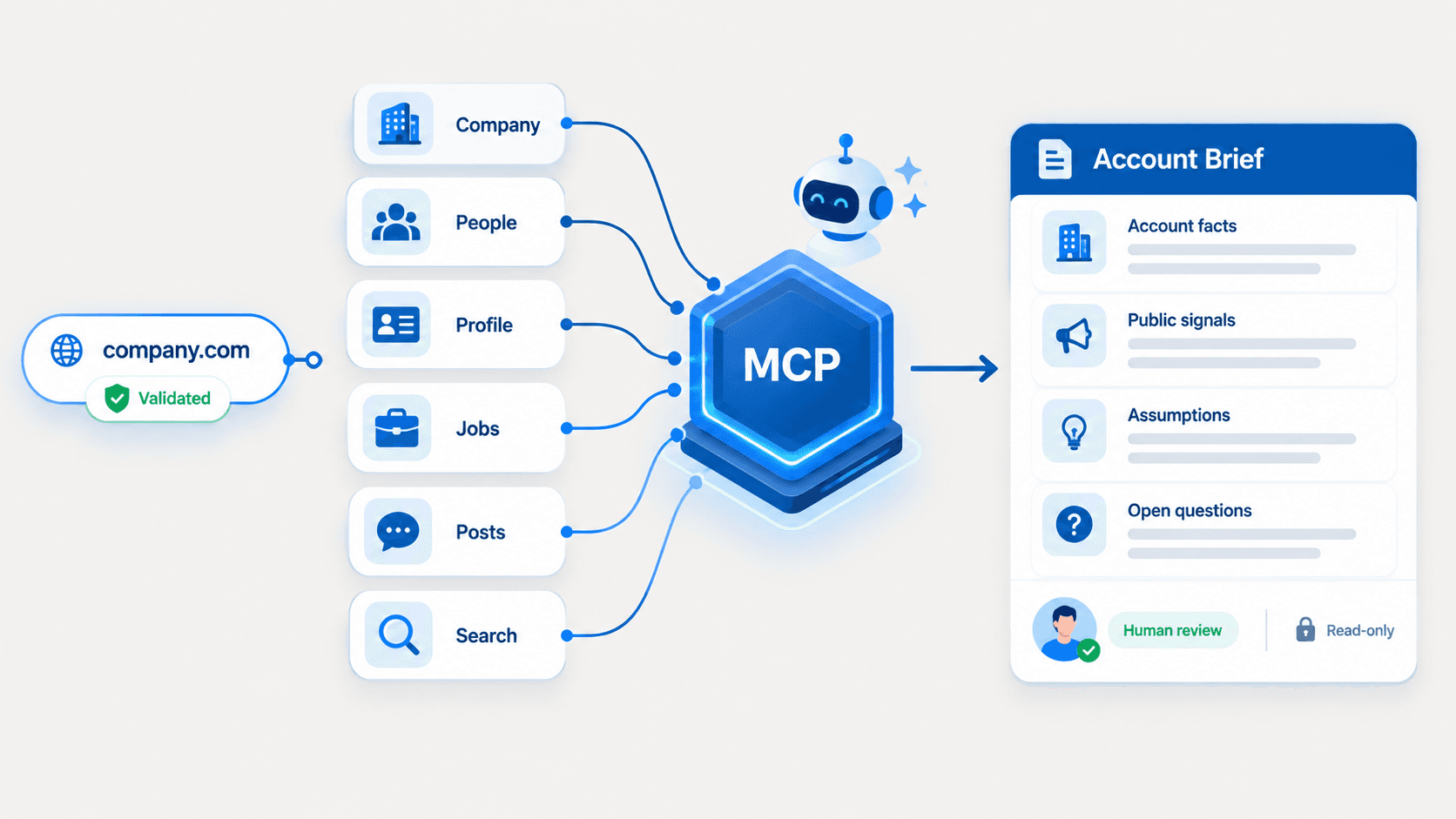
Do not design production logic around assumed fields. Validate endpoint parameters, response schemas, pagination behavior, and error states against the current API documentation before deployment. EnvoAPI provides documented company, search, jobs, profiles, and posts endpoints with JSON responses. For a broader view of company-level fields and CRM-ready enrichment workflows, review EnvoAPI’s data enrichment API.
Add Employee and Job Context
Company data becomes more useful when paired with people and hiring context.
Employee data helps identify relevant functions such as sales, revenue operations, finance, product, engineering, or executive leadership. Job listings and open-role activity add account context for research and prioritization.
A company advertising 3 revenue-related roles provides a reason to investigate its go-to-market motion. It does not prove purchase intent, budget approval, or an active buying process.
Where account research requires contact-level context, teams can combine company resolution with professional profile enrichment to review publicly available roles, titles, work history, locations, and other structured professional data.
Review Public Company Signals
Public posts, jobs, products, and company activity can support account research and personalized outreach.
Use these signals to form a specific research question:
- Is the company expanding into a new market?
- Is it hiring for a function related to your product?
- Is it discussing a product launch or operational priority?
- Does its public messaging reveal a relevant business initiative?
Signals improve research quality. They do not replace direct qualification.
For hiring-related research, use the documented job-search and company-job routes described in the EnvoAPI documentation to evaluate available filters, job detail fields, and pagination before relying on a workflow in production.
Activate Data in a Sales Workflow
Map qualified data into a CRM, account-scoring model, internal database, or routing workflow.
A practical account record should contain at least 7 operational fields:
| Field | Workflow purpose |
|---|---|
| Company name | Human-readable account identification |
| Domain | Deduplication and entity resolution |
| Company URL or slug | Stable lookup reference |
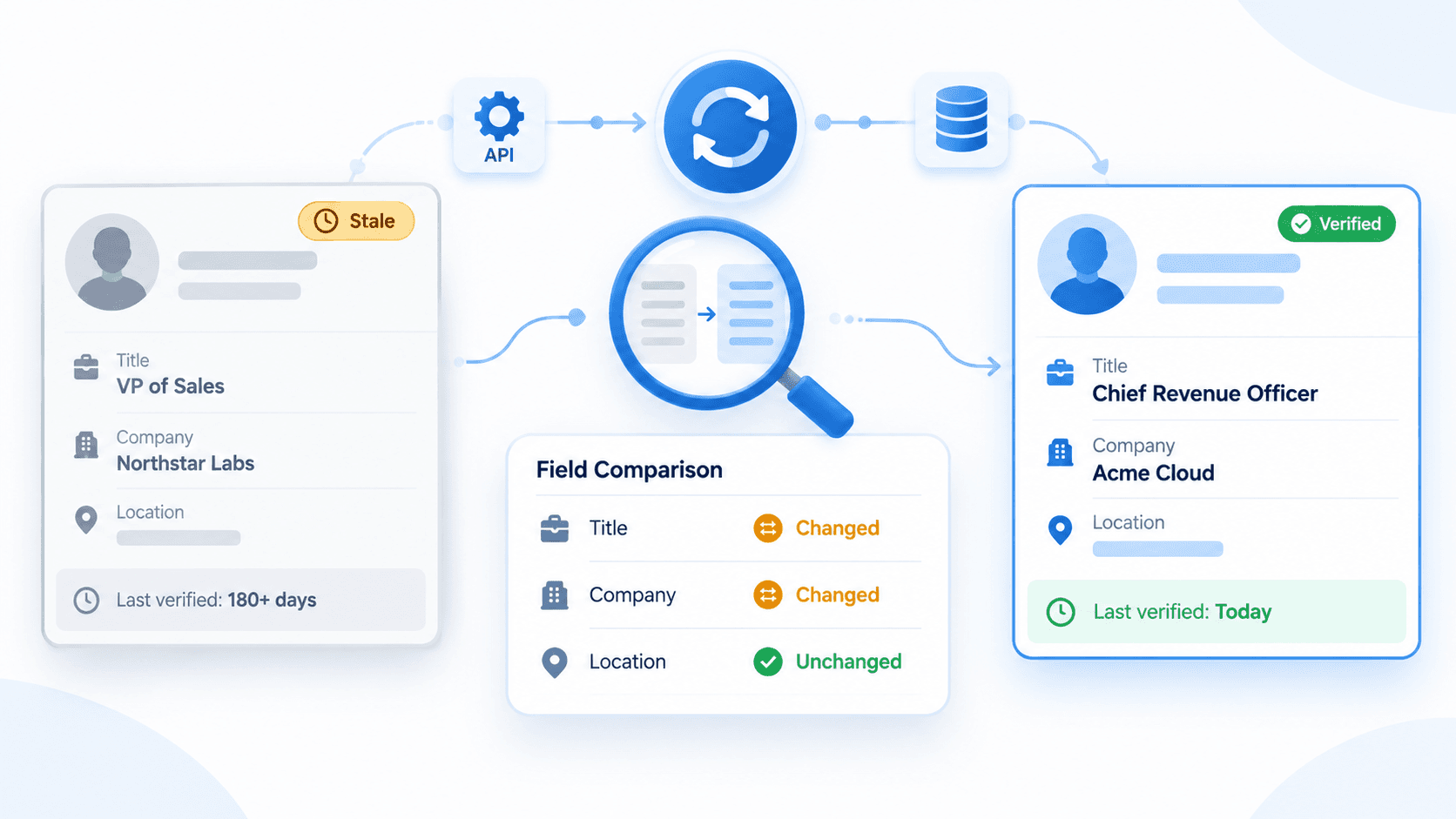
| Enrichment timestamp | Data freshness tracking |
| ICP status | Qualification decision |
| Assigned owner | Clear routing responsibility |
| Prioritization reason | Sales context and auditability |
Set ownership rules before importing records. A CRM with enriched but unassigned accounts creates backlog, duplicate effort, and inconsistent follow-up.
What Data Qualifies Target Accounts?
The goal is not to capture every available field. The goal is to collect enough account context to make a better decision.
| Data layer | Prospecting question | Workflow use |
|---|---|---|
| Company identity | Is this the correct organization? | Deduplication and entity resolution |
| Firmographic context | Does it resemble our ICP? | Segmentation and account review |
| Employee data | Are relevant teams or roles present? | People discovery and research |
| Jobs and open roles | Is there activity worth investigating? | Prioritization and context |
| Posts and activity | What is the company communicating publicly? | Research and personalization |
| Products and insights | Is there useful business context? | Account intelligence |
Example: From Search to Sales-Ready Account
A RevOps team wants to identify software companies in a target market and prioritize accounts with an active go-to-market function.
The team can run this 8-step workflow:
- Search for relevant companies with documented company-search inputs.
- Store candidate names, domains, URLs, and timestamps.
- Deduplicate records by domain before enrichment.
- Resolve each account through a domain, URL, slug, or ID.
- Retrieve available company details for account research.
- Review employee data for sales, revenue, operations, or leadership functions.
- Review jobs and open roles as additional account context.
- Send qualified records to the CRM, research queue, or assigned salesperson.
This process turns company search into account intelligence. It also keeps search, enrichment, qualification, and outreach as separate operational stages.
What to Look for in a Company Search API
Evaluate the complete workflow, not only a search endpoint.
- Search capability: The API returns relevant candidate companies from documented search inputs.
- Entity resolution: The API supports identifiers such as a domain, URL, name, slug, or ID.
- Company details: The response provides structured company context for research and segmentation.
- People discovery: The workflow can move from target-account discovery to relevant employee research.
- Account signals: Jobs, open roles, posts, products, or related resources are available where documented.
- Operational fit: The API provides predictable JSON, documentation, pagination, and integration-ready output.
Different providers support different data sources, parameters, and response fields. Validate the current documentation before committing application logic to a specific filter or field.
How EnvoAPI Fits the Workflow
EnvoAPI is designed for enrichment workflows that use structured public professional and company data. Teams can search for companies, resolve company records using documented identifiers, retrieve company details, and add employee, job, post, product, or insight context when relevant.
Its documented API surface includes operations across 5 families: profiles, companies, search, jobs, and posts. Requests use an API key, and EnvoAPI advises storing that key in a server-side environment variable rather than exposing it in browser code.
This structure fits teams building:
- Internal prospecting tools
- CRM enrichment processes
- Sales-intelligence features
- Data pipelines and warehouses
- AI-assisted account-research workflows
Explore EnvoAPI’s company API documentation.
Common Prospecting Mistakes
Avoid these 7 mistakes when building a company prospecting workflow:
- Treating search results as final account records.
- Matching companies by name when a domain or company URL is available.
- Enriching duplicate accounts before identity resolution.
- Assuming every provider offers the same filters and fields.
- Treating hiring activity as confirmed purchase intent.
- Passing raw API responses into a CRM without field mapping.
- Importing records without ownership, priority, and routing rules.
Frequently Asked Questions
What is a company search API?
A company search API helps applications discover company records from search queries or identifiers and returns structured data for research, enrichment, and prospecting workflows.
How does a company search API support B2B prospecting?
It helps teams discover candidate accounts, resolve the correct company, enrich account context, identify relevant employees, and route qualified records into CRM or sales workflows.
What is the difference between company search and company enrichment?
Company search finds possible companies. Company enrichment adds account context after the company has been identified.
Can a company search API help find decision-makers?
A company search API identifies target accounts first. Teams can then use employee or people-search data to identify relevant functions and contacts within those accounts.
Which company identifiers can EnvoAPI use?
EnvoAPI documents company workflows using inputs such as company domains, company URLs, universal names, search keywords, and supported company IDs. Check the current endpoint documentation for the required parameters and response format.
Get Started
A company search API delivers the most value when it supports the full B2B prospecting workflow: discover companies, resolve identity, enrich account data, add employee and job context, qualify the account, and activate the result in downstream systems.
Get an EnvoAPI key and test company discovery and enrichment against your own prospecting workflow. EnvoAPI offers 100 free credits with no credit card required.