Unofficial LinkedIn Data API: Get Profile, Company and Job Data Without the Approval Wait
- EnvoAPI team · Developer relations
- Updated
- 34 min read

You have a LinkedIn profile URL. You know exactly which data you need for your app. But getting access to LinkedIn's official API? That can be a project of its own.
And we're not the only ones who've noticed.
In a discussion on r/SaaS, a founder shared how they spent three weeks waiting for LinkedIn API approval before finally shipping their integration.
One commenter, u/zindalaash, had an even longer wait:
I have been struggling to get the API approved for LinkedIn Community Management. It’s been 3 months now. Any suggestions for it?
Of course, that's one developer's experience with a specific LinkedIn API product, not an official approval timeline. But it highlights a frustrating problem: sometimes the hardest part of building an integration isn't writing the code. It's getting permission to start.
If your goal is to enrich CRM records, research companies, or retrieve public professional data, you may not need that approval process in the first place.
That's what we built EnvoAPI's LinkedIn Data API for.
With EnvoAPI, you can retrieve public LinkedIn-related data through a REST API, get structured JSON back, and plug it into your existing workflow. No LinkedIn account connection or session cookies required.
One important distinction: we're an independent, third-party service, not an official LinkedIn partner API. We focus on retrieving data, not acting on someone's behalf. You can't use our data tools to send LinkedIn messages, publish posts, or send connection requests.
If data enrichment is what you're building, here's how to get started.
How to Get an Unofficial LinkedIn API Key
You don't need to build an entire enrichment pipeline to find out whether an API works for you.
We recommend starting small: create a key, run one profile lookup, and inspect the response. You'll learn more from that first JSON object than from reading another ten feature lists.
Step 1: Create your EnvoAPI account
Head to the EnvoAPI signup page and create an account.
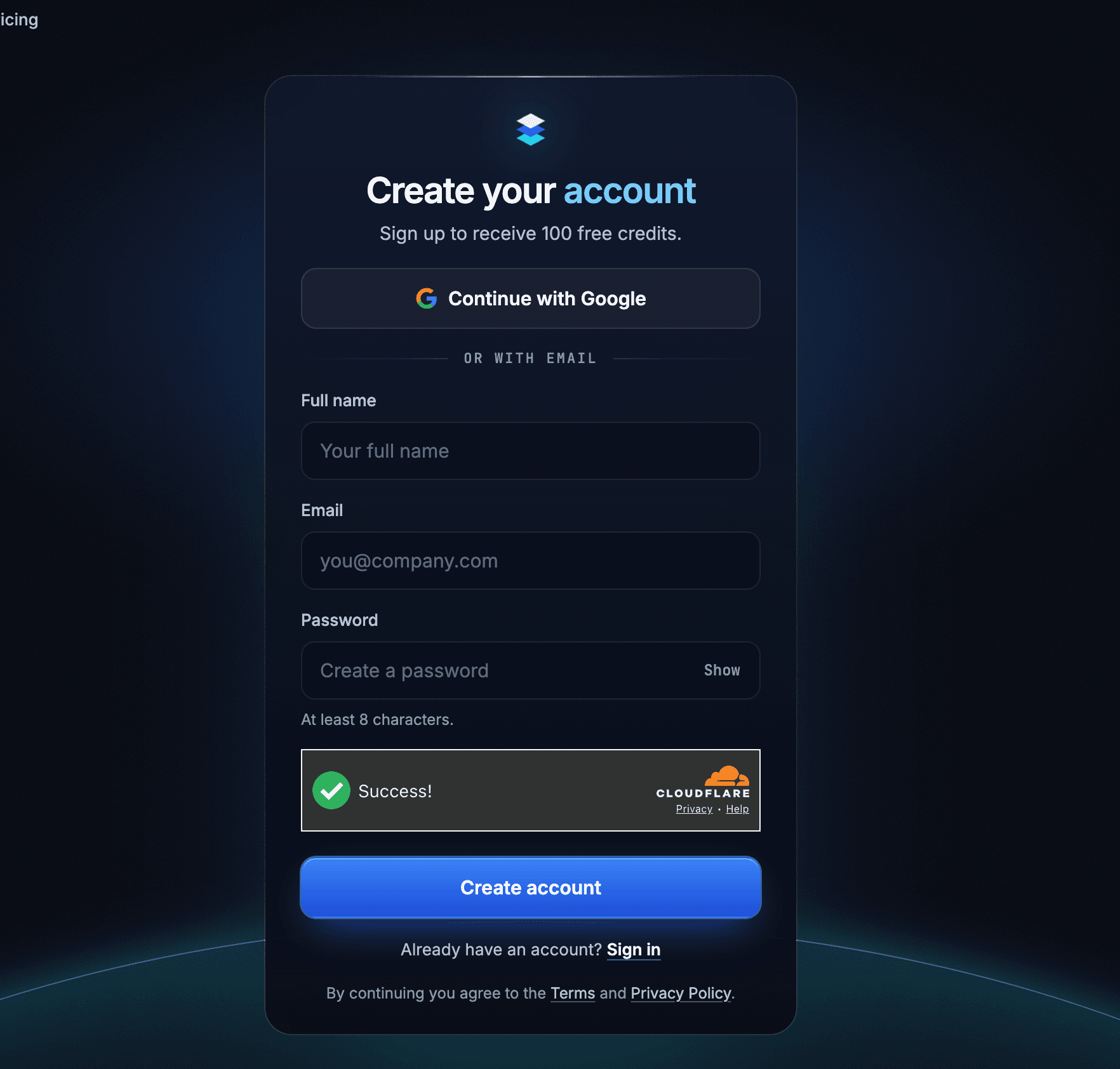
Once you've verified your email, you'll receive 100 free credits to test the API. You don't need to add a credit card or commit to a paid plan.
That's enough to run a few real requests, see what fields are available, and decide whether the API fits your use case.
Step 2: Generate your API key
Once you're in the dashboard, open the API Keys section and create a new key.
You can give it a simple name like test or crm-enrichment-dev. The name is just there to help you recognize it later.
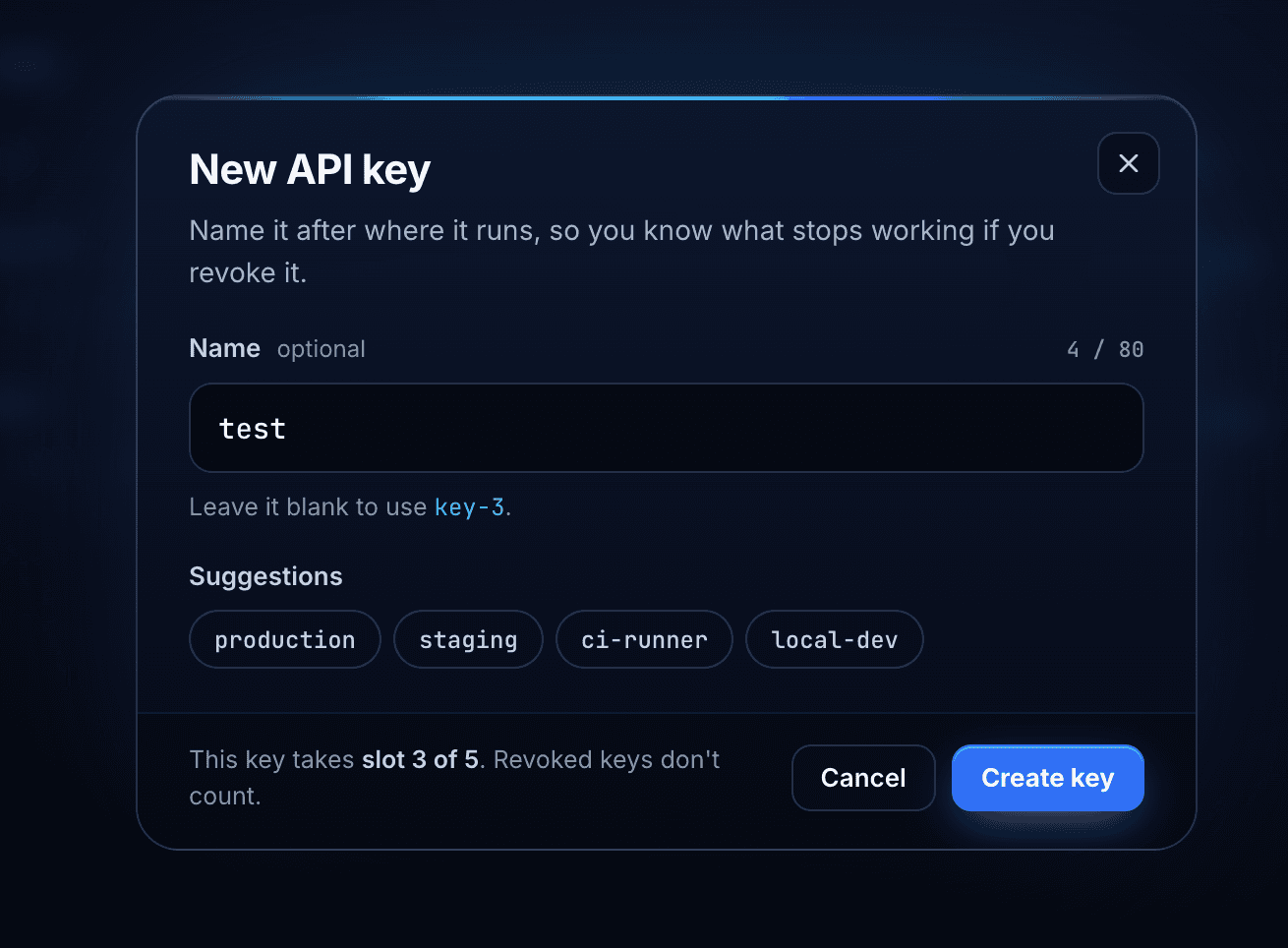
Every EnvoAPI REST request uses your API key in an Authorization header:
Authorization: Bearer YOUR_API_KEY
Keep that key on your server, not in frontend code or a public repository. Our authentication guide covers the request format and key handling.
An EnvoAPI key is separate from a LinkedIn app’s Client ID or OAuth access token. See our guide to LinkedIn API keys and access tokens to understand which credential your integration needs and how to obtain it.
Step 3: Test a real profile in the Playground
Before writing your integration, open the EnvoAPI Playground and try the Profile Details endpoint with a public LinkedIn profile URL you already know.
Don't just check whether you get a 200 OK.
Look at the actual data.
Does the response include the person's name? Their current experience? The company information you need? Are any sections incomplete?
If your CRM requires a field that isn't there, it's better to discover that now than after you've processed thousands of contacts.
Once you're happy with the response, you're ready to make the same request from your application.
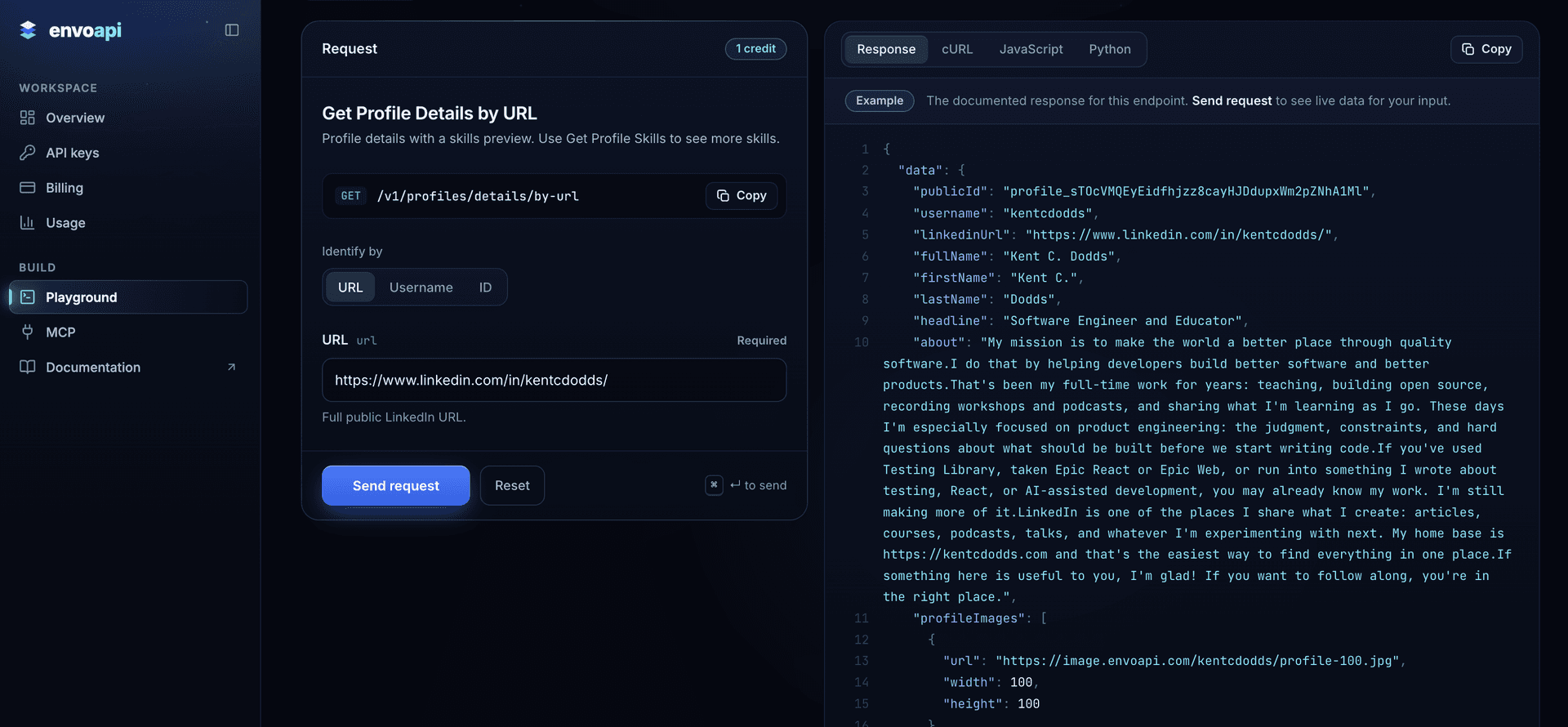
Unofficial LinkedIn API Example: Request and Response
Let's make this concrete.
Say you're building a CRM enrichment feature. Your user provides a LinkedIn profile URL, and your application needs to retrieve the person's professional details.
Here's what a request to our Profile Details endpoint looks like.
First, set ENVO_API_KEY in your server environment. Then run:
curl --get 'https://api.envoapi.com/v1/profiles/details/by-url' \ -H "Authorization: Bearer $ENVO_API_KEY" \ -H 'Accept: application/json' \ --data-urlencode 'url=https://www.linkedin.com/in/kentcdodds/'That's it. You're passing a public profile URL and authenticating with your EnvoAPI key.
Here's the JSON response for that example profile:
{ "data": { "publicId": "profile_sTOcVMQEyEidfhjzz8cayHJDdupxWm2pZNhA1Ml", "username": "kentcdodds", "linkedinUrl": "https://www.linkedin.com/in/kentcdodds/", "fullName": "Kent C. Dodds", "firstName": "Kent C.", "lastName": "Dodds", "headline": "Software Engineer and Educator", "about": "My mission is to make the world a better place through quality software.I do that by helping developers build better software and better products.That's been my full-time work for years: teaching, building open source, recording workshops and podcasts, and sharing what I'm learning as I go. These days I'm especially focused on product engineering: the judgment, constraints, and hard questions about what should be built before we start writing code.If you've used Testing Library, taken Epic React or Epic Web, or run into something I wrote about testing, React, or AI-assisted development, you may already know my work. I'm still making more of it.LinkedIn is one of the places I share what I create: articles, courses, podcasts, talks, and whatever I'm experimenting with next. My home base is https://kentcdodds.com and that's the easiest way to find everything in one place.If something here is useful to you, I'm glad! If you want to follow along, you're in the right place.", "profileImages": [ { "url": "https://image.envoapi.com/kentcdodds/profile-100.jpg", "width": 100, "height": 100 }, { "url": "https://image.envoapi.com/kentcdodds/profile-200.jpg", "width": 200, "height": 200 }, { "url": "https://image.envoapi.com/kentcdodds/profile-400.jpg", "width": 400, "height": 400 }, { "url": "https://image.envoapi.com/kentcdodds/profile-800.jpg", "width": 800, "height": 800 } ], "backgroundImages": [ { "url": "https://image.envoapi.com/kentcdodds/background-800.jpg", "width": 800, "height": 200 }, { "url": "https://image.envoapi.com/kentcdodds/background-1400.jpg", "width": 1400, "height": 350 } ], "location": { "displayName": "American Fork, Utah, United States", "locality": "American Fork, Utah", "country": "United States", "countryCode": "US" }, "industry": { "publicId": "industry_t9L5X", "name": "Information Technology & Services" }, "primaryLocale": { "language": "en", "country": "US", "script": null, "variant": null }, "supportedLocales": [ { "language": "en", "country": "US", "script": null, "variant": null } ], "isPremium": false, "isInfluencer": false, "isCreator": false, "isOpenToWork": false, "isHiring": false, "isMemorialized": false, "counts": { "followerCount": 13200, "connectionCount": 1485 }, "experience": [ { "title": "Software Engineer Educator", "company": { "publicId": "company_1N7Qy7", "name": "Kent C. Dodds Tech LLC" }, "employmentType": null, "location": "Utah, United States", "description": null, "dateRange": { "start": { "year": 2019, "month": 2, "day": null }, "end": null, "isCurrent": true } }, { "title": "Google Developer Expert", "company": { "publicId": "company_1Bfdur", "name": "Google" }, "employmentType": null, "location": null, "description": "Google Developers Experts (GDEs) are recognized for their exemplary work by Google and invited to be part of the growing GDE community. GDEs are gurus, mentors, and friends (but not Google employees 😅)\n\nGDEs speak in local and global events, have a strong online presence and an excellent technical background in their field. These independent developers bring their real-world experience and knowledge working with Google technologies to developer communities worldwide.", "dateRange": { "start": { "year": 2016, "month": 3, "day": null }, "end": { "year": 2022, "month": 12, "day": null }, "isCurrent": false } }, { "title": "Co-Founder, Director of Developer Experience", "company": { "publicId": "company_2SOlPX", "name": "Remix Software" }, "employmentType": { "code": "fullTime", "name": "Full-time" }, "location": "Utah, United States", "description": "I'm in charge of what happens when someone decides they want to learn about Remix or an experienced user hits bumps in their Remix journey.", "dateRange": { "start": { "year": 2021, "month": 11, "day": null }, "end": { "year": 2022, "month": 8, "day": null }, "isCurrent": false } }, { "title": "JavaScript Engineer", "company": { "publicId": "company_1njhrA", "name": "PayPal" }, "employmentType": null, "location": "Greater Salt Lake City Area", "description": null, "dateRange": { "start": { "year": 2015, "month": 12, "day": null }, "end": { "year": 2019, "month": 1, "day": null }, "isCurrent": false } }, { "title": "Software Engineer", "company": { "publicId": "company_42n0Tw", "name": "Alianza, Inc." }, "employmentType": null, "location": "Provo, Utah Area", "description": "I helped Alianza make big changes in the telecom industry. I worked with JavaScript, HTML5, and CSS3 with AngularJS.", "dateRange": { "start": { "year": 2014, "month": 10, "day": null }, "end": { "year": 2015, "month": 12, "day": null }, "isCurrent": false } }, { "title": "Software Engineer", "company": { "publicId": "company_AUfbjP", "name": "AtTask, Inc." }, "employmentType": null, "location": "Utah", "description": "I'm a web application developer working primarily on the front end of the AtTask product. Our main front end technology is AngularJS and I work with HTML, CSS, and JavaScript.", "dateRange": { "start": { "year": 2014, "month": 8, "day": null }, "end": { "year": 2014, "month": 10, "day": null }, "isCurrent": false } }, { "title": "Senior AngularJS Consultant", "company": { "publicId": null, "name": "Parakeet Technologies" }, "employmentType": null, "location": "Provo, Utah Area", "description": "Moonlighter for Parakeet implementing a fully featured responsive management portal frontend in AngularJS working with a REST backend.", "dateRange": { "start": { "year": 2014, "month": 4, "day": null }, "end": { "year": 2014, "month": 8, "day": null }, "isCurrent": false } }, { "title": "Web Application Developer", "company": { "publicId": "company_7TrGe6", "name": "Domo, Inc." }, "employmentType": null, "location": "American Fork, Utah, USA", "description": "I am building a revolution in the way businesses (both large and small) see their data. I work on the UI team as a front end developer. Resume bullets:\n- Identified a bottleneck in our frontend build and implemented a fix to make it over 2.5x faster\n- Worked with a team to implement many key features to be used in a major future unveiling\n- Working to improve performance of the entire AngularJS application by preparing for update", "dateRange": { "start": { "year": 2012, "month": 12, "day": null }, "end": { "year": 2014, "month": 8, "day": null }, "isCurrent": false } }, { "title": "Software Engineer Intern", "company": { "publicId": "company_1LwJNO", "name": "USAA" }, "employmentType": null, "location": "San Antonio, Texas Area", "description": "● Built a wrapper page for a portion of all wicket based mobile app views\n● Utilized jmpress.js to create and present results of internship experience to executives and received praise as “the best intern presentation ever” from the IT Intern director", "dateRange": { "start": { "year": 2013, "month": 5, "day": null }, "end": { "year": 2013, "month": 8, "day": null }, "isCurrent": false } }, { "title": "Database Engineer", "company": { "publicId": "company_9DoUge", "name": "The Church of Jesus Christ of Latter-day Saints" }, "employmentType": null, "location": "Riverton, Utah", "description": "● Took initiative to automate emailing of recurring reports to over 20,000 people worldwide\n● Improved communication and relationships between engineers and customers by coordinating the training of over 50 Database Engineers on a BI specific implementation of Jira\n● Improved engineer responsiveness to ETL job failures from hours to minutes by writing custom Data Services functions and the Java application mentioned above", "dateRange": { "start": { "year": 2012, "month": 4, "day": null }, "end": { "year": 2012, "month": 12, "day": null }, "isCurrent": false } }, { "title": "Web Developer", "company": { "publicId": "company_sFFtp", "name": "More Good Foundation" }, "employmentType": null, "location": "Orem, Utah", "description": "• Contribute to content and design on websites improving user readability and ease of access\n• Develop metadata for websites and content increasing SEO\n• Maintain hundreds of websites reducing downtime and ensuring security\n\nThe More Good Foundation is closely affiliated with the Church of Jesus Christ of Latter-Day Saints. Though not owned nor operated by the church, The More Good Foundation focuses its efforts on two main objectives:\n1. Build tools to empower members of the church to share the gospel using the internet.\n2. Create content online so when people look on internet search engines for terms about the church or religious terms, they find true, relevant, and positive information about the church.\nMy responsibilities are to maintain and upload content to the YouTube channel and implement SEO techniques to give each video a good search presence.", "dateRange": { "start": { "year": 2011, "month": 8, "day": null }, "end": { "year": 2012, "month": 6, "day": null }, "isCurrent": false } }, { "title": "Web Developer", "company": { "publicId": "company_1MoNVq", "name": "The Marriott School of Management, Accounting Department" }, "employmentType": null, "location": "BYU, Provo, Utah", "description": "• Automated the gathering of unique information from over 150 people saving days of time and resources\n• Prepared and presented an outline of SEO goals following research and analysis of current practices\nexpected to increase Google PageRank of site\n• Contributed to redesign of Accounting Homepage (www.byuaccounting.net) increasing attractiveness and\naccessibility", "dateRange": { "start": { "year": 2011, "month": 5, "day": null }, "end": { "year": 2011, "month": 8, "day": null }, "isCurrent": false } }, { "title": "Computer Lab Assistant", "company": { "publicId": "company_1MoNVq", "name": "Office of Information Technology - BYU" }, "employmentType": null, "location": "BYU, Provo, Utah", "description": "• Designed collaborative Google Doc which increased efficiency and accuracy of records by 80%\n• Achieved proficiency mastering problem solving approaches and successfully taught them to patrons\n• Reestablished reputation of labs by extending personalize customer service and won employee of the\nmonth award\n\nThe Open Access Computer Labs are available on BYU campus for students to use. Services include: computers, printers, scanners, and office supplies. As a Lab Assistant, I serve as a resource for the students when they have trouble with any of these services. I am also available to help them learn any of the programs available on the computers. I am expected to conduct routine daily cleaning and inventory, as well as walk around the computer lab to ensure the patrons know I am there to help.\nTraining is also an important aspect of the job. Computer Lab Assistants are regularly trained on campus in Microsoft Office, Adobe, and other software which is highly used and we anticipate questions about from patrons (among these is Qualtrics). This training has helped me develop highly marketable skills.", "dateRange": { "start": { "year": 2010, "month": 12, "day": null }, "end": { "year": 2011, "month": 8, "day": null }, "isCurrent": false } }, { "title": "Audio / Video Technician", "company": { "publicId": "company_1MoNVq", "name": "Brigham Young University" }, "employmentType": null, "location": null, "description": "At the BYU Conference Center, I was in charge of all of the Audio and Video needs of conferences and presentations. From microphones to projectors or video/audio recording, I did it all. On a regular basis I was required to set up equipment and then instruct a presenter how to use it. Often I had to troubleshoot problems related to the different presenters computers and other equipment, along with a variety of other unexpected issues. I was also expected to conduct regular inventory of our equipment and completed a more exhaustive year end inventory report. My experience here taught me troubleshooting skills and technical skills. However, I feel the most valuable skills I learned while at the BYU Conference Center was People skills and Customer Service Skills.", "dateRange": { "start": { "year": 2010, "month": 4, "day": null }, "end": { "year": 2010, "month": 12, "day": null }, "isCurrent": false } }, { "title": "Volunteer Representative", "company": { "publicId": "company_9DoUge", "name": "Missouri Independence Mission" }, "employmentType": null, "location": "Independence, Missouri", "description": "• Motivated other representatives to set and achieve individual and group goals to reach their full potential\n• Directly influenced and challenged numerous people to improve their lives\n• Sought daily opportunities to serve others and provided at least two hours of community service weekly", "dateRange": { "start": { "year": 2008, "month": null, "day": null }, "end": { "year": 2010, "month": null, "day": null }, "isCurrent": false } }, { "title": "Computer Operator", "company": { "publicId": "company_1MoNVq", "name": "Brigham Young University" }, "employmentType": null, "location": null, "description": "Monitor servers and other computer networking equipment, report errors, receive instruction on what to do to fix minor errors, and do so. Also give instruction to others on what to do to fix minor errors. As well as working as a Technical Support for students using BYU.edu.", "dateRange": { "start": { "year": 2007, "month": 10, "day": null }, "end": { "year": 2007, "month": 12, "day": null }, "isCurrent": false } }, { "title": "Maintenance at Aspen Grove", "company": { "publicId": "company_1MoNVq", "name": "Brigham Young University" }, "employmentType": null, "location": null, "description": "Aspen Grove is a Family Camp and Conference Center in Provo Canyon, north of BYU. During the summer months, it hosts a week-long period of time when families get together (often for large family reunions) for a vacation and lots of fun. As a maintenance worker, I dealt with customer's problems as well as preventative maintenance and improvatory maintenance on the equipment and activity areas of the camp. With one other co-worker, we reported to a manager who gave us several tasks throughout the day and we were responsible for completing those tasks as well as receiving and responding to several radio calls per day. I learned the ins and outs of basic facilities, which has been a great help in practical settings. Because of this job, I'm not afraid to get in a problem, figure out how it works, discover the problem, and fix it.", "dateRange": { "start": { "year": 2007, "month": null, "day": null }, "end": { "year": 2007, "month": null, "day": null }, "isCurrent": false } }, { "title": "Computer Technician", "company": { "publicId": "company_AfRBYM", "name": "iPreserve" }, "employmentType": null, "location": null, "description": "iPreserve (called Acentra at the time I worked there), is a company which converts old media into the current form of media in order to preserve its quality and facilitate its viewing and distribution. Old media can include VHS tapes, photographs, slides, 8 or 16 mm film, audio cassette tapes, etc. This is done mostly on a household scale for personal media. I was expected to learn and do all kinds of media conversion and deal with customers from acquiring them to billing them and everything in between. This job taught me a great deal about the different forms of media as well as customer service.", "dateRange": { "start": { "year": 2006, "month": null, "day": null }, "end": { "year": 2006, "month": null, "day": null }, "isCurrent": false } }, { "title": "Audio / Video Technician", "company": { "publicId": null, "name": "Midnight Productions" }, "employmentType": null, "location": "Twin Falls, Idaho", "description": "I received the job with Luis Vargas (founder of Midnight Productions) as a young teenager after coming in to visit with him (unprompted) about a job opportunity. I have skills in the video production area and wanted to utilize those skills in the industry. The Midnight Productions website lists it's services:\nRecordings\nProductions\nRentals\nRepairs\nInstallations\nDesign\nStaging\nLight Shows\nVideo Shows\n\nI assisted in each of these services. I also was DJ to several church dances on my own. However, my skills were mostly utilized in the video editing needs of Midnight Productions. This was my first real job.", "dateRange": { "start": { "year": 2004, "month": 1, "day": null }, "end": { "year": 2005, "month": 4, "day": null }, "isCurrent": false } } ], "education": [ { "school": { "publicId": "school_Abzulk", "name": null }, "degree": "Master of Science Information Systems (MISM)", "fieldOfStudy": "Web Development", "grade": null, "activities": null, "description": null, "dateRange": { "start": { "year": 2007, "month": null, "day": null }, "end": { "year": 2014, "month": null, "day": null }, "isCurrent": false } }, { "school": { "publicId": "school_Abzulk", "name": "Brigham Young University" }, "degree": "Master of Information Systems Management", "fieldOfStudy": "Information Systems", "grade": null, "activities": "Men's Chorus, Association of Information Systems (AIS)", "description": "Men's Chorus: Vice President of Social and Digital Media Operations\nAssociation of Information Systems: Vice President of Knowledge Management", "dateRange": { "start": { "year": 2007, "month": null, "day": null }, "end": { "year": 2014, "month": null, "day": null }, "isCurrent": false } } ], "skills": [ "Web Applications", "Web Development", "JavaScript", "Node.js", "HTML", "CSS", "HTML 5", "Programming", "jQuery", "OS X" ], "certifications": [ { "name": "🚀 ⚛ EpicReact: React Fundamentals", "issuerName": "Kent C. Dodds Tech LLC", "issuedOn": { "year": 2020, "month": 9, "day": null } }, { "name": "Microsoft Most Valuable Professional (MVP)", "issuerName": "Microsoft", "issuedOn": { "year": 2025, "month": 2, "day": null }, "expiresOn": { "year": 2026, "month": 2, "day": null }, "doesNotExpire": false, "credentialCode": "credential-example", "credentialUrl": "https://example.invalid/credentials/credential-example" } ], "organizations": [ { "organization": { "publicId": null, "name": "The Church of Jesus Christ of Latter-Day Saints" }, "role": "Member", "dateRange": { "start": { "year": 1996, "month": 11, "day": null }, "end": null, "isCurrent": true }, "description": "To learn more about my faith and The Church of Jesus Christ of Latter-Day Saints (often referred to as \"The LDS Chruch\" or \"The Mormon Church\") please contact me and visit mormon.org" }, { "organization": { "publicId": null, "name": "TC39" }, "role": "Official PayPal representative", "dateRange": { "start": { "year": 2016, "month": 11, "day": null }, "end": { "year": 2019, "month": 1, "day": null }, "isCurrent": false }, "description": "I'm the official representative for PayPal on the technical committee responsible for the JavaScript language specification (TC39)." }, { "organization": { "publicId": null, "name": "Association for Information Systems" }, "role": "VP Knowledge Management", "dateRange": { "start": { "year": 2011, "month": 12, "day": null }, "end": { "year": 2014, "month": 4, "day": null }, "isCurrent": false }, "description": null } ], "languages": [ { "name": "American Sign Language", "proficiency": "elementary" }, { "name": "English", "proficiency": "nativeOrBilingual" } ], "courses": null, "volunteerExperience": [ { "role": "Co-President", "organization": { "publicId": null, "name": "Association for Information Systems | BYU Chapter" }, "dateRange": { "start": { "year": 2011, "month": 12, "day": null }, "end": null, "isCurrent": true }, "description": "It is an amazing experience. I have the opportunity to serve my fellow students and help them find employers that they want to work for. It's a great opportunity to network with other students as well as recruiters." } ], "honors": [ { "title": "BYU Academic Scholarship", "issuerName": "Brigham Young University", "issuedOn": { "year": 2012, "month": 8, "day": null }, "description": "Awarded scholarship for excellent academic performance." }, { "title": "Owen Cherrington Scholarship", "issuerName": "Marriott School of Management, BYU", "issuedOn": { "year": 2012, "month": 4, "day": null }, "description": "Students who receive this scholarship are those who exemplify the characteristics of Professor Cherrington in making the Information Systems Jr. Core a better experience for their classmates.\n\nProfessor Cherrington, a long-time professor in the Information Systems Department, and the first director of the E-Business Center (now the Center for Entrepreneurship & Technology), was an example of scholarship, hard work, and selfless service. He died of cancer in 2005." }, { "title": "2nd Place, Information Systems Integrated Exercise 1 (INTEX 1)", "issuerName": "Information Systems Department, BYU", "issuedOn": { "year": 2011, "month": 12, "day": null }, "description": "As a group of four, we were given a week to respond to a fabricated request for proposal. We designed the system and implementation. I personally wrote a functioning demo of the actual system which is how our presentation stood out from the 20 other teams.\n\nSee Prezi presentation here: http://prezi.com/xxtdjbydkzmu/silver-linings-sleek/" }, { "title": "Eagle Scout", "issuerName": "Boy Scouts of America", "issuedOn": { "year": 2002, "month": 11, "day": null }, "description": null } ] }, "meta": { "creditCost": 1, "sections": { "counts": "complete", "experience": "complete", "education": "complete", "skills": "incomplete", "certifications": "complete", "organizations": "complete", "languages": "complete", "courses": "incomplete", "volunteerExperience": "complete", "honors": "complete" }, "skills": { "hasMore": true } }}Now you have something your application can actually use.
Instead of manually copying information from a LinkedIn page, you can map fullName to your CRM's contact name, extract the role from experience, and use the company information in your enrichment workflow.
You'll also notice meta.creditCost. That's the credit charge for the request, returned separately from the profile data.
One thing we'd check before building on this response
The example above is intentionally short. The Profile Details response may include additional professional information, but some profile sections may not be fully returned. Profiles can contain many sections, so returning everything from a single API endpoint could make responses slower and larger.
Our API documentation distinguishes four section states:
- Complete: The section was retrieved successfully.
- Empty: The section contains no available records.
- Incomplete: The section couldn't be fully retrieved.
- Unavailable: The requested section isn't available.
When using an unofficial LinkedIn API, don’t assume that any profile section is complete. Check the sections metadata to identify which sections are complete, incomplete, empty, or unavailable, then use the dedicated API endpoints to retrieve the relevant details.
If you need more complete profile data, read the API reference to identify the appropriate EnvoAPI endpoints and include any additional requests in your workflow and cost estimate.
LinkedIn Data API: What Data You Can Retrieve
Not every enrichment task starts with a LinkedIn profile URL.
Sometimes you have a company domain. Sometimes you have a person's name. Other times, you're researching a company's hiring activity or looking at public posts.
That's why we've organized EnvoAPI around the type of information you're trying to retrieve.
People API: Look Up LinkedIn Profiles by URL, Username or ID
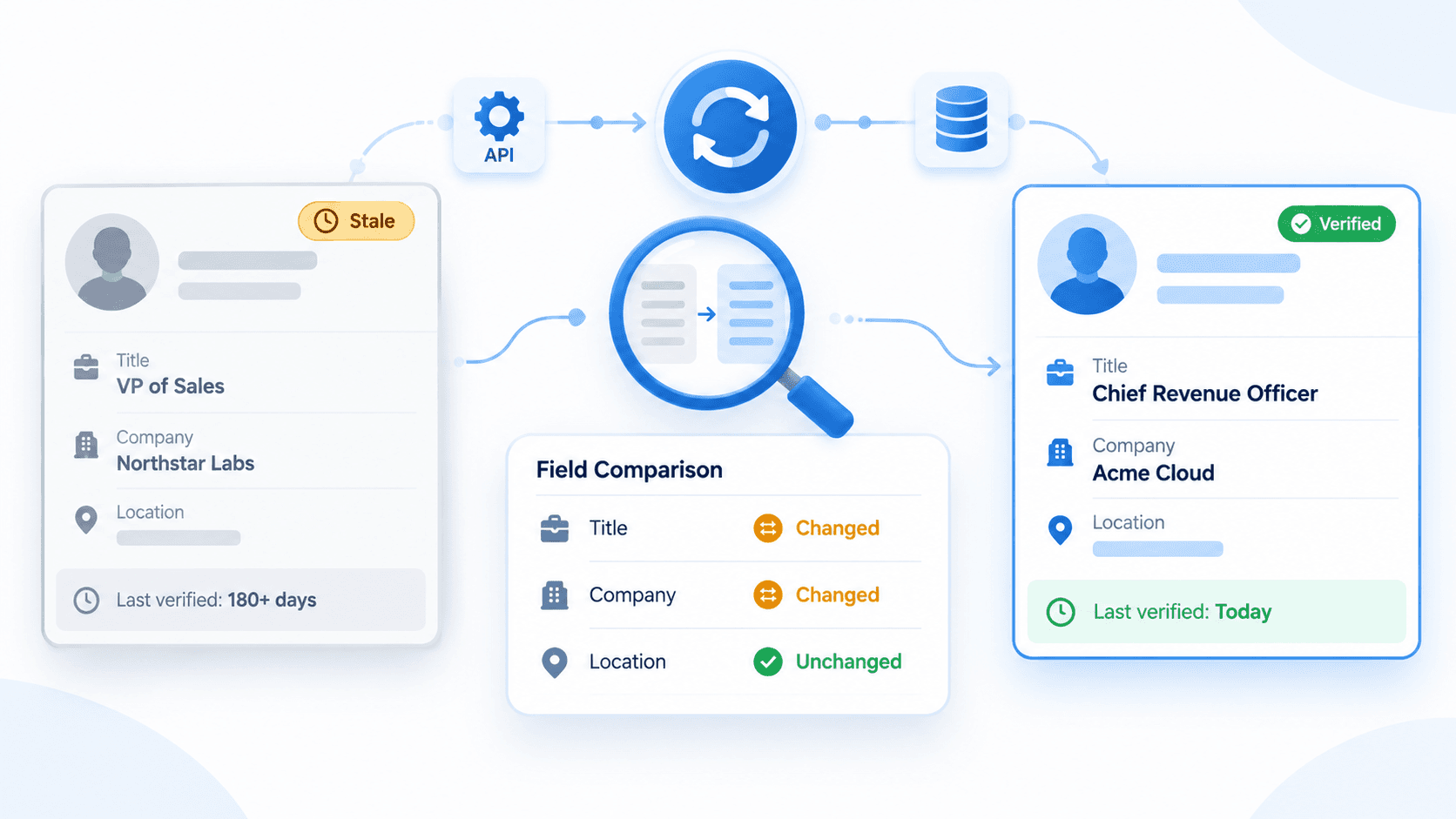
Get a person's name, headline, photo and location, plus their work history, education, skills and certifications when the profile shows them. Each call reads the live profile, so if someone changed jobs last week, you'll see the new role. See the People API page for fields and examples.
GET /v1/profiles/details/by-urlGET /v1/profiles/details/by-usernameGET /v1/profiles/details/by-id
Company API: Company Data From a URL, Slug or Domain
Get a company's industry, size, employee count, headquarters and website, plus its description and office locations. Only have a website? Search by domain, pick the right match, then request the details. See the Company API page for fields and examples.
GET /v1/companies/details/by-urlGET /v1/companies/details/by-slugGET /v1/companies/details/by-idGET /v1/companies/by-domain
Jobs API: Search Openings and Read Full Job Details
Search jobs by keyword and filter by location, company, experience level, workplace type or date posted, then open a listing for the full description. It's a quick way to see which companies are hiring for the roles you sell to. See the Jobs API page for fields and examples.
GET /v1/jobs/searchGET /v1/jobs/detailsGET /v1/companies/jobs
Search API: Find People and Companies by Keyword and Filters
Search people by keyword and filter by location, company, industry or school. Find companies by keyword or website domain. Use it when you know what kind of person or company you want but don't have a link yet. See the Search API page for filters and examples.
GET /v1/profiles/searchGET /v1/companies/searchGET /v1/companies/by-domain
Posts: Public Post Text and Engagement
Get a public post's text, author and engagement counts, then pull its comments and the people who reacted. It's a good way to spot who engages with posts in your market.
GET /v1/posts/details/by-urlGET /v1/posts/details/by-slugGET /v1/posts/comments/by-urlGET /v1/posts/reactions/by-url
You don't need to call every endpoint. Start with the information you already have.
For example, if your CRM stores a LinkedIn profile URL, send it directly to Profile Details. There's no reason to search for a profile you've already identified.
If you only have a company domain, you can use the company search to locate the relevant record before requesting its details.
And if your workflow needs email addresses, that's a separate step.
Our Email Finder API uses a person's name and the company domain to find a work email.
A good enrichment workflow is usually a sequence of small, deliberate lookups—not one oversized request you hope will contain everything.
Use LinkedIn Data for CRM Enrichment, Recruiting and Market Research
Here's how those lookups fit into four common workflows.
Enrich CRM Contacts and Company Records
Your CRM has a LinkedIn URL for a contact but not much else. Send that URL to the profile or company lookup and you get the person's headline, work history and location, or the company's industry, size and headquarters.
GET /v1/profiles/details/by-urlGET /v1/companies/details/by-url
| Field | Before | After your update rule |
|---|---|---|
| Profile URL | linkedin.com/in/kentcdodds | Unchanged |
| Title | Empty | Software Engineer Educator |
| Company | Empty | Kent C. Dodds Tech LLC |
| Location | Empty | American Fork, Utah |
The values come from the example response earlier in this guide. Your update rule decides which fields to overwrite and which to leave alone.
Support Candidate Sourcing and Research
You know the role and background you're looking for but don't have names yet. Search people by keyword and filter by location, company, industry or school, then look up the profiles you pick to read their full work history and education. Each search page costs 1 credit, and each profile you open costs 1 more.
GET /v1/profiles/searchGET /v1/profiles/details/by-id
Research Companies and Hiring Activity
You want to know who a company is hiring. Find the company from its website domain, list its job postings, then open any posting to read the full description, location, workplace type and posting date.
- Match the company from its website domain:
GET /v1/companies/by-domain - List its open jobs:
GET /v1/companies/jobs - Read each posting's description and company context:
GET /v1/jobs/details
Give Your AI Assistant the Same Lookups
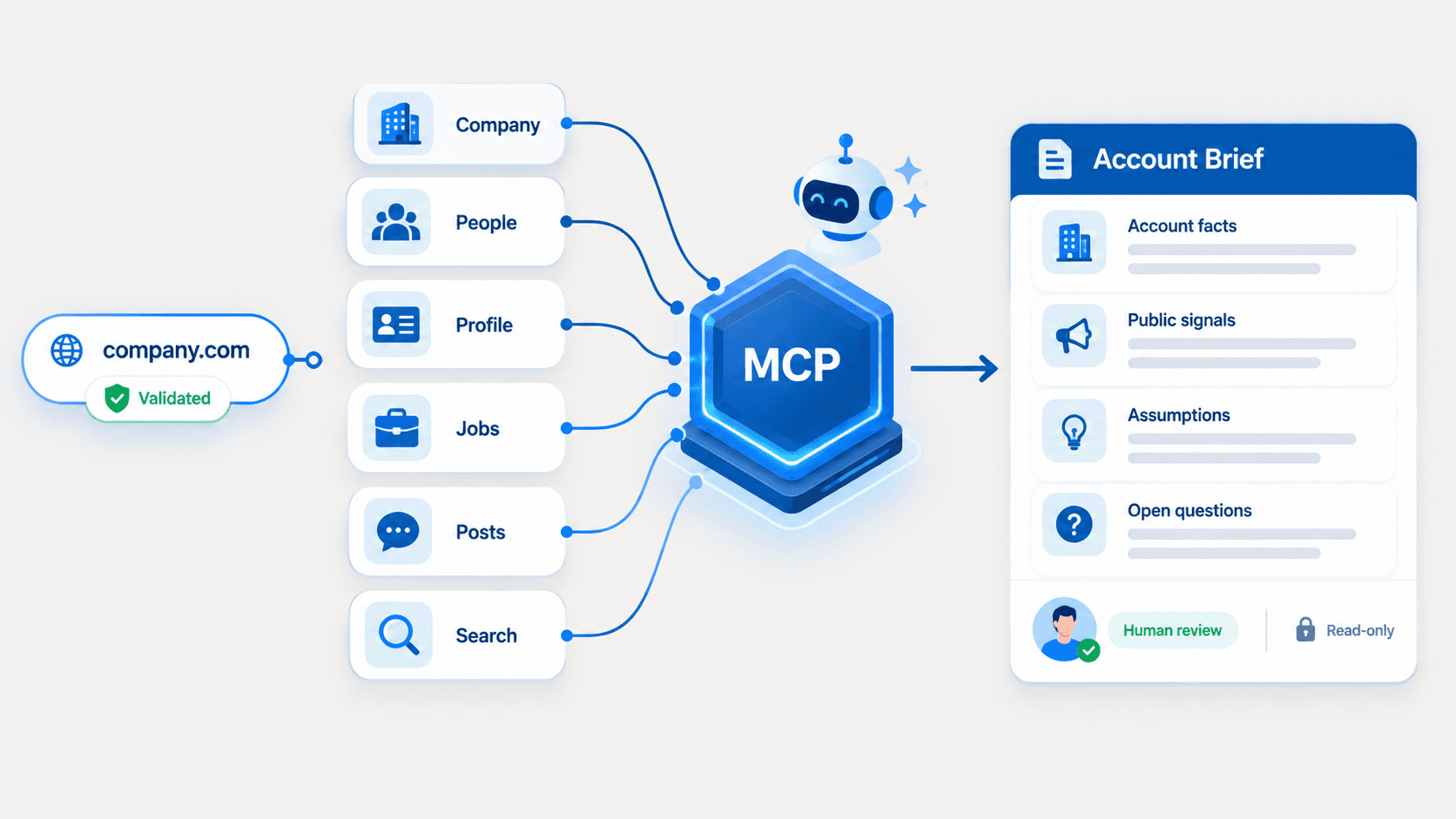
Connect Claude, ChatGPT or Cursor to our MCP server, and your AI assistant can look up real-time LinkedIn data while you chat. Ask about a person or a company, and it answers from their current profile, not from old training data. The ChatGPT setup below walks through the steps.
Unofficial LinkedIn API Pricing: What Does 1,000 Requests Actually Cost?
Let's talk about pricing, because the number that matters isn't always the one on the pricing page.
EnvoAPI uses credits. Different endpoints consume different numbers of credits, and your monthly plan determines how many you have available.
Here's how our plans compare for LinkedIn data requests.
Pricing checked on October 28, 2026. The equivalent rates below assume one credit per request and full use of the plan's included allowance.
| Plan | Monthly price (USD) | Included credits | Equivalent cost per 1,000 requests |
|---|---|---|---|
| Free | $0 | 100 once | — |
| Launch | $49 | 10,000/month | $4.90 |
| Growth | $149 | 50,000/month | $2.98 |
| Scale | $499 | 250,000/month | ~$2.00 |
| Volume | $1,799 | 1,000,000/month | ~$1.80 |
| Enterprise | Custom | 2M+/month | Custom |
Source: EnvoAPI pricing. Prices exclude applicable taxes.
There's an important detail here: those figures are equivalent per-request rates, not separate 1,000-request packages you can buy.
How we calculate the cost per 1,000 requests
The formula is straightforward:
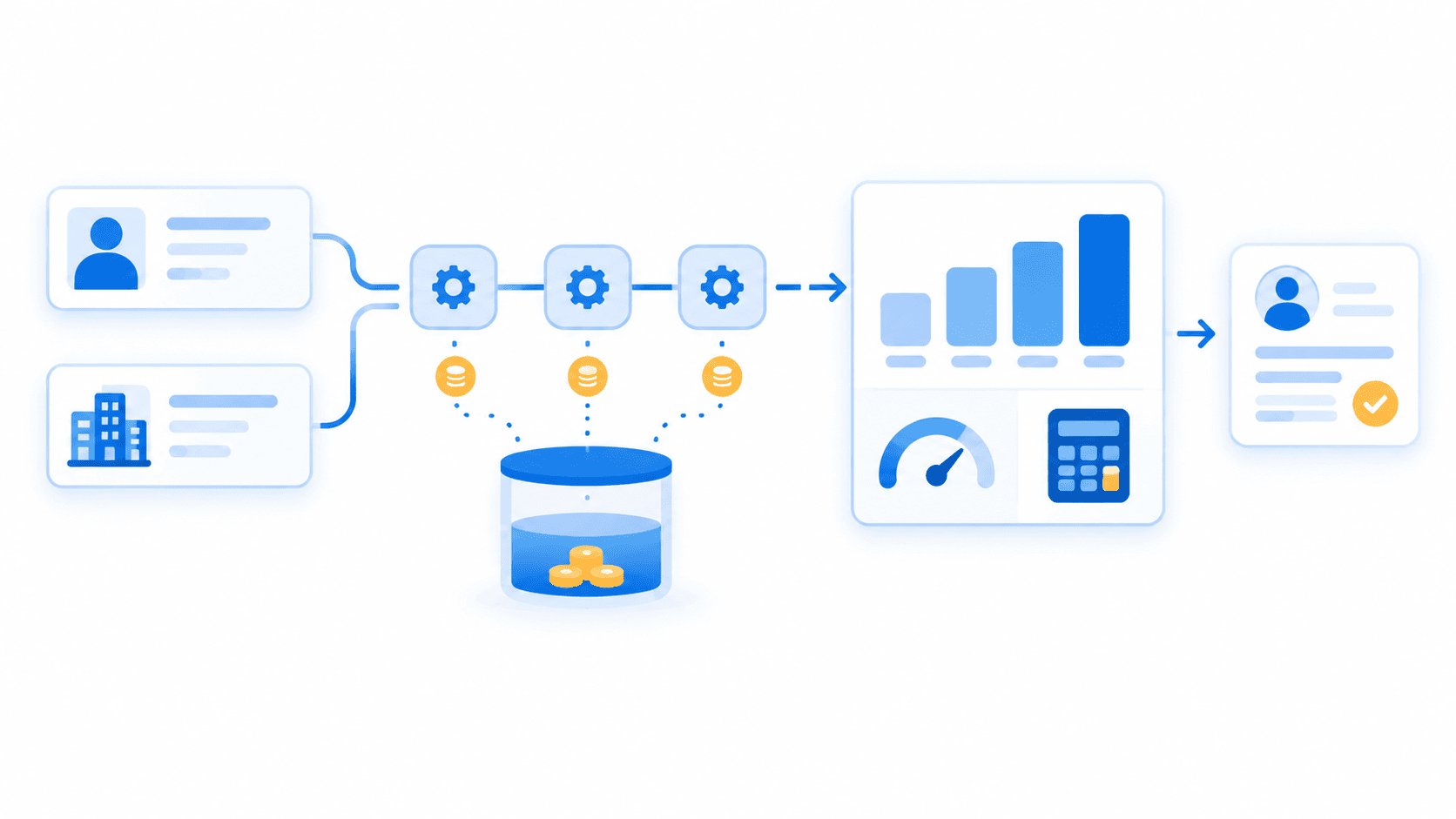
Cost per 1,000 requests = Monthly plan price ÷ Included credits × Credits per request × 1,000
Let's use the Growth plan as an example.
You pay $149 per month and receive 50,000 credits. A LinkedIn profile lookup costs one credit.
So:
$149 ÷ 50,000 × 1 × 1,000 = $2.98 per 1,000 requests
But here's where we'd encourage you to be careful.
That $2.98 rate assumes you actually use all 50,000 credits.
What if you only make 10,000 requests that month?
You're still paying $149, so your effective subscription cost is $14.90 per 1,000 requests, not $2.98.
Neither number is misleading as long as you understand what it measures.
The takeaway? Don't choose a plan solely because its advertised unit cost looks attractive. Estimate your actual monthly usage first.
Count the whole workflow, not just the first API call
Let's say you're enriching 1,000 CRM contacts.
For each contact, your application needs:
- One profile lookup to retrieve professional details.
- One company lookup to enrich the associated employer.
That's two API requests per contact, or 2,000 one-credit requests for the entire batch.
At Growth's fully utilized allowance rate, the allocated cost works out to $5.96 per 1,000 two-call workflows.
And that's before adding any optional enrichment steps.
Email Verification costs two credits per call, while Email Finder costs ten. LinkedIn data operations currently cost one credit each.
Pagination matters, too.
If a search returns multiple pages, fetching the next page is another request. If you then retrieve full details for each matching profile, those are additional calls as well.
Our pagination guide explains how to request subsequent results.
We suggest mapping out your complete workflow before estimating costs. A spreadsheet with each endpoint, expected calls per record, and credit cost will usually tell you more than a headline price.
For monthly allowances, endpoint charges, and top-up options, see our LinkedIn API pricing guide before choosing a plan.
One final thing to check: rate limits are separate from credits.
Credits determine how many requests your allowance can cover. Rate limits determine how quickly you can send them.
Before running a large batch, review our current pricing and rate limit documentation.
How to Use an Unofficial LinkedIn API With ChatGPT
You don't always need to write code to work with LinkedIn-related data.
Sometimes you just want to ask ChatGPT to research a public profile, summarize a company's background, or prepare a brief before a meeting.
That's where our Model Context Protocol (MCP) integration comes in.
We've made EnvoAPI available via a hosted MCP server, so compatible AI assistants can call our data tools and work with the resulting data.
You ask for the research. ChatGPT can use the appropriate EnvoAPI tool, retrieve the data, and organize it into a useful response.
No manually copying JSON into your conversation.
Step 1: Connect the EnvoAPI MCP server
First, make sure your ChatGPT account and workspace permissions allow custom MCP connections. This feature isn't available in every account configuration.
In the current ChatGPT Plugins interface:
- Open Plugins, select the plus button, and choose Add custom MCP server.
- Enter EnvoAPI as the server name.
- Use
https://api.envoapi.com/mcpas the connection URL. - Select OAuth for authentication.
- Review and acknowledge the connection warning, then select Create as a plugin.
- Sign in to your EnvoAPI account and authorize the connection.
- Enable the resulting plugin in your conversation.
You don't need to paste your API key into ChatGPT or connect a LinkedIn account.
And because we host the MCP server, there's no local server for you to set up or maintain.
For authentication details and other supported AI clients, see our EnvoAPI MCP guide.
Step 2: Ask ChatGPT for a profile brief
Let's use the same profile from our REST API example.
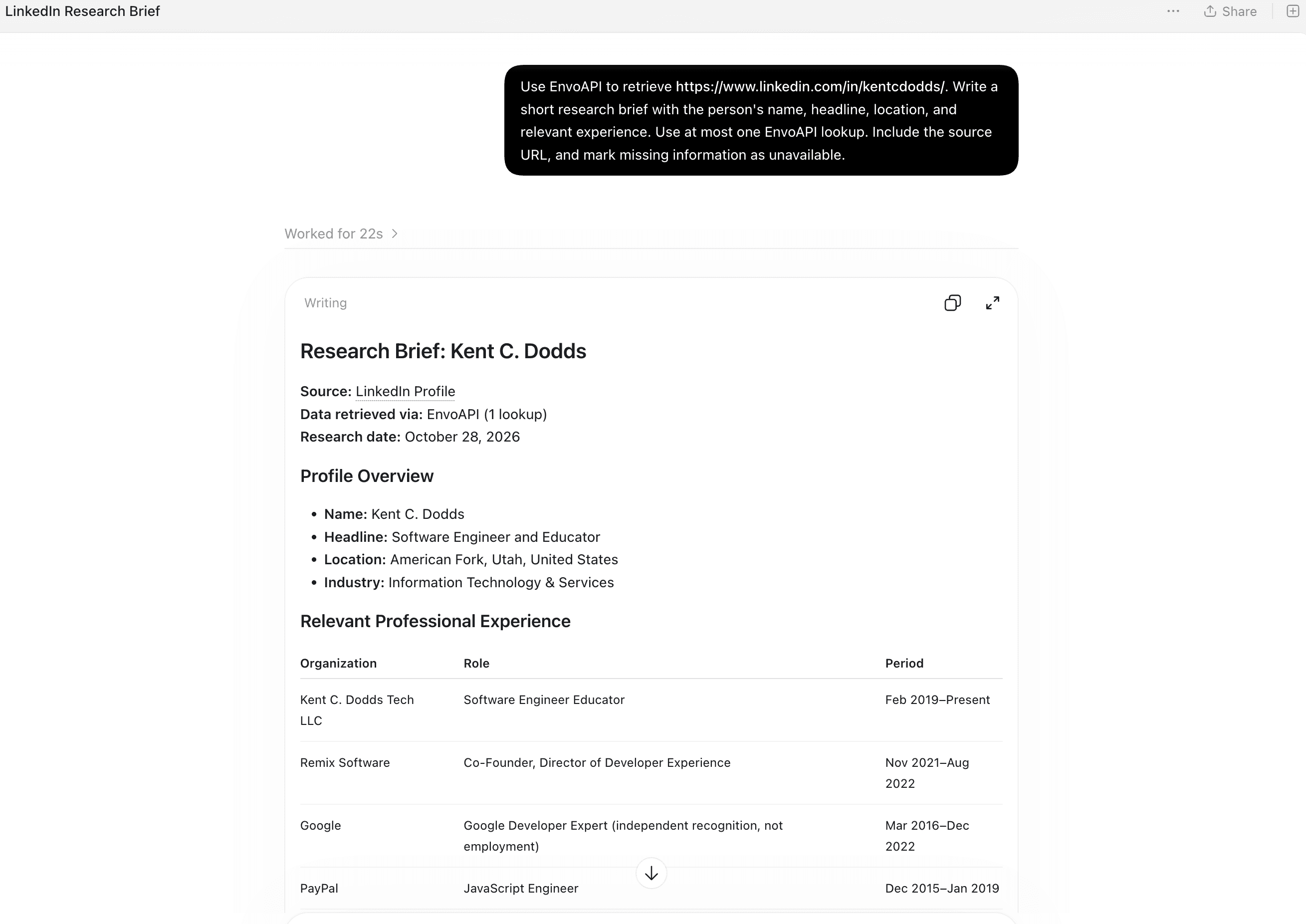
Instead of writing an API request yourself, try giving ChatGPT this prompt:
Use EnvoAPI to retrieve https://www.linkedin.com/in/kentcdodds/. Write a short research brief with the person's name, headline, location, and relevant experience. Use at most one EnvoAPI lookup. Include the source URL, and mark missing information as unavailable.
We like this prompt for a few reasons.
First, it provides an exact profile URL. ChatGPT doesn't need to guess which person you mean.
Second, it asks for specific information instead of a vague "tell me everything about this person."
And third, it explicitly tells ChatGPT not to invent missing details.
That last part is particularly important when you're using AI to prepare sales research or populate CRM records. A confident-looking summary is only useful if the underlying data actually supports it.
You can use the brief to prepare for a meeting, identify relevant experience, or decide what additional information you need.
Just review the returned details before putting them into a system of record, especially if current employment, dates, or incomplete fields matter to your next step.
Step 3: Keep an eye on API usage
Connecting EnvoAPI through MCP doesn't introduce a separate MCP subscription fee.
The data lookups still consume your existing EnvoAPI credits and share your account's rate limits.
There's one detail worth remembering, though: a single ChatGPT prompt doesn't necessarily equal a single API request.
If you ask ChatGPT to find a company by domain, retrieve its details, and research its employees, that could involve several API calls.
For your first test, we'd recommend using a known profile URL and limiting the number of lookups in your prompt. Then check your usage in EnvoAPI.
Once you understand what a typical research task costs, you can expand from there.
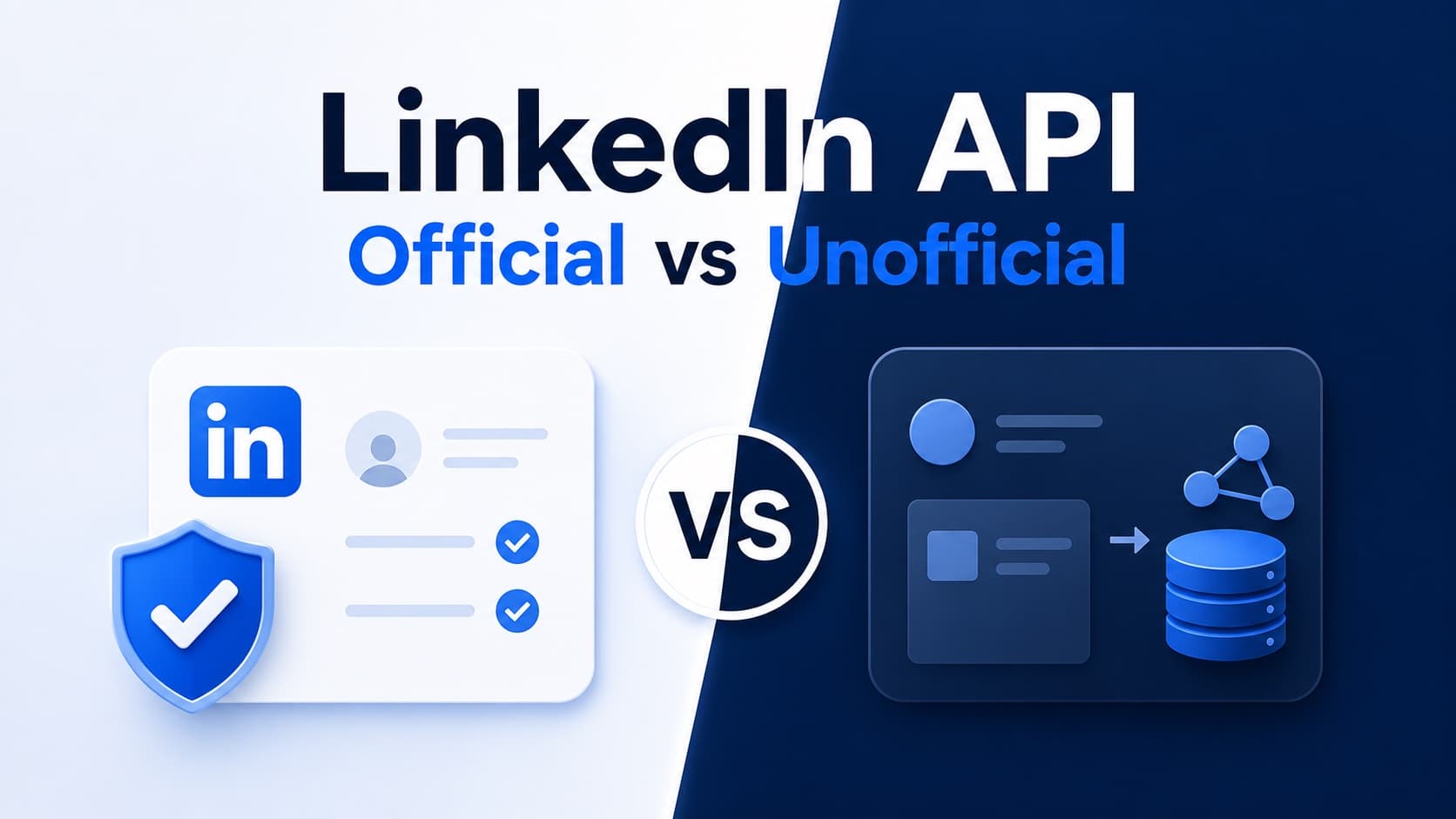
Official vs. Unofficial LinkedIn API: Which One Should You Use?
We don't think an unofficial API is automatically the better choice.
It depends on what you're trying to build.
If your application needs people to sign in using LinkedIn, publish content on their behalf, or interact with their LinkedIn accounts, you should look at the official LinkedIn developer products and their permissions.
But if your application starts with a public profile URL and needs structured professional data, the decision looks different.
Here's how the two approaches compare.
| What matters | Official LinkedIn APIs | EnvoAPI |
|---|---|---|
| Authentication | OAuth with the permissions required by the product | API key for REST; OAuth for MCP |
| Profile input | Authenticated-member context or permitted Person ID lookup | Profile URL, username, or EnvoAPI ID |
| Getting access | Self-service for some permissions; approval for others | EnvoAPI account and credentials |
| Available fields | Depend on permissions and member privacy settings | Depend on the endpoint and available public data |
| Account actions | Can support actions such as posting with appropriate permissions | Read-only data retrieval |
| AI integration | Depends on the integration you build | Hosted the MCP connection for ChatGPT and compatible clients |
The distinction we want you to focus on isn't "official versus unofficial" by itself.
It's what data and permissions your application actually needs.
Compare the fields you can access—not just the feature lists
LinkedIn has several different APIs, each intended for different purposes.
Its official products include Organization Lookup, Company Search, and the Posts API.
Some capabilities, including Company Search, are restricted to selected developers.
The official LinkedIn Profile API is also restricted to approved developers.
For example, LinkedIn's documentation includes this sample response for:
GET https://api.linkedin.com/v2/me
{ "id": "yrZCpj2Z12", "localizedFirstName": "Bob", "localizedLastName": "Smith", "localizedHeadline": "API Enthusiast at LinkedIn", "vanityName": "bsmith"}That's a useful identity response, but it doesn't necessarily provide everything you'd want for a CRM enrichment workflow.
LinkedIn's documentation explains that profile requests return lite fields by default. Additional fields require appropriate permissions, and broader professional information is documented for certain approved partner programs.
You can review the available fields in LinkedIn's profile field reference.
Here's how we'd approach the comparison.
Start with the fields your product actually needs. Maybe that's a person's name, professional headline, current company, and experience.
Then test what you can retrieve through the access you have.
Don't assume a longer JSON response is automatically better. If the most important section is incomplete, a hundred additional fields won't solve your problem.
And don't assume an official API is missing a capability simply because a basic response example doesn't show it. Available fields depend on the specific product and permissions.
Separate the access decision from the pricing decision
Another misconception worth clearing up: official LinkedIn APIs aren't necessarily paid APIs.
LinkedIn's general API terms, section 8.2, state that API use is currently free, while reserving the right to introduce charges. Specific programs may have separate agreements.
So the question isn't simply whether you want a free official API or a paid unofficial one.
You need to consider access requirements, the type of data available, your intended use, and the cost of the complete workflow.
EnvoAPI gives you published credit pricing and direct access to its documented data endpoints. That makes it easier to estimate the cost of an enrichment workflow before you commit to building it.
But if you need member authentication or authorized posting, use the LinkedIn product designed for that job. Our read-only enrichment API isn't a replacement for account-level actions.
Frequently Asked Questions
Can I get a free unofficial LinkedIn API key?
Yes. You can create an EnvoAPI account, verify your email, and receive 100 free credits without adding a credit card.
Those credits are a one-time allowance, not a monthly renewal. They're intended to help you test the API and see whether the returned data fits your requirements.
Do I need a LinkedIn account or cookies?
Not for EnvoAPI's documented public-data endpoints.
You authenticate with your EnvoAPI API key, and we return the supported data through JSON responses. You don't sign in to LinkedIn or connect a LinkedIn or Sales Navigator account.
Other unofficial APIs and libraries may have different authentication requirements, so don't assume every third-party LinkedIn API works the same way.
Can I use EnvoAPI with Python?
Absolutely.
If you can make an HTTPS request and read JSON, you can use EnvoAPI from Python.
The API uses the same endpoint and Bearer authentication shown in the cURL example. You don't need a library that signs in to LinkedIn using your personal credentials.
Can I process a list of LinkedIn URLs?
Yes. Loop over your list and send one lookup request per URL. Each LinkedIn data request costs 1 credit.
Watch the X-RateLimit-Remaining header on each response so you stay within your plan's rate limit.
Does one API request return a complete LinkedIn profile?
Not always.
The Profile Details endpoint returns multiple professional sections, but their availability can vary. Some may be incomplete or unavailable, and skills may appear as a preview.
Check the section metadata before deciding whether you need additional requests.
Our suggestion is simple: only retrieve extra sections when your application actually needs them.
Does a profile lookup include verified email or phone data?
No. Profile Details has no email or phone fields.
A separate contact lookup, GET /v1/profiles/contact/by-url, costs 1 credit and returns public contact data when it exists, with no guarantee.
Finding or verifying a work email is a different step. The Email Finder API costs ten credits per call, and Email Verification costs two.
Can EnvoAPI publish posts or send LinkedIn messages?
No. Our LinkedIn data tools are read-only.
You can retrieve supported public professional information, but you can't use EnvoAPI to publish LinkedIn posts, edit profiles, send messages, or make connection requests.
If those actions are essential to your application, explore the appropriate official LinkedIn API products.
Start With One Profile. Then Decide What to Build.
You don't need to commit to a large integration just to find out whether an API can give you the data you need.
Start with one public LinkedIn profile you know. Make a request. Look at the JSON.
Check the fields your application depends on, including any that are missing. If you need another endpoint to complete the record, count that request too.
Once you've done that, you'll have a much clearer picture of your enrichment workflow, its limitations, and its cost at scale.
That's the approach we'd take ourselves: validate the data first, then build around what you can reliably retrieve.
Create your EnvoAPI account, grab your 100 free credits, and try your first profile lookup.