MCP Server for B2B Data Enrichment in AI Sales Workflows
Updated October 5, 202611 min read EnvoAPI team
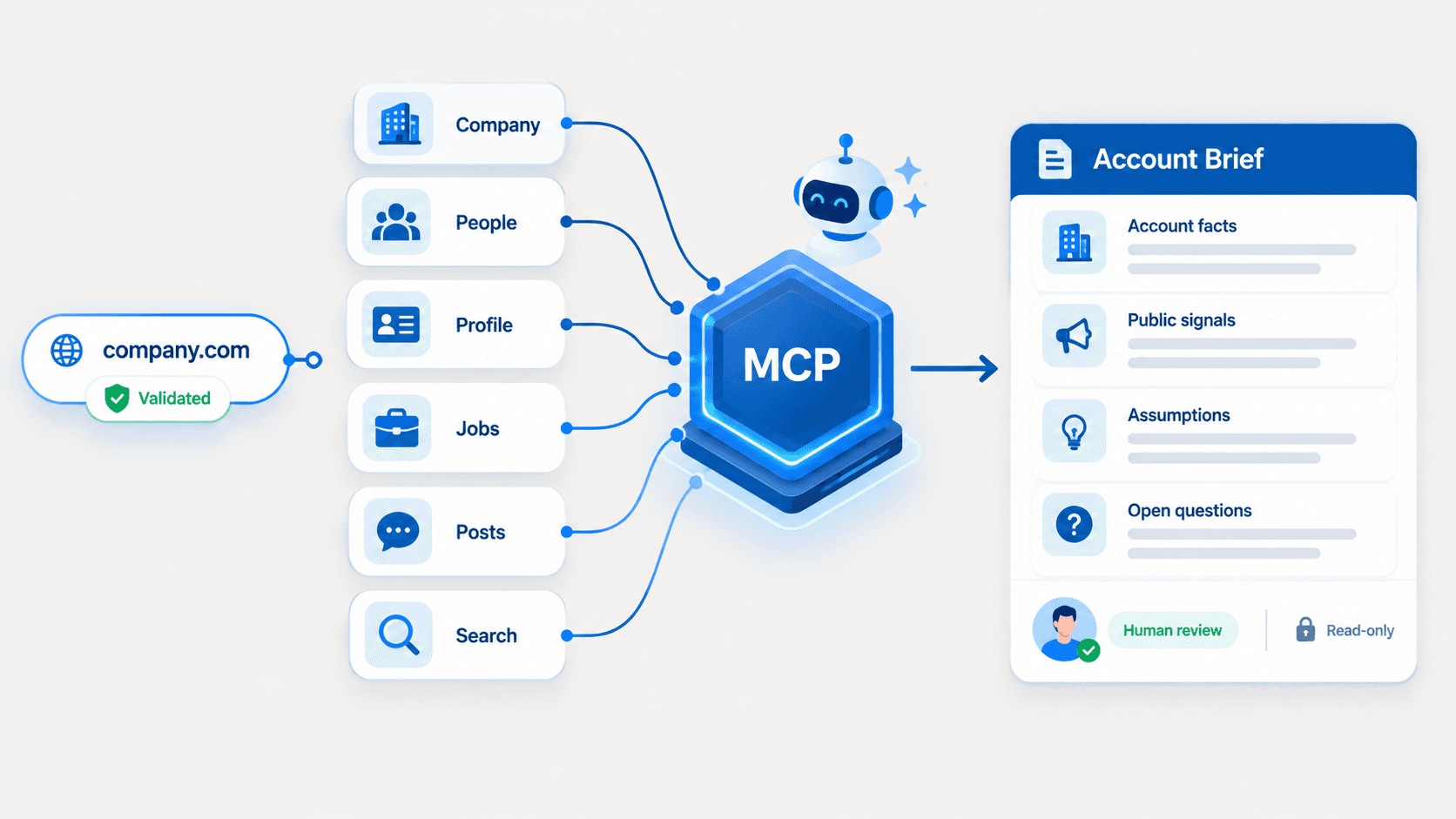
AI sales research needs structured data to turn a company domain, company URL, or CRM account record into a reviewable account brief. Prompt-only research and web search help with discovery, but they do not reliably validate entities, enrich company context, or separate public facts from assumptions.
An MCP server lets an AI agent discover and call structured tools for company, people, profile, search, jobs, and posts data. The result is a repeatable B2B data-enrichment workflow for sales intelligence, CRM enrichment, recruiting, and market research—not autonomous outreach or CRM updates.
Why AI Sales Research Needs Structured Data Tools
The limits of prompt-only and web-search research
Prompts and web search are useful for narrative research and early account discovery. They do not create a structured workflow for validating companies, connecting public professional data to the correct account, or maintaining data quality.
Three common issues affect sales teams:
- Entity ambiguity: One company name can match several businesses, subsidiaries, or regional entities.
- Fragmented context: Company data, public professional data, jobs, posts, and CRM data exist in separate sources.
- Inconsistent research output: Different prompts or search results can produce different account summaries for the same company.
Note: A search result is a candidate, not a confirmed account. Sales reps need verified company identifiers before they enrich account data or investigate relevant functions.
What structured tools add to an AI sales workflow
Structured tools give an AI agent defined inputs, predictable outputs, and repeatable research steps.
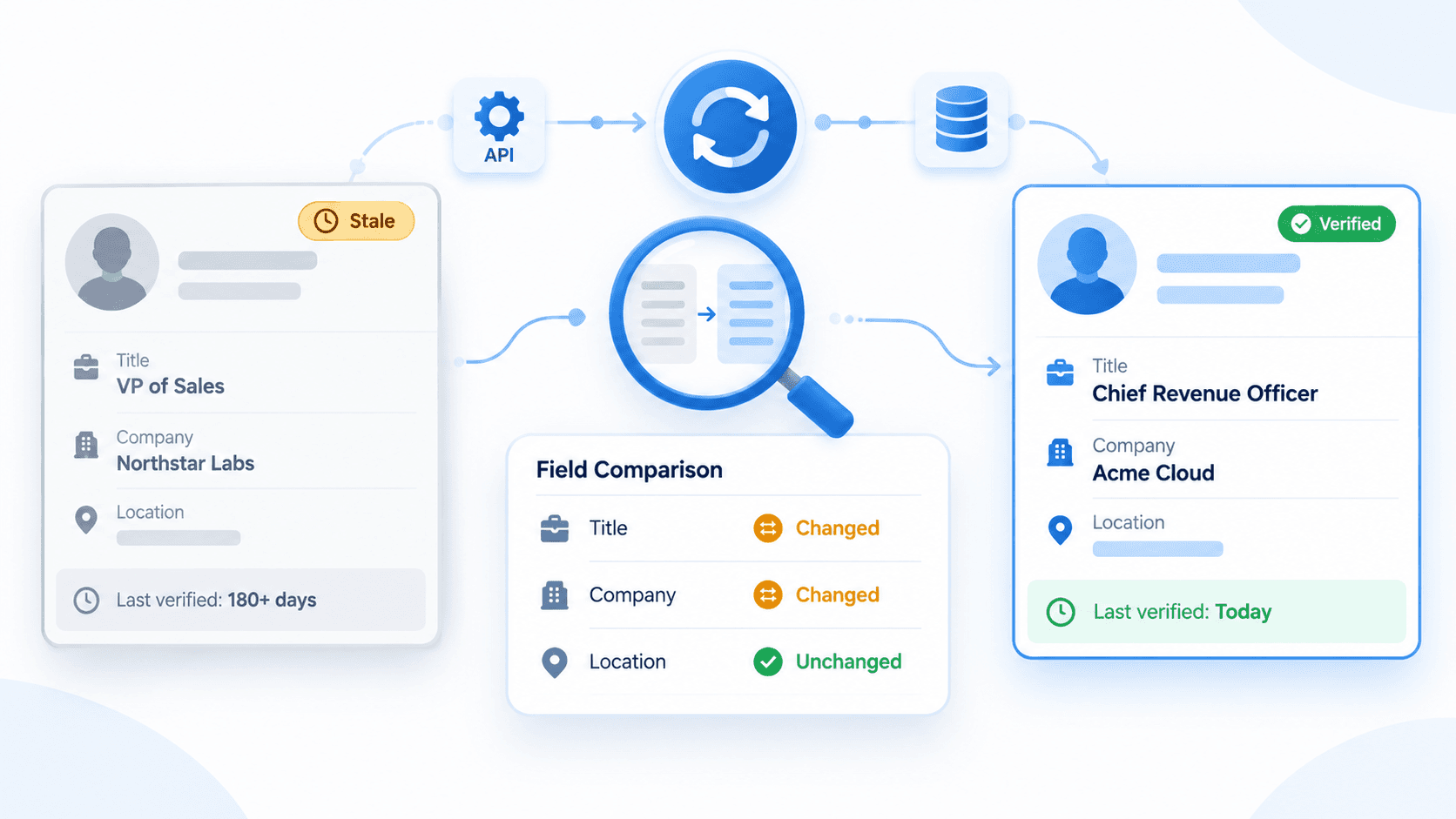
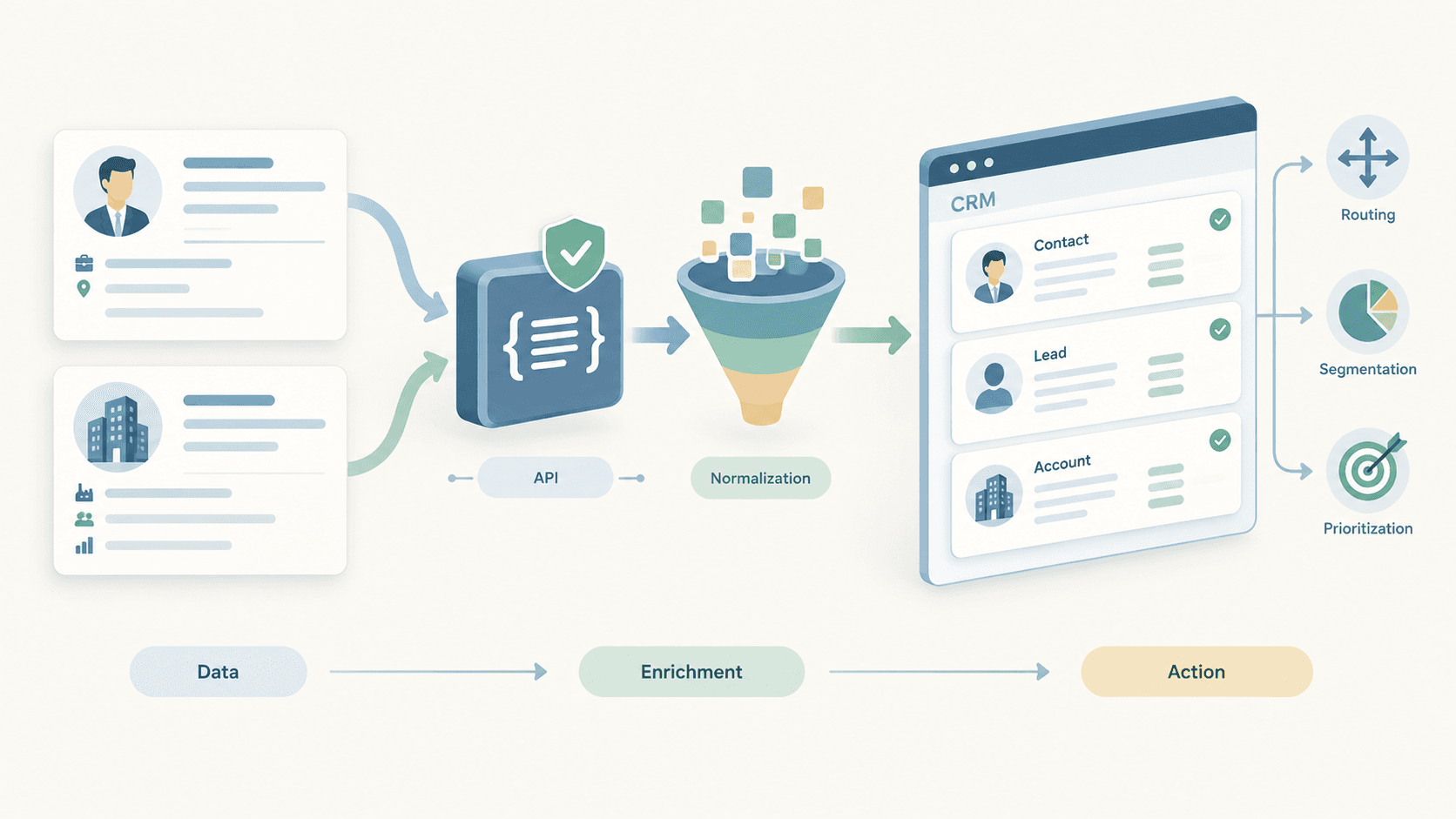
B2B data enrichment improves incomplete CRM data by appending and validating external public data, including firmographic data such as company website, industry, location, description, and available company-scale context. This supports stronger account research and more reliable sales intelligence.
A structured workflow separates:
| Information type | Purpose |
|---|---|
| Confirmed account facts | Validate the company and establish public company context |
| Public context signals | Identify public jobs, posts, roles, and company activity |
| Assumptions | Record hypotheses that require human validation |
| Open questions | Define the next research action |
What an MCP Server Changes in AI Sales Workflows
MCP as a tool-discovery layer for AI agents
An MCP server helps an AI agent discover and invoke external structured tools.
In an AI sales workflow, MCP acts as an agent-facing layer for retrieving public company, people, profile, jobs, search, and posts data. The agent selects the relevant tool, submits a structured identifier, receives structured results, and uses that information to prepare a reviewable account brief.
The workflow starts with a defined business goal, such as validating a company, enriching company data, identifying relevant functions, or reviewing public hiring context. It should not expose broad raw data without a clear research purpose.
A focused MCP workflow follows 5 steps:
- Receive a company domain, company URL, company name, or internal account record.
- Validate the entity using stable public identifiers.
- Retrieve only the public data required for the research question.
- Separate observed facts from assumptions and open questions.
- Require human review before CRM updates, outreach, routing, or sequence enrollment.
By 2027, Gartner predicts that 95% of seller research workflows will begin with AI. Structured data tools help sales teams use AI for account research without removing human judgment from customer interactions and sales decisions.
Prompt-only research vs. MCP-enabled research
| Research dimension | Prompt and web research | MCP-enabled research |
|---|---|---|
| Context format | Free-form text and search snippets | Structured company, people, profile, jobs, search, and posts data |
| Entity validation | Often requires manual interpretation | Uses domains, company URLs, and public identifiers |
| Workflow | Manual browsing and repeated prompts | Agent-guided tool discovery and structured steps |
| Data quality | Facts and assumptions can mix | Account facts, public signals, and open questions remain separate |
| Output | Variable narrative notes | Reviewable account brief |
| Write actions | Easy to blur research and action | Read-only research before human approval |
MCP does not replace sales professionals. It reduces research and administrative work so sales teams can focus on customer interactions, account strategy, and qualified sales conversations.
From Company Input to a Reviewable Account Brief
Company input → Company context → Stakeholders → Profile context → Jobs/posts signals → Account brief
Validate the company input
Start with 1 company domain, company URL, company name, or internal CRM record.
Prioritize stable identifiers:
- Verified company domain
- Public company URL
- Verified company name with a matching website or location
- Reliable public company identifier
- Internal CRM record with a validated external identifier
Validate the entity before enrichment. Confirm that the company name, domain, website, location, and public company information refer to the same organization.
Example: If the input is a company domain, first resolve the associated company. Do not retrieve profiles, jobs, or posts for the first similarly named company returned by a search.
Build account and stakeholder context
After validation, retrieve company context that supports the research objective.
Useful public company data includes:
- Company name and company URL
- Website and domain
- Industry
- Company description
- Public location context
- Available company size or organization-scale information
- Public market positioning
- Relevant firmographic data
Next, identify publicly visible people or functions that require further investigation. Relevant functions can include sales operations, revenue operations, marketing operations, business development, recruiting, data and analytics, product, and information technology.
Public professional data helps sales reps understand role and background context. It does not confirm that a person is a decision-maker, buyer, budget owner, or active prospect.
Add job and post signals carefully
Jobs and posts are public context signals. They do not prove business priority, budget availability, purchase intent, or a current sales opportunity.
| Public signal | Appropriate research question | Unsupported conclusion |
|---|---|---|
| Sales operations job posting | Is the company building or expanding sales operations? | The company is buying sales software |
| Data-related job postings | Which public functions appear to manage data workflows? | The company has approved a data-enrichment budget |
| Company expansion post | Which market, region, or product does the company publicly emphasize? | The company is actively evaluating vendors |
| Professional automation post | Does the person publicly discuss workflow efficiency? | The person is a confirmed buyer |
Use signals to identify the next research question. Do not use them to automate cold outreach, lead scoring, or outreach sequences.
Produce a human-reviewed account brief
The final output is a research draft, not an autonomous CRM action.
A reviewable account brief includes:
- Account context: Validated company data, public firmographic context, website, industry, location, and market positioning.
- Relevant functions or people: Publicly visible roles that require additional research.
- Observed public signals: Clearly labeled job, post, company, or profile context.
- Open questions: Items a sales representative or account owner must validate.
- Recommended next step: One specific research action.
This format gives sales teams an evidence-based starting point while preserving human control over customer engagement and sales outreach.
Five B2B Data Tool Groups for AI Sales Research
Company tools
Company tools resolve and validate companies, then build company-level account context.
Use company tools to:
- Validate a company from a domain or company URL.
- Compare company-name candidates.
- Retrieve public company data, including description, industry, website, location, and available scale context.
- Append useful firmographic data to incomplete CRM records.
- Improve account research and CRM data quality.
For company enrichment workflows, see the LinkedIn Company Data API.
People and profile tools
People and profile tools help AI agents identify relevant public professional data after company validation.
Use these tools to:
- Find publicly visible people associated with relevant functions.
- Review selected public role and background context.
- Understand public organizational relationships.
- Build a short research list for human review.
Do not convert public profile data into automatic lead scores or contact-list-building workflows. Profile context supports account research; it does not confirm authority, intent, or readiness to buy.
Search tools
Search tools help discover candidate companies, people, and public context before identifier validation.
Use search tools to:
- Find companies by name, industry, geography, or business category.
- Identify potential accounts for sales prospecting.
- Locate public company context for further validation.
- Find profile or company candidates before enrichment.
Search results remain candidates until validated through a company domain, company URL, profile URL, or other reliable public identifier.
For company discovery and validation, see Company Search API for B2B Prospecting: Find Target Accounts.
Jobs tools
Jobs tools support research into public hiring-related context.
Use jobs tools to:
- Review public job postings by function.
- Identify hiring patterns in sales, marketing, data, operations, recruiting, or technology.
- Add hiring-related context to account research.
- Support recruiting and market-research workflows.
Important: A job posting is not intent data. It does not confirm technology selection, budget approval, or a purchase decision.
For public job posting data, see the LinkedIn Jobs API for Public Job Posting Data.
Posts tools
Posts tools add relevant public company and professional context to an account brief.
Use posts tools to:
- Review company announcements and published themes.
- Identify public discussion about markets, partnerships, products, or events.
- Understand a professional's public perspective related to their role.
- Add date-specific context to account research.
Do not use public posts to automatically generate outreach or conclude that an account has confirmed buying intent.
Example: A Lightweight AI Account Brief
Starting input
Start with 1 verified company domain or public company URL.
Note: This is a fictional example. It illustrates output structure only. It does not include a real company, real person, tool walkthrough, email sample, lead score, or CRM write-back.
Brief structure
Account context
- Verified company domain: sampleb2bsoftware.com
- Public company category: B2B software
- Public market focus: Workflow management for mid-market teams
- Public location context: North America
- Available firmographic data: Industry, website, and company-scale context
- Research status: Entity validated from domain and public company information
Relevant functions or people to investigate
- Revenue operations
- Sales operations
- Data and analytics
- Business development
- Marketing operations
Observed public job and post signals
- Public job activity references sales operations and data-related functions.
- Public company posts discuss workflow efficiency and operational scale.
- Public professional context includes roles associated with revenue operations and business systems.
- No public signal is treated as confirmed buying intent.
Open questions
- Which team owns CRM data quality and account-enrichment workflows?
- Does the company have a public initiative related to sales productivity or data operations?
- Which function evaluates sales intelligence or B2B data-enrichment tools?
- Which account owner should validate the research before any sales outreach?
Recommended next research step
Validate the relevant sales operations or revenue operations function, then review selected public professional context before deciding whether the account warrants further sales research.
MCP Does Not Replace REST APIs
MCP and REST APIs serve different B2B data-enrichment workflows.
| Dimension | MCP server | REST API |
|---|---|---|
| Primary user | AI agents and AI research assistants | Developers, backend systems, and data teams |
| Best-fit workflow | Account research and reviewable briefs | CRM syncs, batch jobs, and application integrations |
| Tool discovery | AI agent discovers structured tools | Application calls predefined endpoints |
| Orchestration | Agent orchestration | Application orchestration |
| Output use | Research context and next-step planning | Data pipelines, CRM updates, and system workflows |
| Control model | Human review before write actions | Application-level validation and permissions |
MCP is an agent-facing tool layer. REST APIs are better for backend integrations, batch enrichment, CRM synchronization, and deterministic workflows.
<!-- Editor note: The supporting article, "MCP vs. REST API for B2B Data Enrichment: When to Use Each," should only be linked after publication. Do not add a placeholder URL before the article exists. -->
Four Operating Principles for AI Sales Research
Keep research tools read-only
Keep research and enrichment separate from send, create, update, delete, routing, and sequence-enrollment actions.
A research workflow can retrieve public company, professional, job, search, and post data. It should not automatically:
- Send sales outreach or follow-up emails
- Create or update CRM records
- Route leads to sales representatives
- Enroll contacts in outreach sequences
- Overwrite customer data
- Trigger automated lead scoring actions
Read-only research protects data quality and ensures that sales professionals control customer engagement.
Validate identifiers before enrichment
Validate a domain, company URL, profile URL, or other reliable public identifier before retrieving detailed data.
This prevents incorrect company matches, duplicate account records, and profile-to-company association errors.
Budget tool calls intentionally
Retrieve only the data required for the active research question.
A focused workflow should:
- Validate the company.
- Retrieve company context.
- Identify 3 to 10 relevant public profile candidates or functions.
- Enrich selected profiles only.
- Retrieve a limited number of relevant jobs or posts.
- Stop when the account brief contains sufficient context and clear open questions.
This approach reduces cost, avoids data noise, and improves sales efficiency.
Require human review before write actions
Require human review before any CRM update, outreach action, lead routing, follow-up, or sequence enrollment.
The reviewer should validate:
- The company entity
- Public profile relevance
- The difference between facts and assumptions
- Job and post signal relevance
- CRM field accuracy
- The recommended next action
Secure credential management and strict schema validation also matter for MCP workflows. Keep credentials outside prompts, limit tool permissions, validate structured inputs, and restrict research tools to approved read-only actions. These controls improve data accuracy and create a more reliable AI sales workflow.
Build Better AI Sales Research Workflows With EnvoAPI
An MCP server helps AI agents use structured company, people, profile, search, jobs, and posts data to create consistent, human-reviewed account briefs.
EnvoAPI is an independent third-party B2B data-enrichment API for structured public professional, company, job, search, and post data. It supports CRM enrichment, sales intelligence, recruiting, and market-research workflows.
Disclaimer: EnvoAPI is not an official LinkedIn API and is not affiliated with LinkedIn.
Use the EnvoAPI MCP Server to add structured research tools to your AI sales workflow.
For direct integration, get an EnvoAPI API key to build controlled workflows for CRM enrichment, sales intelligence, internal applications, and data pipelines.