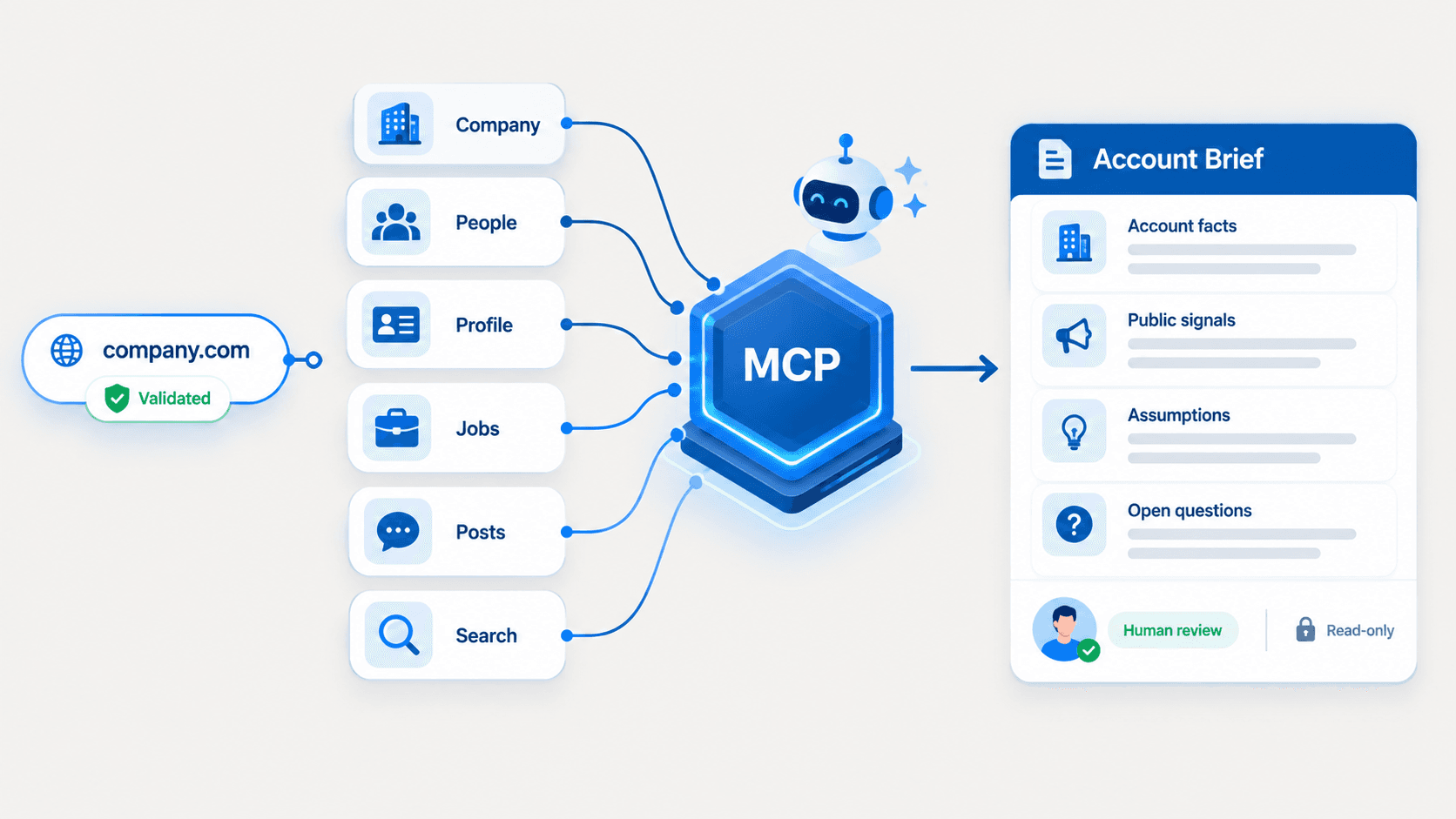
A target-account list identifies companies that match your ideal customer profile. Hiring signals for B2B sales help sales and marketing teams prioritize accounts by showing which target accounts have relevant public job activity worth researching first.
Use company data, open jobs data, job postings, and role clusters to create a structured account-research queue. Hiring activity can provide context about team expansion, but it does not prove purchase intent, approved budget, active vendor evaluation, or a confirmed sales opportunity.
What Hiring Signals Can—and Cannot—Tell You
Hiring signals are public indicators from company job listings and company profiles. A company jobs API or job data API can return available data points such as:
- Open jobs count
- Job title and normalized function
- Department or role cluster
- Seniority and employment type
- Location and workplace context
- Job status and posting date, when available
- Job URL, job description, or job-detail reference, when available
- Company domain, company URL, slug, or company ID
These data points can provide context for account prioritization. For example, a company with open Revenue Operations, Salesforce Administrator, and Business Systems roles may be building operational capacity around revenue processes, CRM administration, or reporting workflows.
A company with several SDR, BDR, Account Executive, and sales-leadership openings may be expanding GTM coverage. A company hiring Data Engineers, DevOps Engineers, SREs, and Security Engineers may be increasing technical delivery or infrastructure capacity.
However, hiring signals cannot confirm:
- A company has an approved budget
- A company is seeking a specific vendor
- A team has a pain point your platform solves
- A job post will lead to a purchase
- An account is in an active buying process
- A company is ready for personalized outreach
Sales teams should use hiring signals to decide which accounts deserve research first—not which accounts should receive automated outreach.
The useful question is not, “Is this company hiring?” The useful question is, “What hiring pattern is visible, and does it support a relevant research hypothesis?”
The Company and Job Data That Matters
A company data API returns structured business information that helps match job activity to the right company record. A company search API acts as a programmable directory: software applications submit a query and receive machine-readable results, commonly in structured JSON.
In a B2B workflow, the API can help a sales team resolve a company before it retrieves company jobs. This prevents account-research errors caused by duplicate company names, parent-company structures, similar brands, or incorrect company profiles.
Start With the Right Company Record
A stable company identifier is the prerequisite for accurate company enrichment and job retrieval. Use one of these identifiers:
- Company domain
- Company URL
- Company slug or universal name
- Company ID
- Public company profile URL
Company domains are particularly useful because a domain often connects CRM records, company data, public websites, technologies, and internal account records. A company information API can use this context to help your platform match the correct company before it retrieves jobs.
Before reviewing open roles, resolve the company record from a domain, URL, slug, or company ID.
Use Company Data for Context
Hiring signals become more useful when your workflow compares them with available company data. Depending on the provider, company data can include industry, location, employee count, company size, company description, funding context, technologies, company status, or registered business information.
Do not treat every available field as equally reliable or consistently available. Build your production logic around documented fields, and treat less consistent details as supporting research context.
For example, 10 engineering job postings at a company with 50 employees can indicate a different level of expansion than 10 engineering openings at a company with 10,000 employees. Employee count, market segment, industry, and geography help sales and marketing teams interpret job volume accurately.
Open-Jobs Count
Open-jobs count indicates whether public hiring activity is visible at the time your workflow runs. It is an efficient first filter for a large account database, but it is not a standalone lead-scoring signal.
A company with 30 visible job postings deserves closer review, but it should not automatically outrank a company with four highly relevant RevOps roles. Compare job volume with:
- Company size and employee count
- Industry and market segment
- Ideal customer profile fit
- Existing CRM context
- Relevant departments and job titles
- Account ownership and current sales efforts
Use job count to decide where to look closer, not to decide which company has the strongest buying intent.
Job Titles and Role Relevance
Job titles show which capabilities a company is hiring for. Normalize title variations before scoring so your platform does not treat equivalent roles as separate functions.
| Job title variation | Normalized function |
|---|---|
| Revenue Operations Manager | RevOps |
| RevOps Manager | RevOps |
| Salesforce Administrator | CRM / Sales Operations |
| CRM Administrator | CRM / Sales Operations |
| Sales Development Representative | SDR / Sales |
| SDR | SDR / Sales |
| Site Reliability Engineer | Infrastructure |
| SRE | Infrastructure |
Increase the score only when roles match your ideal customer profile or a valid research hypothesis. A company hiring 20 roles in an unrelated department should not receive a higher priority score solely because of volume.
Role Clusters Beat Isolated Jobs
One job listing may represent a backfill, routine hiring, or a localized requirement. Multiple roles in the same department or related functions create a stronger pattern.
Useful role clusters include:
- GTM: partnerships, customer success, sales leadership, SDR, BDR, and account executives
- Sales: sales managers, account executives, sales development, and enablement
- RevOps: revenue operations, sales operations, CRM, Salesforce, and business systems
- Engineering: software, platform, data, DevOps, SRE, security, and infrastructure
- Recruiting: recruiting, talent acquisition, recruiting operations, and people operations
- Other: roles that do not match a relevant sales-research hypothesis
A role cluster supports a hypothesis. It does not prove demand for your product.
Data Freshness and Availability
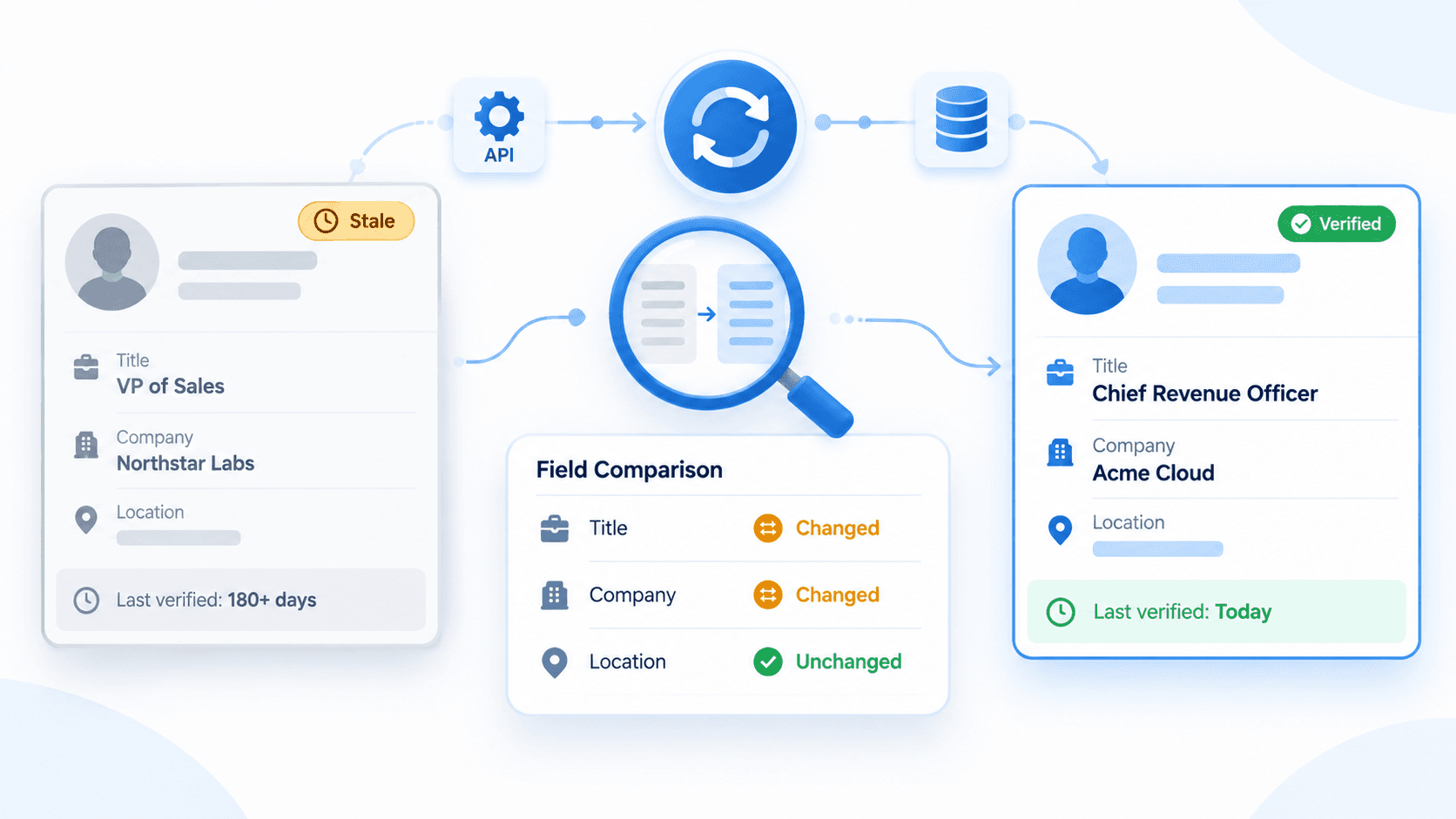
Company and job data change continuously. Job postings close, teams change, company headcount shifts, and job descriptions are updated. Industry estimates often place annual B2B data decay near 30%, which reinforces the need for ongoing reviews rather than static account lists.saber+1
Store a retrieval date with every company and job record. Your sales team should know whether a hiring signal was retrieved 2 days ago, 30 days ago, or during the previous quarterly review.
When available, use posting date or recency as a supporting field. Do not assume that every company, job listing, or provider returns complete recency data.
Classify Accounts by Hiring Pattern
Account prioritization works best when teams classify the visible pattern instead of simply counting jobs.
| Hiring pattern | Typical job postings | Research hypothesis | Priority rule |
|---|---|---|---|
| GTM expansion | SDR, BDR, Account Executive, Partnerships, Customer Success, sales leadership | The company may be expanding sales coverage, customer-facing capacity, or GTM execution | Increase priority when several roles appear as a relevant cluster |
| Sales operations or RevOps buildout | RevOps, Sales Operations, CRM Admin, Salesforce Admin, Business Systems | The company may be investing in revenue processes, CRM workflows, reporting, or sales productivity | High priority for relevant CRM, RevOps, data, and sales-productivity use cases |
| Engineering expansion | Software Engineer, Platform Engineer, Data Engineer, DevOps, SRE, Security | The company may be increasing product-delivery or infrastructure capacity | Research technical strategy, technologies, and product context before outreach |
| Recruiting capacity buildout | Recruiter, Talent Acquisition, Recruiting Operations, People Operations | The company may be expanding hiring capacity or standardizing recruitment workflows | Relevant for people, talent, and workforce-related services |
| Isolated role | One open role without a related cluster | Public activity exists, but no strong direction is visible | Medium or low priority |
| No visible open roles | No public jobs observed | No public hiring signal observed | Keep the account eligible for other company and people signals |
No visible open roles means “no public hiring signal observed.” It does not mean “no growth,” “no budget,” “no buying activity,” or “no account relevance.”
Workflow: Company Identifier to Research Queue
This 7-step workflow helps developers, sales operations teams, and product teams turn public company and job data into a repeatable account prioritization process.
Resolve the Company
Start with a company domain, company URL, slug, or company ID. Use a company search API, company information API, or company data provider to match the right account before you request company jobs.
A company search API typically searches an indexed database of business records and returns matching company profiles in structured JSON. Your application should validate the match before it treats the result as the correct account.
For ambiguous company names, compare several data points: domain, industry, location, employee count, company description, and public website URL.
Retrieve Open-Jobs Count and Company Jobs
Retrieve the available open-jobs count first. This supports fast filtering across a large database of target accounts.
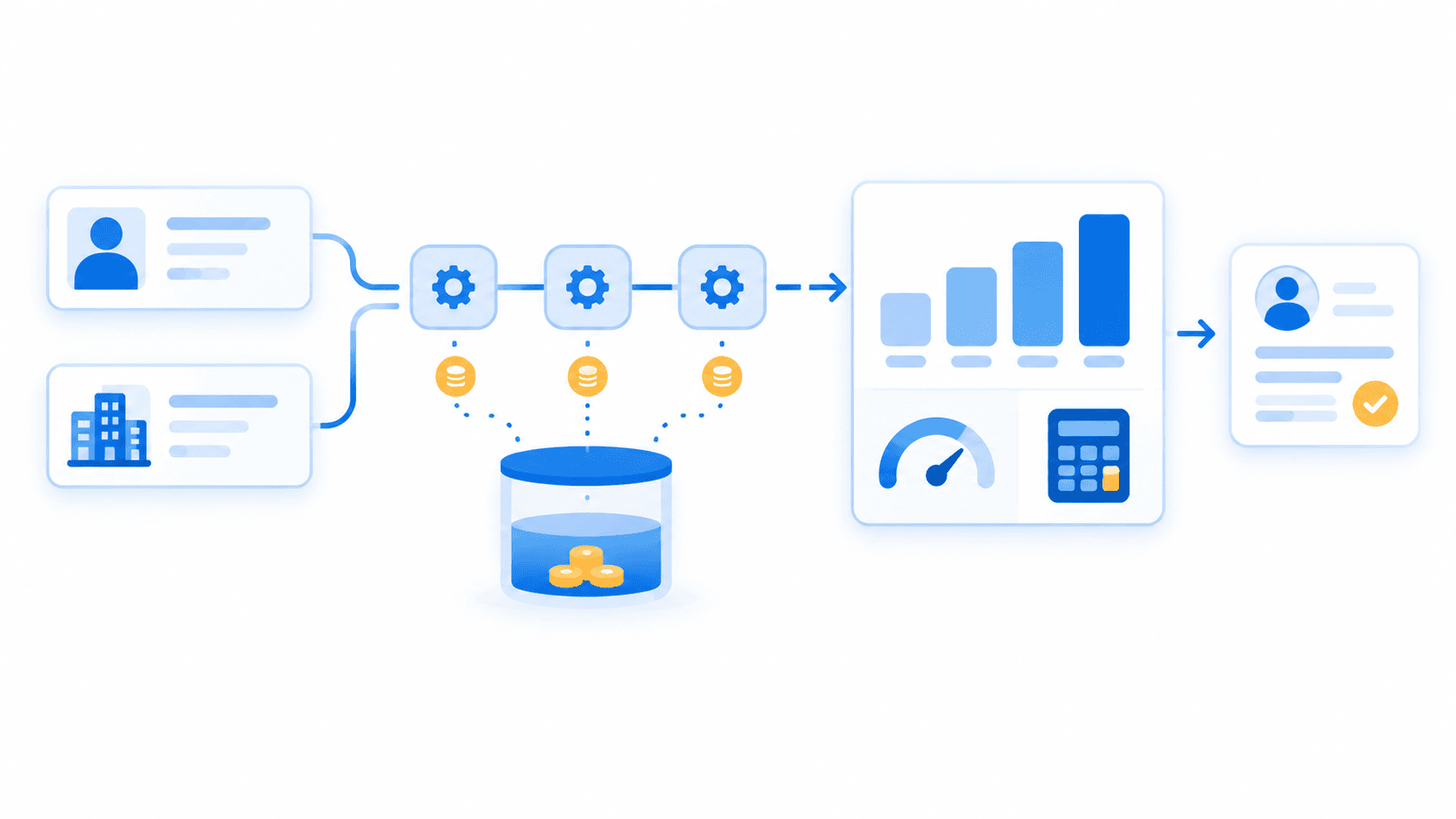
Then retrieve job listings for accounts that pass your initial threshold. Do not request full job detail for every company in your market. This staged process reduces unnecessary API calls, limits processing costs, and keeps your data pipeline efficient.
Use company jobs data to identify relevant job titles, departments, locations, and available job-detail references.
Normalize and Validate the Response
API responses are untrusted inputs. Validate response fields before writing them into your CRM, database, lead-scoring system, or account-research platform.
Normalize available fields such as:
- Job title
- Function or department
- Location
- Seniority
- Employment type
- Job status
- Posting date, when available
- Job URL or job-detail reference
Map title variations to common functions and lower the score for irrelevant jobs. If a field is missing, do not create a false value or assume that the data is unavailable across all accounts.
Robust error handling is essential for integrations. Handle unmatched companies, empty job arrays, rate limits, API errors, incomplete records, and duplicate responses before they affect sales workflows.
Group Jobs Into Patterns
Map each role to GTM, sales, RevOps, engineering, recruiting, or other. Then count roles within each category.
Combinations worth researching include:
- Sales leadership plus SDR or BDR hiring
- Sales roles plus RevOps or CRM roles
- Data, engineering, infrastructure, and security roles
- Recruiter plus recruiting-operations roles
- Customer success plus partnerships and account-management roles
This classification makes the account-research process repeatable across sales teams. It also gives marketing teams a consistent way to segment accounts based on visible business activity.
Score Research Priority
Use a transparent scoring model. Do not call it an intent model.
Research Priority Score = ICP Role Relevance + Role-Cluster Strength + Open-Job Activity + Recency (when available)
| Factor | Suggested score |
|---|---|
| ICP role relevance | 0–3 points based on match with your ideal customer profile or use case |
| Role-cluster strength | 0–3 points when multiple related roles appear |
| Open-job activity | 0–2 points after comparing role volume with company size and segment |
| Recency | 0–2 points when reliable posting-date data is available |
Use these priority bands:
- 7–10 points: High research priority; relevant roles, a visible cluster, and enough context to investigate.
- 4–6 points: Medium research priority; relevant activity exists, but the pattern or context is limited.
- 0–3 points: Low research priority; roles are isolated, unrelated, generic, or insufficiently relevant.
- No hiring-signal priority: No visible public job signal; prioritize with company, people, funding, technology, or other available signals.
For example, a company with two SDR openings, one sales manager opening, and one RevOps analyst opening may receive 3 relevance points, 3 cluster-strength points, 1 activity point, and 1 recency point. Its score of 8 makes it worth researching first. It does not justify an automatic sales email.
Send Priority Accounts to a Research Queue
Your research queue should include:
- Company name and stable identifier
- Company domain and company profile URL, when available
- Open-jobs count
- Relevant job postings
- Normalized role cluster
- Priority score
- Research hypothesis
- Data retrieval date
- Next research action
- CRM record reference
The correct output is an evidence-backed research queue. It is not an automated outreach list.
A useful next action is: “Review sales leadership, public GTM activity, and territory context.” An unhelpful next action is: “Send a RevOps pitch.”
Validate Before Outreach
Before a sales rep uses a hiring signal in outreach, validate the broader company context.
Review company profiles, company size, industry, public website, leadership roles, employee movement, product announcements, funding information, technologies, and relevant job descriptions when available. Confirm that the observed hiring pattern fits the right account and your use case.
Use hiring data to generate a research question. Do not use it to state an unverified claim, such as “Your CRM is broken” or “You are actively buying a sales tool.”
Validate endpoints, parameters, rate limits, and response fields in the EnvoAPI API reference before building a production workflow.
Explore the Docs
Build a hiring-signal workflow by resolving company records, retrieving public company and job context, normalizing role data, and sending relevant accounts into a structured research queue.
Implementation Practices for Company and Job APIs
A reliable API integration requires more than a successful request. Use these practices when building internal prospecting, account-research, or enrichment tools:
- Cache stable company-resolution results to reduce repeated lookup calls and lower latency.
- Use debounced search input fields to prevent redundant API calls while users type company names or domains.
- Secure API keys in environment variables or a secrets manager; never expose credentials in browser-side code.
- Monitor request count, response time, successful matches, empty responses, and error rates.
- Log company identifiers and retrieval dates so users can audit how a research score was produced.
- Validate structured JSON fields before storing records in a CRM or database.
- Re-run company and job enrichment as an ongoing process rather than relying on a static export.
- Use data from multiple sources carefully; resolve identifiers and prevent duplicate company records before merging data.
Common Mistakes When Using Hiring Signals
- Treating every job post as confirmed purchase intent.
- Ranking companies only by open-jobs count.
- Ignoring company size, industry, location, market, and ideal customer profile fit.
- Treating title variations as different functions without normalization.
- Acting on one isolated role without reviewing the wider hiring pattern.
- Assuming all job-data fields are always available or equally current.
- Treating no visible jobs as proof that an account is irrelevant.
- Writing API responses directly into CRM records without validation.
- Automating personalized outreach without human research review.
- Using generic sales messaging instead of the specific hypothesis supported by observed company data.
FAQ
What are hiring signals in B2B sales?
Hiring signals are public indicators such as open jobs, job postings, job counts, titles, and role clusters. They help sales and marketing teams prioritize account research, but they do not prove buying intent.
Can open job listings prove purchase intent?
No. Job postings can reflect backfill hiring, routine growth, team maintenance, expansion, or a role unrelated to your product. Use open jobs data to form a research question, then validate company context before outreach.
How do I prioritize B2B accounts using open jobs?
Resolve the correct company, retrieve open-jobs count, identify ICP-relevant titles, normalize title variations, group roles by function, score pattern strength, and create a research queue based on relevance, activity, and recency when available.
What is a company jobs API?
A company jobs API returns public job-listing data associated with a company. Teams can use it to review open roles, job titles, locations, job URLs, and other available job context within an account-research workflow.
Can company data and job data work together?
Yes. Resolve the company first, then use company data to validate the account and job data to understand visible role patterns. This helps teams connect public hiring activity to the right CRM account before prioritizing research.
What does no visible open roles mean?
It means no public hiring signal was observed at the time of retrieval. It does not mean the company lacks growth, budget, demand, or relevance. Continue evaluating the account with other company, people, funding, technology, and market signals.
Get an API Key
Hiring signals for B2B sales give teams a practical way to prioritize research after they build a target-account list. Use structured public company and job data to resolve the right accounts, identify relevant role patterns, and build a research workflow that supports better sales efforts. Get API key 100 free credits · No credit card required