How People Search APIs Power Professional Data Workflows
Updated September 9, 202613 min read EnvoAPI team

A people search API lets software find professional profiles using criteria such as job title, company, and location. It helps sales, recruiting, and B2B applications discover relevant people, evaluate results, and route selected records into CRM, ATS, or internal workflows.
Unlike profile enrichment, people search begins with criteria rather than a known person. Use search to discover potential matches, then enrich the profiles you choose to act on.
What Is a People Search API?
A people search API is an application programming interface that lets software query professional-profile data using work-related criteria. Instead of researching people one profile at a time, an application sends a structured request and receives matching records in a machine-readable format such as JSON.
Professional people search supports B2B, recruiting, market-research, and product workflows. It is different from a consumer people-finder or public-record lookup product. In a B2B context, the goal is to work with professional context—such as roles, employers, work experience, skills, education, industries, and public professional-profile information.
Depending on the endpoint and supported parameters, a people-search request may include:
- Job title or role keywords
- Company name, company domain, or target-account criteria
- Location, city, country, or region
- Skills, industry, education, or professional experience
- Additional supported search filters
For example, a sales application could search for “Revenue Operations leaders at SaaS companies in San Francisco.” A recruiting platform could search for “software engineers with Python skills in Singapore.” The API returns a set of potential matches that the application can filter, score, enrich, or send to a human reviewer.
A response commonly includes:
- Matching professional profiles
- Structured data supported by the selected endpoint
- Pagination details for retrieving additional results
People search is a discovery process. It can help identify potential contacts or candidates based on multiple criteria, but it does not guarantee a match for every query, complete coverage of public profiles, or the availability of every possible field for every person.
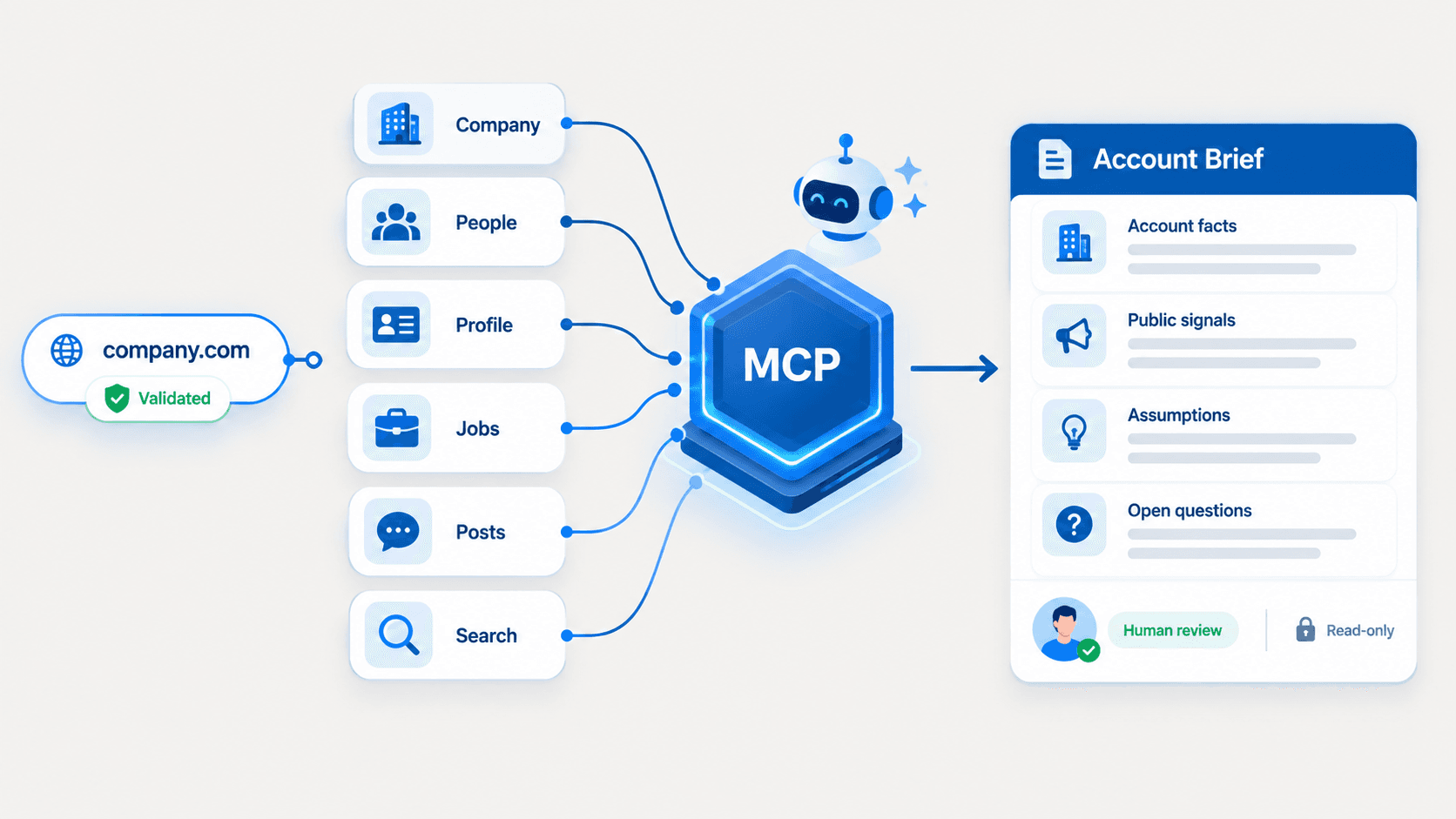
EnvoAPI provides public professional and company data through a developer-friendly API. Its API families include profile, company, search, job, and post data, all returned through a consistent response structure. Exact fields and record availability vary by endpoint and available public data. Learn more about EnvoAPI’s B2B data-enrichment API.
How Does a People Search API Work?
A people search API follows a clear workflow: define intent, apply filters, retrieve matching profiles, evaluate results, and enrich selected records. This structure gives teams more control than manual searching across disconnected websites, databases, and spreadsheets.
Start With an Intent and Available Signals
Every search begins with a business or product objective. The API does not decide who is relevant; it retrieves profiles based on the criteria your application provides.
Common B2B search intents include:
- Find Product Marketing leaders at B2B SaaS companies
- Find software engineering candidates in a selected location
- Identify employees at a known target account
- Find contacts with a specific job title and industry background
- Build a candidate or account-research pool for human review
At this stage, separate discovery from lookup.
Discovery begins when you know the type of person you need but do not know the specific person. The workflow uses filters such as job titles, skills, company, location, and industry to create a pool of relevant professional profiles.
Lookup or profile enrichment begins when you already have a specific person, a public profile URL, an email address, a username, or another identity signal. The purpose is to retrieve or standardize context for that existing record.
This distinction helps teams use credits, infrastructure, and reviewer time efficiently. Search identifies candidates or contacts. Enrichment adds depth to records that have already passed an initial relevance check.
Apply Search Filters
Filters determine whether results align with the workflow’s needs. Start with two to four high-signal conditions, review the first page of results, then refine the query based on relevance and coverage.
For example:
Search intent: Job title: Head of Sales Location: Singapore Preferred industry experience: SaaS or B2B software
This gives the API enough context to identify a relevant professional audience without over-constraining the query. Adding too many filters before testing coverage can exclude useful profiles and produce no-result responses.
A practical search experience should provide:
- Supported include or exclude filters
- Clear handling of title and keyword variations
- Location matching where supported
- Company or company-domain matching where supported
- Clear no-result responses
- Query logging or history for debugging and workflow improvement
Check the EnvoAPI API documentation before implementation to confirm the current people-search parameters, response fields, pagination behavior, rate limits, and error responses.
Receive Matching Profiles and Pagination
A people search API normally returns multiple matching profiles, not a single definitive result. The output may contain profile-level data points such as professional title, company, location, industry, education, work experience, or public social-profile context when supported by the endpoint.
Pagination or cursor-based retrieval lets software request results in controlled batches. This protects system performance, limits unnecessary API calls, and helps teams stop retrieval once they have enough records for the workflow.
For example:
Input: Search intent: Head of Sales in Singapore with SaaS or B2B software experience
Output: A paginated set of potentially relevant professional profiles
A production workflow needs at least 3 safeguards:
- Deduplication: Prevent the same person from creating duplicate CRM or ATS records.
- Relevance scoring: Rank profiles using title match, company match, location, skills, or account fit.
- No-result handling: Return a clear response when no records satisfy the selected conditions.
These controls improve data quality and prevent a search API from becoming a source of unmanaged records.
Use Selected Results in a Workflow
The most effective workflow separates people search from enrichment:
Search professional profiles
→ Select relevant results
→ Enrich selected profiles
→ Add relevant company context
→ Review and map approved data
→ Sync approved records to a CRM, ATS, or internal software
This sequence uses data minimization in practice. Instead of collecting every available field for every result, the application retrieves the professional data necessary for a defined business purpose.
People Data Labs describes the same split between person search and enrichment: search finds profiles that match criteria, while enrichment finds the single best profile match for a particular person.docs.peopledatalabs
People Search vs. Profile Enrichment
People search and profile enrichment solve different data problems. People search discovers potential matches; profile enrichment adds context to a known record.
| Criteria | People Search API | Profile Enrichment API |
|---|
| Criteria | People Search API | Profile Enrichment API |
|---|---|---|
| Starting point | You have criteria but do not know the exact person | You have a specific person or supported identifier |
| Main purpose | Find multiple professional profiles | Add structured context to one profile |
| Common inputs | Role keywords, company, location, skills, industry | Public profile URL, username, profile ID, or supported identity signals |
| Typical output | A result list, often with pagination | One matched or enriched profile |
| Common use cases | Sales prospecting, recruiting, account mapping | CRM enrichment, candidate review, profile routing |
| Next action | Score and select relevant results | Map approved data into a system record |
Use people search and enrichment together rather than as substitutes.
For example, an enterprise sales workflow could look like this:
Search:
Revenue Operations leaders at target accounts
→ Select relevant matches
→ Enrich selected profiles
→ Retrieve company context
→ Map approved fields to CRM records
→ Assign records to the appropriate sales workflow
The search step identifies a relevant group of professionals. The enrichment step provides more context for profiles the team chooses to act on. This separation helps reduce unnecessary API calls and avoids uncontrolled enrichment across an entire database.
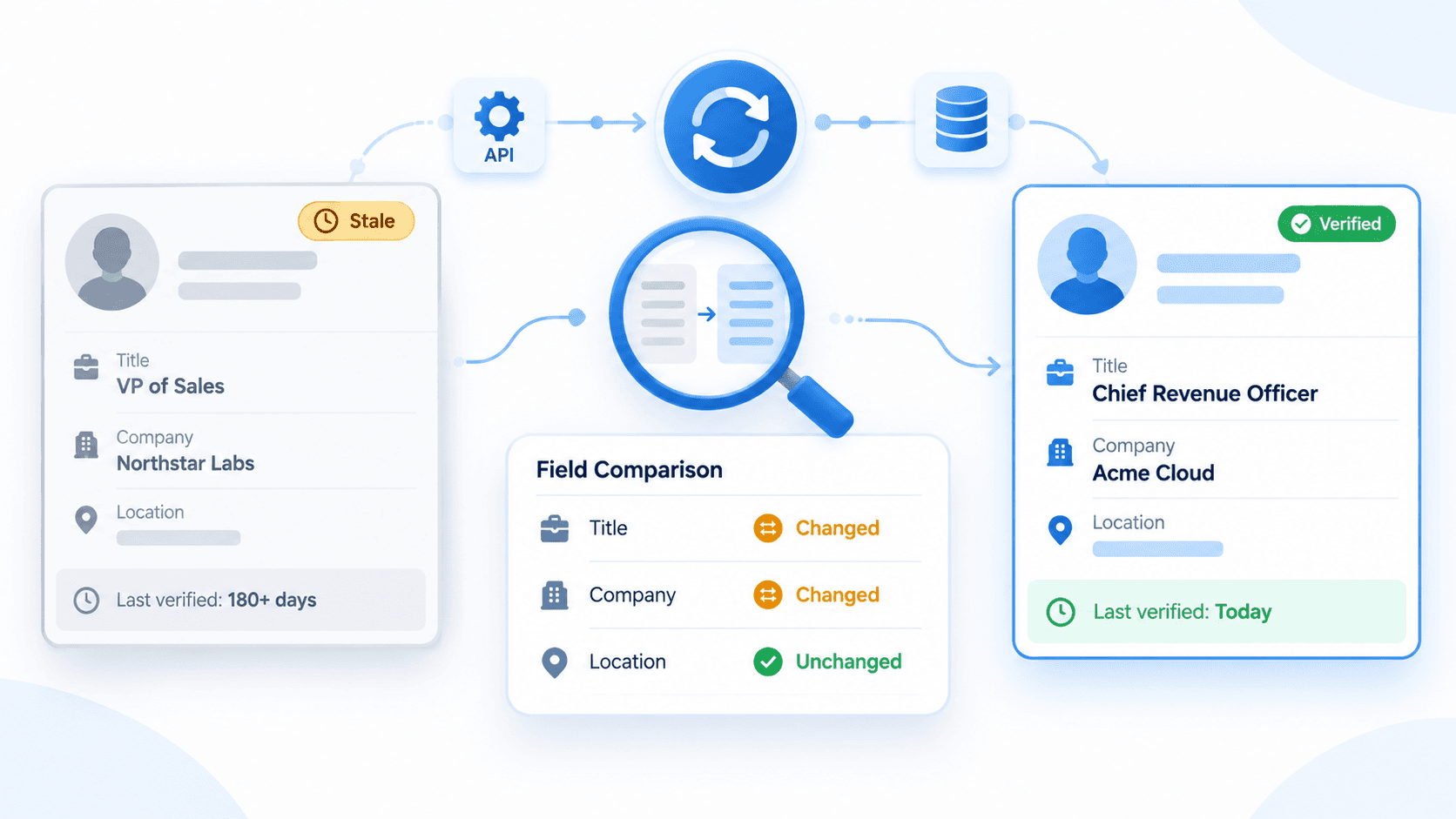
When enriching records, preserve high-confidence CRM data, record the lookup date and source, and flag no-match or incomplete results for review. EnvoAPI supports profile lookups using identifiers such as a public profile URL, username, or profile ID, while company records can be resolved using a domain, slug, company URL, or company ID. Explore EnvoAPI’s profile and company enrichment capabilities.
People Search API Use Cases: Sales, Recruiting, and CRM
A people search API supports 3 core B2B workflows: sales intelligence, talent sourcing, and CRM data hygiene. In each workflow, the API provides structured professional data while teams retain responsibility for relevance, outreach, hiring, and compliance decisions.
Sales Intelligence and Account Mapping
Sales teams often begin with target accounts, company domains, industry criteria, or an ideal customer profile. The next task is identifying which employees are relevant to the account.
A people search API helps sales software find professionals by company, role, department, seniority, location, and industry. The workflow can identify contacts associated with finance, operations, marketing, engineering, sales, or executive leadership without treating all employees as equally relevant.
A practical account-mapping workflow uses 5 steps:
- Define target companies using domains, industry, location, or ICP criteria
- Search people by relevant job titles or functions
- Score profiles using role, company, and location relevance
- Enrich selected profiles and retrieve company context
- Route approved records to CRM segments, account plans, or research queues
For example, a software company selling revenue-operations infrastructure can search for RevOps leaders at target SaaS accounts. The system can prioritize profiles with relevant job titles, then add company data before a sales representative reviews the account.
The API supports account research, segmentation, and routing. It should not be presented as a tool for indiscriminate outreach or automatic messaging.
Recruiting and Talent Sourcing
Recruiting teams can use people search to create a candidate discovery pool using job-related criteria. Depending on the supported parameters, a search may combine role, location, skills, education, industry experience, and professional history.
For example:
Search intent:
Role: Software Engineer
Location: Ho Chi Minh City
Skills or keywords: Python, PostgreSQL
Preferred experience: SaaS or B2B software
The output is a set of profiles for recruiter review, not an automated hiring decision. Recruiters must evaluate qualifications, conduct interviews, and follow applicable employment practices before advancing a candidate.
A responsible recruiting workflow includes:
- Define job-related criteria and legitimate exclusion requirements.
- Search professional profiles using supported filters.
- Enrich selected candidates before adding them to an ATS or recruiting workspace.
- Maintain human review for each selection and hiring decision.
An application may add an AI layer that translates a natural-language request into structured search filters. However, that layer should be transparent about the criteria it applies, and it must not replace recruiter judgment or turn a relevance score into a hiring recommendation.
For broader talent-market context, teams can combine candidate discovery with structured job-listing data, such as job title and location, where supported by the API. Review EnvoAPI’s jobs and recruiting workflow options.
CRM Enrichment and Data Hygiene
CRM records lose value when key data points are missing, outdated, or inconsistent. Common issues include missing job titles, employer names, company domains, locations, professional profile links, or company context.
A CRM enrichment workflow should trigger on defined conditions instead of enriching an entire database without controls. Good triggers include:
- A new contact record lacks job title or company information
- A sales representative requests account research
- A candidate record needs profile context before review
- A company domain is missing from an active account
- A record has not been reviewed within the team’s refresh schedule
Before integrating an enrichment API, define field-mapping rules. Do not overwrite a high-confidence value entered by a customer, employee, or verified internal source with a lower-confidence API response. Store the source, lookup date, and result status for every enrichment event.
Data freshness, coverage, and match accuracy are essential evaluation criteria. A provider should clearly document how its endpoint handles matching, which fields it supports, what errors it returns, and whether a response reflects a successful match, a partial match, or no match.
How to Choose a People Search API
Choose a people search API based on search relevance, technical reliability, data-quality controls, and source transparency—not only on database-size claims.
Use this checklist:
- Filter depth: Confirm the API supports the role, company, location, keyword, and other criteria relevant to your ICP or recruiting workflow.
- Profile context: Verify that search results provide enough professional context to assess relevance before creating a system record.
- Pagination and scale: Review pagination, rate limits, credit usage, and error handling for automated workflows.
- Data availability: Review documentation on public-data availability, data freshness, coverage limits, no-result behavior, and endpoint-specific fields.
- Source transparency: Choose a provider that clearly explains the nature of its data, endpoint limitations, and supported identifiers.
- System integration: Review authentication, response schemas, field-mapping needs, and whether your CRM, ATS, or internal tool can make authenticated HTTP requests.
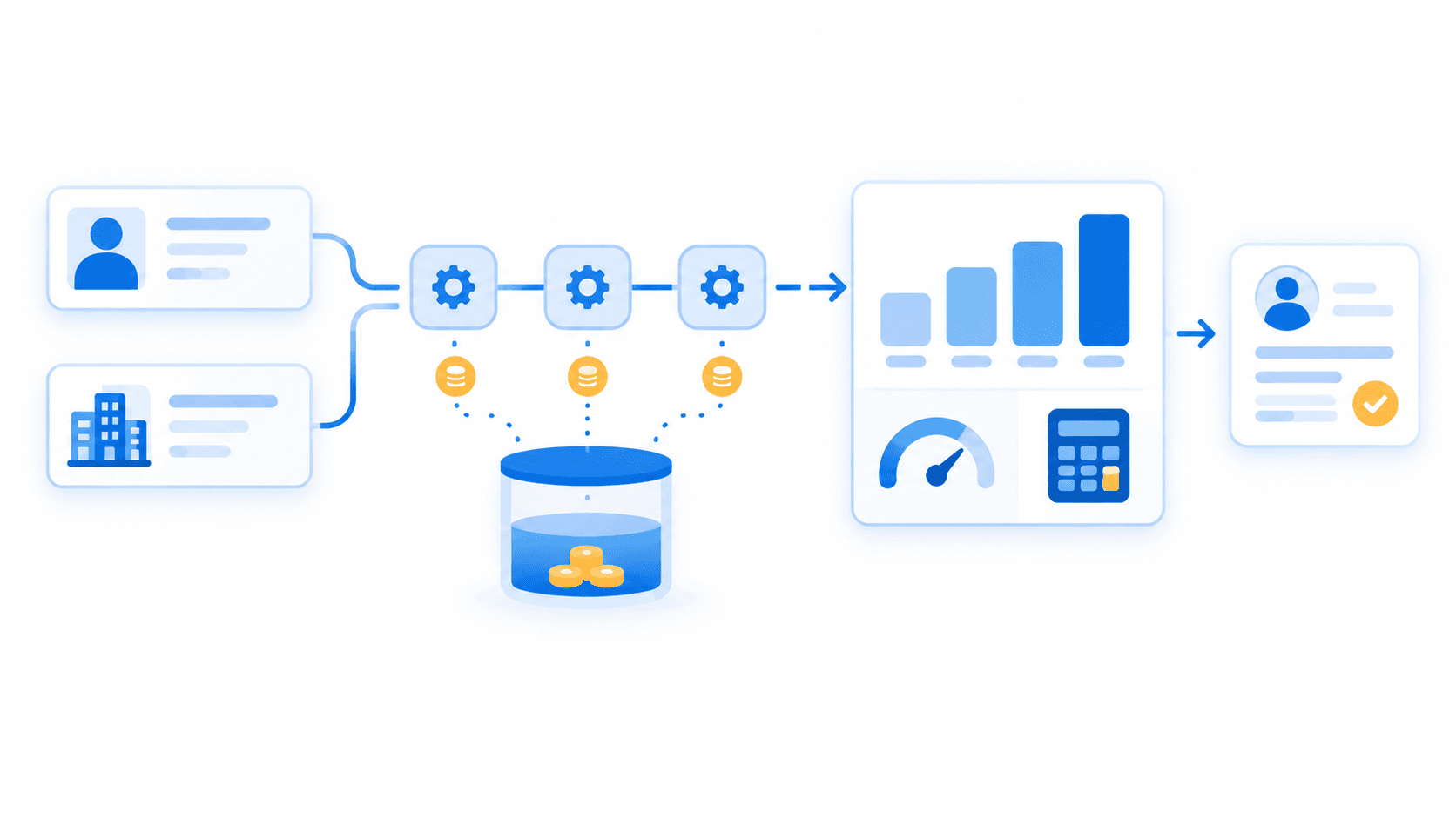
- Pricing control: Review current credits, pricing, and rate limits before implementation so costs align with expected query volume and enrichment triggers.
Before a production rollout, test the provider with three realistic workflows:
- A broad discovery query using a role and location.
- A target-account query using a company and role.
- A profile-enrichment request using a known supported identifier.
Measure relevance, response consistency, pagination behavior, duplicate rate, no-match handling, and the percentage of returned records that your workflow actually uses.
Before estimating operational cost, review EnvoAPI’s current plans, included credits, and rate-limit tiers for the expected search and enrichment volume. View EnvoAPI pricing.
Privacy and Responsible Use
People search APIs process data that can relate to identifiable individuals. Teams should apply data minimization, purpose limitation, access controls, retention rules, and appropriate user notices or lawful bases that apply to their jurisdiction and use case.
For example, an e-commerce platform that enriches a customer record should request only the attributes necessary for the defined customer-support, fraud-prevention, or account-verification workflow. A sales platform should not collect unrelated personal data simply because an API can return it.
Under EU data-protection principles, organizations must process personal data for specified purposes and limit processing to data that is adequate, relevant, and necessary for those purposes. The UK Information Commissioner’s Office also states that organizations should periodically review the data they hold and delete information they no longer need.commission.europa+1
EnvoAPI is an independent third-party B2B data enrichment API, not an official LinkedIn API and not affiliated with or endorsed by LinkedIn. Use professional data responsibly and in accordance with applicable laws, platform policies, and your organization’s governance requirements.
FAQ
What is a people search API?
A people search API allows software to find professional profiles using structured criteria such as job title, company, location, skills, industry, and experience. It returns a paginated list of matching records so sales teams, recruiters, and B2B applications can review, score, enrich, and route selected profiles.
How is people search different from profile enrichment?
People search discovers multiple potential matches from criteria such as job titles, company, and location. Profile enrichment starts with a known person or identifier and retrieves additional structured context for one profile. Use search for discovery, then use enrichment to complete approved CRM, ATS, or internal-system records.
Can I use a people search API for recruiting?
Yes. Recruiting software can use a people search API to identify candidate profiles by role, skills, location, education, or relevant professional experience. The API supports sourcing and research, while recruiters must maintain human review, apply job-related criteria, and make all hiring decisions through appropriate recruitment processes.
Can I use a people search API for CRM enrichment?
Yes. Use people search to discover relevant contacts for target accounts, then enrich selected profiles to fill missing CRM fields. Apply field-mapping rules, prevent duplicate records, preserve high-confidence internal data, record lookup dates, and handle no-match responses without automatically creating incomplete contacts.