In this article
EnvoAPI’s Jobs Data API lets you search public job listings, retrieve job details, and build hiring-monitoring workflows in your own product or internal system.
Use structured public job data for recruiting intelligence, company research, market research, sales intelligence, and job-data enrichment.
Important: EnvoAPI is an unofficial API for structured public professional data. It is not an official LinkedIn integration, LinkedIn partner, job-posting platform, applicant tracking system, or recruitment platform.
What Is a Jobs Data API?
A jobs data API lets developers search, retrieve, normalize, and process structured job data through API endpoints and JSON responses.
It gives SaaS products, internal tools, and data teams programmatic access to public job listings without requiring users to manually copy job ads from job boards, company career sites, or career pages.
The terms job listing API, jobs API, job API, and job board API often describe the same core need: finding relevant job postings through an API.
The practical difference comes from the data source, supported fields, request model, update behavior, data accuracy controls, and the workflow that the API supports.
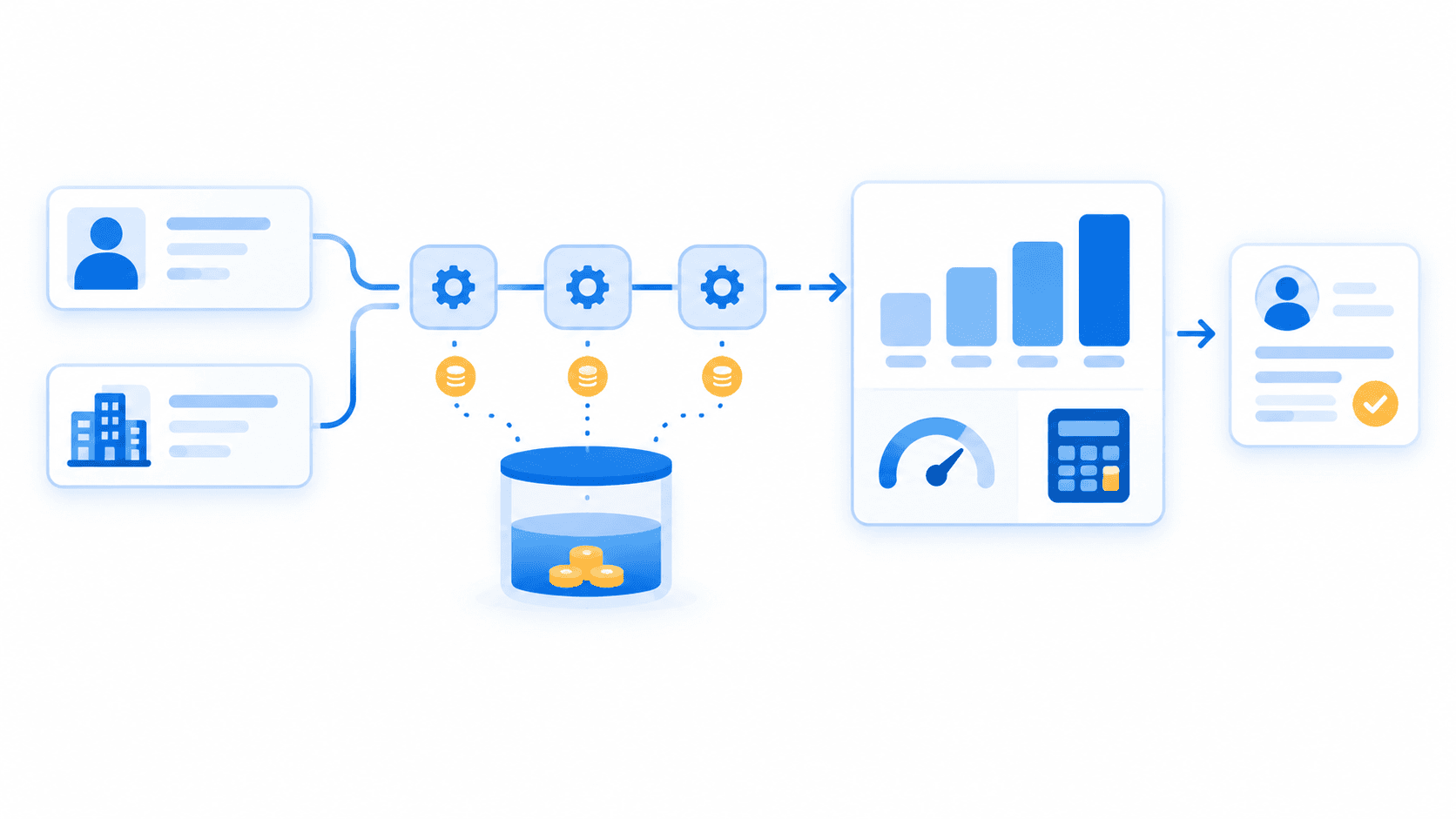
A typical job-data workflow follows five steps:
- Search jobs using supported criteria such as job title, company, location, or keyword.
- Retrieve job details for relevant listings.
- Store the response as normalized fields in a database or data warehouse.
- Compare current records with prior snapshots when monitoring hiring activity.
- Send useful data to a CRM, dashboard, alerting system, or product interface.
For example, a talent-intelligence product can search public listings for a backend engineer in New York, group the results by company and industry, and present observed job-market demand to its users.
A sales-intelligence workflow can identify relevant job postings at target companies and add that context to account research.
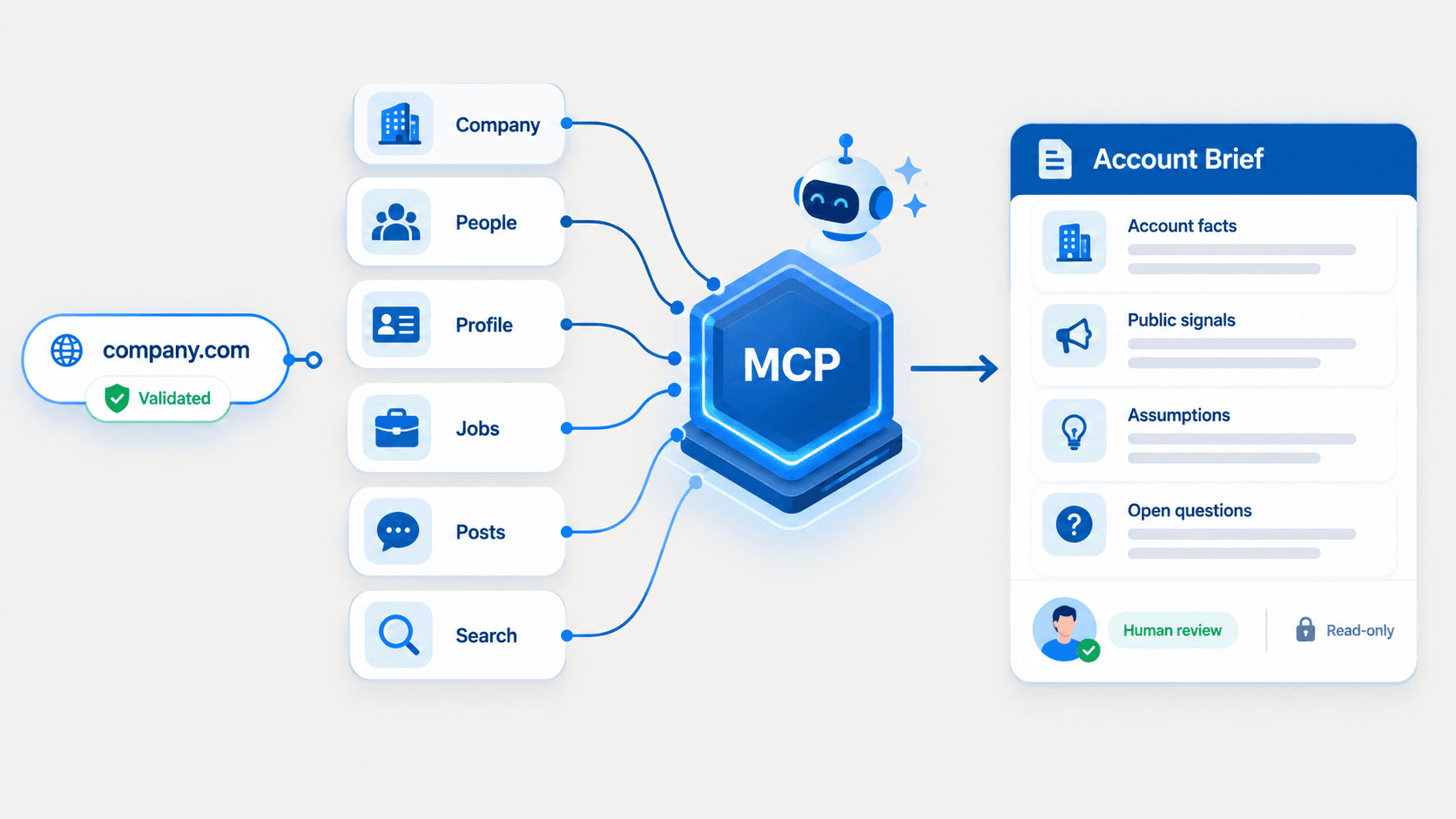
EnvoAPI supports the data-retrieval side of this process. It provides structured access to public professional data across profiles, companies, search, jobs, and posts.
The Jobs API family supports job search, dynamic filters, feeds, company jobs, and job-detail workflows.
Note: EnvoAPI does not publish jobs, manage application forms, process resumes, fill roles, or operate an ATS. It helps developers access and process structured public job-listing data in their own workflows.
Jobs Data API vs Job Posting API
A jobs data API and a job posting API serve different product needs. Understanding the distinction prevents teams from selecting the wrong API for their workflow.
| API type | Primary purpose | Is it EnvoAPI’s use case? |
|---|---|---|
| Jobs data API | Search, retrieve, enrich, and analyze job data | Yes |
| Job listing API | Query available public job listings | Yes |
| Job board API | Supply job-search data to a job-search or recruitment product | Yes, for data retrieval |
| Job posting API | Create, publish, edit, or manage employer job posts | No |
| Official platform API | Perform permissioned platform actions | No |
| Unofficial public-data API | Read structured public professional data | Yes |
A job posting API usually supports employer-side processes. It enables ATS platforms, job boards, and employer tools to create, publish, edit, or manage job postings.
These systems may also manage application forms, application links, job expiration, candidate data, and job-post lifecycle actions.
A job listing API supports a read workflow. Your application sends a structured HTTP request, receives a JSON response, and stores or processes the result in a database, dashboard, CRM, or product feature.
That workflow fits products that need to:
- Search public job listings
- Find job postings for specific companies or locations
- Aggregate job listings for market research
- Monitor publicly observed hiring activity
- Add company hiring context to lead-generation workflows
- Build job-search, recruiting-intelligence, or data-enrichment features
Important: EnvoAPI is not a job-publishing tool. It is an unofficial API for retrieving structured public professional data, including public job data. Official APIs and unofficial public-data APIs serve separate workflows, so one category should never be used to imply the capabilities of the other.
For example, a company that wants to publish a full-time backend engineer opening needs a permissioned posting workflow.
A SaaS product that needs to analyze publicly observed backend-engineer listings across 100 target companies needs a jobs data API.
Read the official vs unofficial LinkedIn APIs comparison to understand the difference between permissioned platform actions and public-data access workflows.
What Can You Build With a Job Listing API?
A job listing API provides structured job data that teams can connect to their own product logic.
The value comes from what your system does with the data after retrieval.
Recruiting and Talent Intelligence
Recruiting and talent-intelligence teams can search public job listings by role, title, company, keyword, geographic location, or other supported criteria.
This gives teams a repeatable way to study publicly visible employer demand.
For example, a recruiter researching software talent in New York can search for relevant listings, review the job title and description, and identify companies showing observed hiring activity for backend engineers.
Job descriptions can provide useful context about visible skills, departments, location preferences, employment type, and responsibilities.
This information supports sourcing strategy and talent-market research, but it should not replace direct candidate evaluation or employer verification.
A strong recruiting workflow combines job data with other inputs:
- Company context
- Profile research
- Role requirements
- Geographic location
- Industry classification
- Internal sourcing criteria
- Recruiter judgment
Note: Public job postings are one research input. They do not guarantee that a company is actively interviewing, that a role remains open, or that a job seeker will qualify for the role.
Company Hiring Monitoring
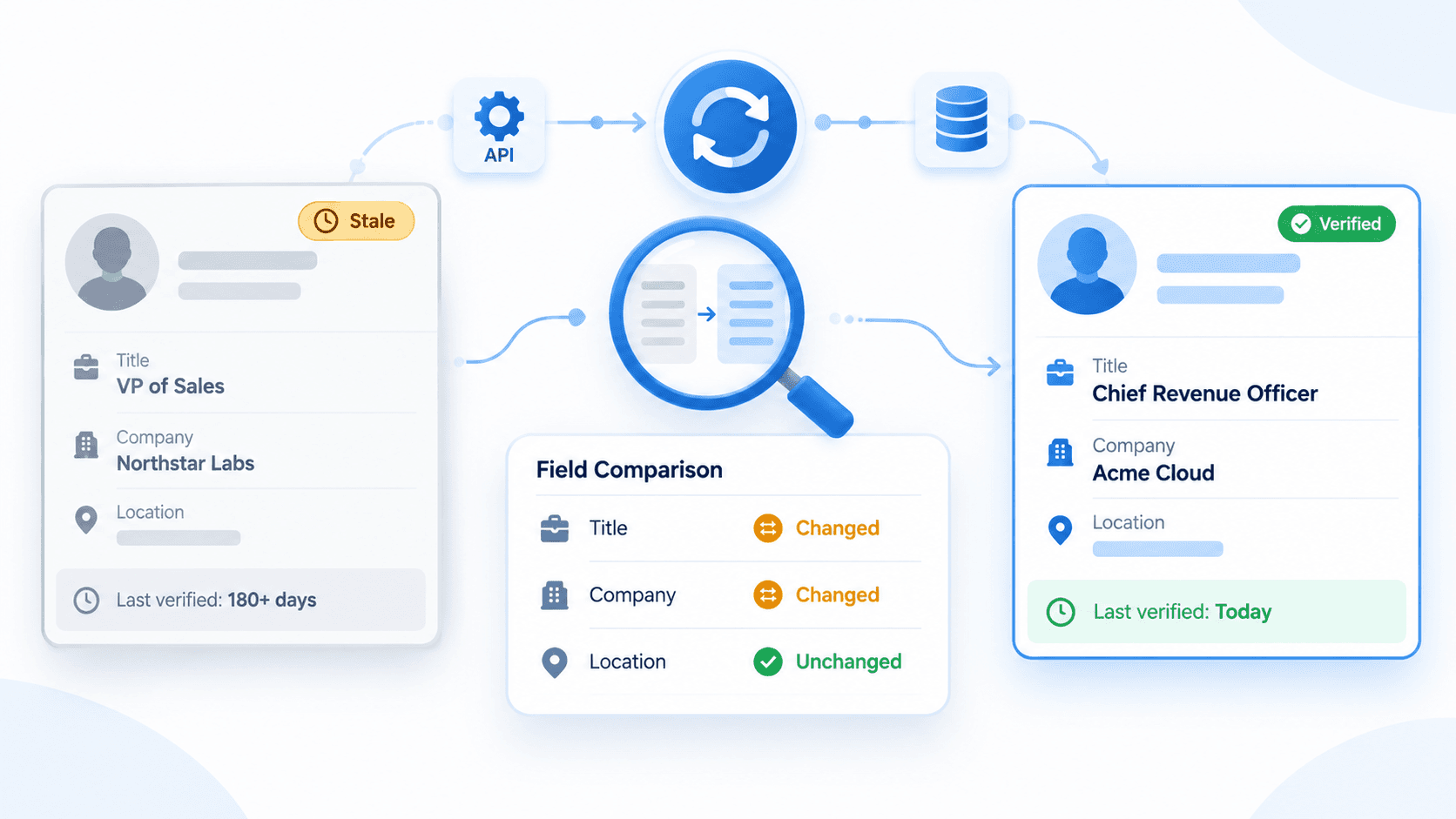
A jobs API supports company hiring monitoring when your application runs recurring queries, stores dated snapshots, and compares observed results over time.
This workflow can identify:
- Newly observed job listings
- Listings no longer observed in a later query
- Field-level changes in job title, location, description, or other tracked details
- Company-level changes in observed hiring activity
- Patterns across departments, locations, or role categories
Important: A newly observed listing does not prove that the employer just published it. A listing that is no longer observed does not prove that the job was filled, expired, or removed from the original career site.
Your system measures changes between snapshots. It does not provide a complete historical record of every job-posting event unless your own database has collected and preserved that history.
This method creates a reliable foundation for hiring monitoring because it separates observed data from assumptions about a company’s internal recruiting process.
Market and Workforce Research
Market-research teams can aggregate job listings to analyze visible role demand, location demand, company hiring patterns, and skill requirements across a defined sample.
For example, an internal research team can collect weekly snapshots for five job titles across 200 companies.
It can then group records by industry, country, city, department, title, and capture date to understand changes in its selected sample.
Use a documented methodology before publishing conclusions:
- Define the companies, roles, countries, and locations in scope
- Use a fixed collection schedule
- Preserve raw data and normalized fields
- Store a captured_at timestamp for each record
- Deduplicate listings before counting them
- Document the sample definition and collection period
- Separate observed job listings from broader labor-market statistics
Note: Public job data can reveal patterns in job ads and employer demand for skills. It does not replace official labor-market datasets. For unemployment, wages, employment levels, and other macroeconomic indicators, researchers should use official statistical sources with published methodology and revision policies.
Account and Sales Intelligence
Public hiring activity can strengthen account research and lead generation.
A company hiring for data engineering, security, cloud infrastructure, or revenue operations may provide useful context for sales teams researching account priorities.
A sales-intelligence workflow can use job data to:
- Identify companies with relevant job postings
- Add observed hiring activity to an account record
- Prioritize company research
- Segment accounts by role, location, or industry
- Prepare more relevant discovery questions
- Track visible changes at competitor accounts
Important: Treat hiring activity as a supporting signal, not confirmed purchasing intent. A company can post a role without having a defined software budget, active vendor evaluation, or immediate procurement project.
Strong account research combines job data with company data, first-party engagement, account ownership, product fit, and a documented qualification process.
How EnvoAPI Supports Job Data Workflows
EnvoAPI places job data within the same API surface as public profile, company, search, and post data.
This helps developers build connected enrichment and research workflows without maintaining separate public-data retrieval layers for each record type.
Search Public Job Data
The Jobs API supports public job-search workflows. Begin with supported search criteria, then store both the response and the request context in your own system.
A production workflow should save at least these six elements for every result:
- The normalized job record
- The search criteria used
- The company reference where available
- The job identifier available in the response
- The source endpoint
- The captured_at timestamp
This structure improves traceability. It helps your team understand why a record entered the database, how it was found, when it was observed, and which filter combination generated the result.
Important: Use supported job-search criteria only. Do not invent or rely on unverified fields such as salary, applicant count, experience level, job-board source, or date-posted filters unless the current API documentation confirms them.
Example: Send a Job Search Request
This example searches jobs by keyword from your server. Send your API key as a Bearer credential. See the current API reference for supported filters and response fields.
curl --request GET \ "https://api.envoapi.com/v1/jobs/search?keywords=software%20engineer" \ --header "Authorization: Bearer $ENVOAPI_KEY" \ --header "Accept: application/json"Security note: Keep ENVOAPI_KEY in a server-side environment variable or secrets manager. The request above uses the documented Jobs Search route at /v1/jobs/search.
Example: Store a Normalized Job Snapshot
The following Python example demonstrates how an application can normalize a retrieved job record and attach observation metadata before storing it in a database or data warehouse.
from datetime import datetime, timezonedef normalize_job_record(job, search_criteria, source_endpoint): return { "job_id": job.get("id"), "title": job.get("title"), "company_name": job.get("company", {}).get("name"), "company_reference": job.get("company", {}).get("id"), "location": job.get("location"), "description": job.get("description"), "metadata": job.get("metadata", {}), "search_criteria": search_criteria, "source_endpoint": source_endpoint, "captured_at": datetime.now(timezone.utc).isoformat(), "raw_response": job, }Note: Field names shown above are illustrative. Use only the field names returned by the current endpoint documentation and API response.
Discover Supported Filters
Dynamic filters help developers create structured job-search interfaces without maintaining an outdated static filter catalog.
Use current API-supported filter values to:
- Power search controls
- Validate scheduled requests
- Standardize filter values in your database
- Reduce validation errors caused by obsolete hard-coded options
Advanced filters are useful when a product needs consistent user controls for role, location, company, or other supported job-search dimensions.
They also help maintain a predictable workflow when many users search the same Jobs API through a shared interface.
Retrieve Job Details
After your job-search request identifies relevant listings, retrieve job details when your workflow requires more context.
For example, a recruitment platform can search a role category first, select relevant listings, then retrieve details for records used in a user-facing job-search experience.
A company-monitoring product can retrieve details only for newly observed or changed listings.
Job details can support downstream classification, research, and enrichment. Store only fields that your application needs, and preserve raw responses separately when your technical design requires auditability or future reprocessing.
Privacy and product-design note: Use synthetic records in product documentation, demos, screenshots, and test environments. Do not use identifiable public records as default examples in customer-facing materials.
Connect Jobs With Company Context
Job data becomes more useful when your application places it beside company context.
A company-research workflow can compare observed job listings over time. A market-mapping workflow can group listings by company, industry, location, and role. A sales-intelligence workflow can connect observed hiring activity to account records.
This helps teams answer practical questions:
- Which companies show observed demand for a target job title?
- Which industries have the highest number of relevant listings in the selected sample?
- Which locations appear most frequently for a role?
- Which companies added newly observed listings since the prior snapshot?
- Which competitors show visible hiring activity in a defined department?
Important: Do not assume that a job response includes hiring-manager data, employee records, org charts, salary, resume data, applicant counts, or application status unless the specific endpoint documentation confirms those fields.
## Ready to test a job-data workflow?
Get API key 100 free credits · No credit card required
How to Monitor Hiring Activity With Job Data
A jobs data API supports hiring monitoring when your application runs recurring queries, stores dated snapshots, and compares results over time.
This differs from claiming a complete job-change feed or complete historical job-posting dataset.
Run a scheduled job or company-job query ↓Store normalized records with a captured_at timestamp ↓Compare the latest snapshot with the prior snapshot ↓Identify newly observed, no-longer-observed, or changed records ↓Send updates to a CRM, dashboard, warehouse, or alerting workflowRun Scheduled Queries
Choose a fixed schedule before launching a monitoring workflow.
Daily queries provide more frequent observation. Weekly queries reduce processing volume and fit broader company or market research.
Keep the same search criteria when comparing snapshots. Changing the title, location, country, company list, or advanced filters between runs produces false differences.
For example, if your workflow searches full-time backend engineer listings at Acme Corp in New York every Monday, preserve that exact query definition across the monitoring period.
Store Dated Snapshots
Store normalized job records in a database with a capture timestamp.
Keep the raw response separately when your workflow requires troubleshooting, reprocessing, or audit support.
A normalized job record can include:
- Job title
- Company name
- Geographic location
- Job description
- Supported job metadata
- Search criteria
- Observation date
- Record identifier where available
- Raw-data reference
- Normalized field values
Preserving metadata is important. A job title alone does not explain how the record was found, which search criteria applied, or when the system observed it.
Compare Results Carefully
Compare the latest snapshot against the prior snapshot using a stable identifier when available.
If the workflow does not receive a stable identifier, define a documented deduplication rule based on supported fields.
Classify results into three categories:
| Status | Meaning |
|---|---|
| Newly observed | The latest snapshot includes a record that the prior snapshot did not include |
| No longer observed | The prior snapshot included a record that the latest snapshot does not include |
| Changed | Both snapshots contain the same record, but one or more tracked fields differ |
A basic comparison routine might look like this:
def compare_snapshots(previous_records, current_records): previous_by_id = { record["job_id"]: record for record in previous_records if record.get("job_id") } current_by_id = { record["job_id"]: record for record in current_records if record.get("job_id") } newly_observed = [ record for job_id, record in current_by_id.items() if job_id not in previous_by_id ] no_longer_observed = [ record for job_id, record in previous_by_id.items() if job_id not in current_by_id ] changed = [] for job_id, current_record in current_by_id.items(): previous_record = previous_by_id.get(job_id) if not previous_record: continue tracked_fields = ["title", "location", "description"] if any( current_record.get(field) != previous_record.get(field) for field in tracked_fields ): changed.append(current_record) return { "newly_observed": newly_observed, "no_longer_observed": no_longer_observed, "changed": changed, }Important: A newly observed listing does not mean the employer published it that day. A no-longer-observed listing does not automatically mean the role expired, was filled, or was removed from the original source.
Monitoring quality depends on your schedule, filters, data storage, deduplication rules, comparison logic, and alerting thresholds.
Use Pagination Correctly
Jobs Search returns job cards in data.jobs and paging details in meta.paging.
Continue requesting pages only when hasMore is true.
Send start on each Jobs Search request. Inspect meta.paging.start, meta.paging.count, and meta.paging.hasMore to advance through the results.
Important: Jobs Search documents start-based paging. It does not document nextOffset or cursor request parameters; use the fields returned by this operation.
The following pseudocode shows the intended control flow:
start = 0all_jobs = []while True: response = fetch_jobs(start=start) # GET /v1/jobs/search all_jobs.extend(response["data"]["jobs"]) paging = response["meta"]["paging"] if not paging["hasMore"]: break next_start = paging["start"] + paging["count"] if next_start <= start: raise RuntimeError("Jobs Search did not advance") start = next_startSet bounded limits for recurring workers.
For example, a monitoring job can stop after 20 pages or 1,000 records unless the product explicitly requires a larger defined scope.
This protects your rate-limit budget and keeps downstream processing predictable.
Read the Pagination guide before building production workers.
Implementation Considerations for Jobs APIs
Technical reliability determines whether a jobs API becomes a useful data workflow or an unreliable collection process.
Authentication, rate limits, pagination, error handling, normalization, and storage should be defined before production deployment.
Authentication
Send your Customer API Key in the Authorization: Bearer <API_KEY> header on server-side requests.
Keep API keys in a server-side environment variable, secrets manager, or protected backend configuration.
Do not expose API keys in:
- Browser-side JavaScript
- Public repositories
- Screenshots
- Error logs
- Analytics events
- Client-side bundles
- Shared spreadsheets or documents
A secure architecture sends API requests from your backend, worker, serverless function, or protected API layer.
Your frontend should receive only the data that it needs to render the interface.
export ENVOAPI_KEY="your_api_key"curl --request GET \ "https://api.envoapi.com/v1/jobs/search?keywords=software%20engineer" \ --header "Authorization: Bearer $ENVOAPI_KEY" \ --header "Accept: application/json"Read the Authentication guide before implementing production access.
Error Handling and Rate Limits
Handle structured errors using the HTTP status code and documented error type.
Do not depend on parsing raw error-message text.
| Status code | Meaning | Recommended action |
|---|---|---|
| 400 | Invalid request | Review parameters, formats, and required values |
| 401 | Authentication failed | Verify the API key and server configuration |
| 404 | Resource not found | Confirm the route or record reference |
| 409 | Temporary conflict | Retry with bounded backoff if appropriate |
| 422 | Validation error | Correct the request before retrying |
| 429 | Rate limit reached | Slow requests and retry with backoff and jitter |
| 502 | Upstream failure | Retry with bounded exponential backoff |
| 503 | Temporary service issue | Retry with bounded exponential backoff |
For temporary errors, use bounded exponential backoff with jitter.
For example, retry after 1 second, 3 seconds, and 7 seconds, then stop after the third failed retry.
import randomimport timedef retry_delay(attempt): base_delays =[1][3][7] base_delay = base_delays[min(attempt, len(base_delays) - 1)] jitter = random.uniform(0, 0.5) return base_delay + jitterfor attempt in range(3): try: response = make_api_request() if response.status_code < 500 and response.status_code != 429: break except Exception: if attempt == 2: raise time.sleep(retry_delay(attempt))For HTTP 429 responses:
- Reduce concurrency
- Spread recurring work across a longer schedule
- Cache reusable results
- Avoid reprocessing unchanged records
- Align workers with the request capacity available to your plan
Read the Error handling guide and Rate limits guide before running large workflows.
Why Use EnvoAPI for Public Job Data?
EnvoAPI brings jobs into the same API surface as profile, company, search, and post data.
This structure supports connected workflows for SaaS products, internal research teams, recruiting tools, market-research applications, and sales-intelligence systems.
Use EnvoAPI when your product needs to retrieve structured public professional data and apply its own business logic for:
- Data enrichment
- Company research
- Job search
- Recruiting intelligence
- Hiring monitoring
- Market research
- Competitive research
- Lead generation
- CRM enrichment
- Warehouse pipelines
- Internal dashboards
- Alerting workflows
Use an official platform API when your workflow requires permissioned platform-side actions, such as publishing, editing, or managing employer job postings.
Use EnvoAPI when your product needs to search, retrieve, normalize, enrich, compare, and analyze structured public job data in its own workflow.
The API reference provides route details, request formats, response codes, and supported implementation guidance.
Build Your Jobs Data Workflow
Build recruiting intelligence, company-monitoring, market-research, sales-intelligence, or job-data enrichment workflows with structured public professional data.
Search public job listings, store normalized data, connect listings with company context, compare timestamped snapshots, and send useful results to the systems your users already rely on.
Ready to build with EnvoAPI?
Use structured public job data to power job search, hiring monitoring, company research, market intelligence, sales intelligence, and enrichment workflows.
Get your API key 100 free credits · No credit card required
Frequently Asked Questions
What is a jobs data API?
A jobs data API helps applications search, retrieve, normalize, and process structured job-listing data. Teams use it for recruiting intelligence, hiring monitoring, company research, market research, and enrichment workflows. The API returns structured data that a product can store in a database, compare over time, and send to CRMs, dashboards, warehouses, or internal tools.
What is the difference between a job listing API and a job posting API?
A job listing API supports reading and querying job data, while a job posting API supports publishing or managing employer job posts. EnvoAPI supports public job-data retrieval for structured workflows. It is not a job-publishing platform, ATS, official LinkedIn integration, or employer-side job-management tool.
Can I use a jobs API for recruiting intelligence?
Yes. Teams can use public job listings to research visible demand by job title, company, keyword, industry, or geographic location. The resulting context supports sourcing priorities, talent-market research, company research, and recruiting-product features.
Can I monitor company hiring activity with job data?
Yes. Run a scheduled job-search or company-job query, store normalized results with timestamps, and compare snapshots over time.
This process identifies newly observed, no-longer-observed, and field-level changed records.
It measures observed differences in your data collection, not a complete source-side history of every publication, expiration, closure, or hiring event.
Is EnvoAPI an official LinkedIn Jobs API?
No. EnvoAPI is an unofficial API for structured public professional data.
It is not an official LinkedIn integration, LinkedIn partner, or job-posting tool.
Official products support permissioned platform actions, while EnvoAPI supports public-data retrieval workflows for enrichment, research, and internal systems.
How do I paginate job-search results?
Jobs Search returns job cards in data.jobs and paging in meta.paging. Send start on each request and continue while meta.paging.hasMore is true. Advance using the returned start and count values. This operation does not document nextOffset or cursor parameters.
How do I authenticate requests to EnvoAPI?
Send the API key in the Authorization: Bearer <API_KEY> header from a server-side environment. Store the key in an environment variable or secrets manager; do not expose it in browser code, public repositories, logs, or screenshots.